7
Note: the Single Coil select pin does not override the Voice select. Therefore, you are
free to use the single coil mode with Voice 1, Voice 2, and Voice 2 Mid Flat
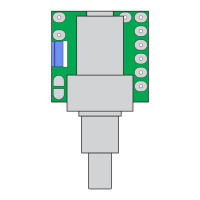
3. Single Coil Select Wire - To select Single Coil mode, connect this pin to ground
through a switch contact.
In Single Coil mode, the default setting are the inside coils.
4. Single Coil Mode Select - A row of three solder pads is used to select the active
coil in Single Coil mode
The active coil is selected by a solder bridge connecting the corresponding outer pad
to the center one.
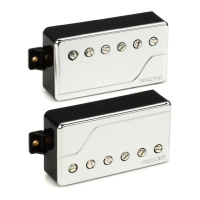
The pickups ship from the factory with the inner coils (when used as a Bridge/Neck
pair) set as the default. To change the active coils to the outer ones, remove the
solder bridge and create a new one from the other outer pad to the center. To avoid


 To Next Page
 Loading...