2
Installation
Output jack/battery box installation
1. Once you select the mounting location, affi x the
output jack/battery box template and cut out the
cavity.
2. Drill a pilot hole for the screw holes.
3. Feed the output and battery wires through the
cavity.
4. Install the output jack/battery box using the four
mounting screws.
Sonicore installation
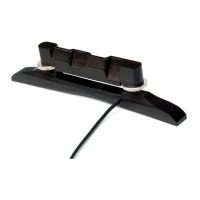
Thread the tip of the pickup through the hole in
the saddle slot from inside the instrument (fi gure 3).
Bring the tip of the pickup to the opposite end of
the slot and lay it down fl at (fi gure 4). Install saddle
after reducing its height by .070” (1.8mm).
NOTE: Do not trim the end of the pickup; it will
become susceptible to hum and it may short out.
Control module installation
1. Before mounting the control module, connect the
output jack/battery wires to the control module.
• Connect the output jack by inserting the
3-pin connector into the 3-pin receptacle on
the preamp.
• Connect the battery box by by inserting the
red & black 2-pin connector into the 2-pin
receptacle on the preamp.
2. We recommend securing the wires inside the
instrument with adhesive-backed clips (fi gure 5).
3. Peel back the release fi lm on the bottom of the
mounting bracket and fasten the control module to
the underside of the soundhole. Apply even, steady
pressure to the preamp to set the adhesive. The
adhesive gains maximum hold after 24 hours.
Figure 4.
Figure 5.
514-300-118 Rev A 4-09
Figure 3.



 To Previous Page