7
Computer Instruction
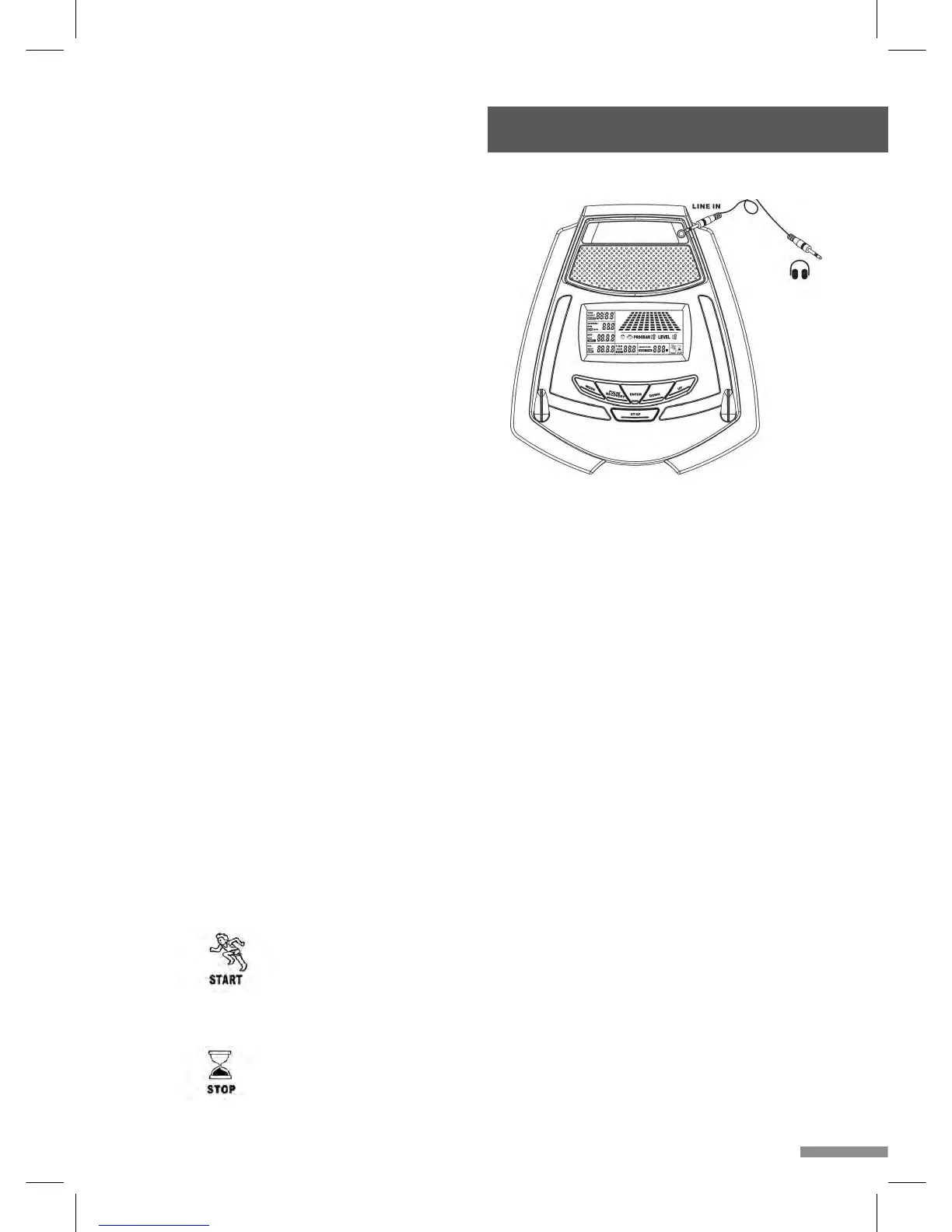
The monitor is designed for programmable
magnetic bikes and introduced with the
following categories:
• Key Functions
• About Displays
• Operating Ranges
• Things You Should Know Before Exercising
• Operation Instructions
• Key Functions
There are total 6 keys including START/STOP,
ENTER, MODE, UP, DOWN, and RECOVERY.
A. START/STOP: Starts or stops the program
chosen. And, resets the monitor by pressing and holding for 2 seconds.
B. ENTER: Chooses the functions from PROGRAMS, GENDER, TIME, HEIGHT,
WEIGHT, DISTANCE, WATT, TARGET HEART RATE, CAL, AGE, and 10 columns.
The chosen function shall flash. Please note that not all the functions can be selected
in every program according to the types of each program.
C. MODE: Changes the displays of the values between RPM or SPEED, DIST or ODO
and KJOULE/CAL or WATT. The values of RPM and WATT show at the same time, or
the values of SPEED and KJOULE/CAL do by pressing it.
D. UP (▲): Selects or increases the values of PROGRAMS, GENDER, TIME, HEIGHT,
WEIGHT, DISTANCE, WATT, TARGET HEART RATE, AGE, and 10 columns.
E. DOWN (▼): Selects or decreases the values of PROGRAMS, GENDER, TIME,
HEIGHT, WEIGHT, DISTANCE, WATT, TARGET HEART RATE, AGE, and 10 columns.
F. RECOVERY: Starts the function of PULSE RECOVERY.
• About Display
A. START: Indicates the program selected has started.
B. STOP: Indicates the program selected has stopped. And, users are free to change the
programs and the value of functions applied.


 To Next Page