16
CHANGING THE UNIT OF MEASUREMENT
Changing the Unit of Measurement
There are two ways you can change the unit of measurement:
On your FitTrack Beebo scale and in the FitTrack Pro app.
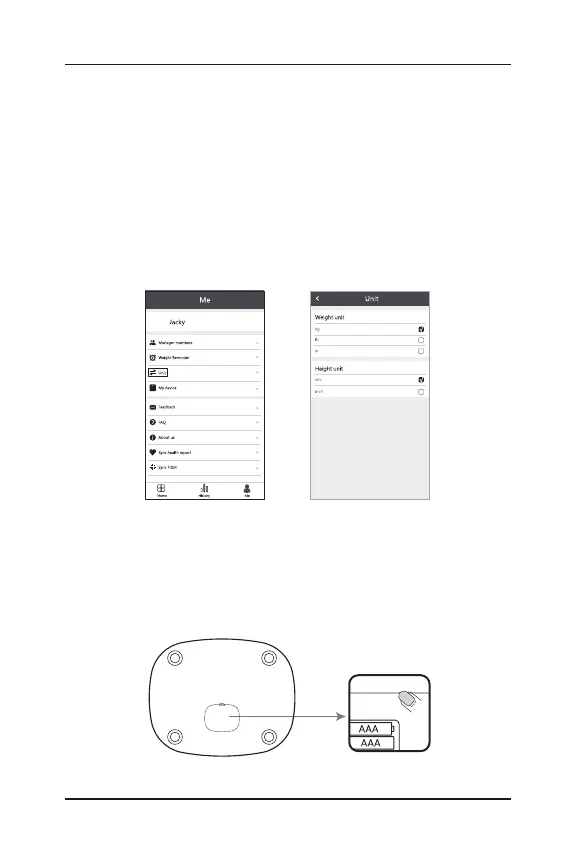
1) To change the unit of measurement via the app:
Navigate to “Me,” and then “Unit,” and select
your preference.
2) To change the unit of measurement via the scale:
Open the battery cover on the underside of the scale
and use the small, black button until the scale displays
your preference.


 To Next Page