13
English
DESCRIPTION
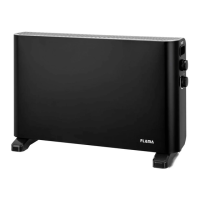
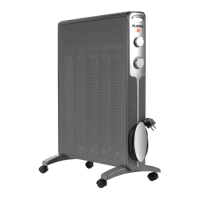
1. Grille
2. Power level selector
3. Thermostat control knob
4. Lighted indicator
5. Feet with caster wheels
6. Cord wrap
7. Handle
ASSEMBLING THE FEET
The feet should be placed at both ends of
the boom part of the appliance.
Align the openings on the feet with the
hubs located underneath the appliance.
Screw on the feet.
Instrucons for use
OPERATING INSTRUCTIONS
Fully unwind the power cord from the cord
wrap.
Plug the appliance into a wall socket.
Turn the thermostat control knob clockwise
to the maximum (MAX) posion.
Place the power level selector in the desired
posion; the lighted indicator will turn on.
Keep in mind:
Posion 0 - O.
Posion I – Minimum power.
Posion II - Maximum power.
When the desired temperature is
reached, turn the thermostat control knob
counterclockwise unl the lighted indicator
turns o. The thermostat will automacally
maintain the selected temperature.
An-frost funcon
When the thermostat control knob is in
the an-frost (*) posion and the power
level selector is acvated, the appliance
will automacally turn o if the ambient
temperature is below 5ºC.
MAINTENANCE AND CLEANING
Before undertaking any cleaning and
maintenance procedures, make sure the
appliance is unplugged from the wall socket
and has cooled down.
Let the hot parts cool down.
It is important to always keep the air intake
and outlet grilles clean of dust and lint.
Clean the appliance with a so, dry cloth.
Do not use chemical or abrasive products,
steel wool, etc. to clean the appliance, as
these can damage its surface.


 To Next Page