14
RECORDING
SINGLE NOTES
Steps can only be recorded while the sequencer is running. Turn off
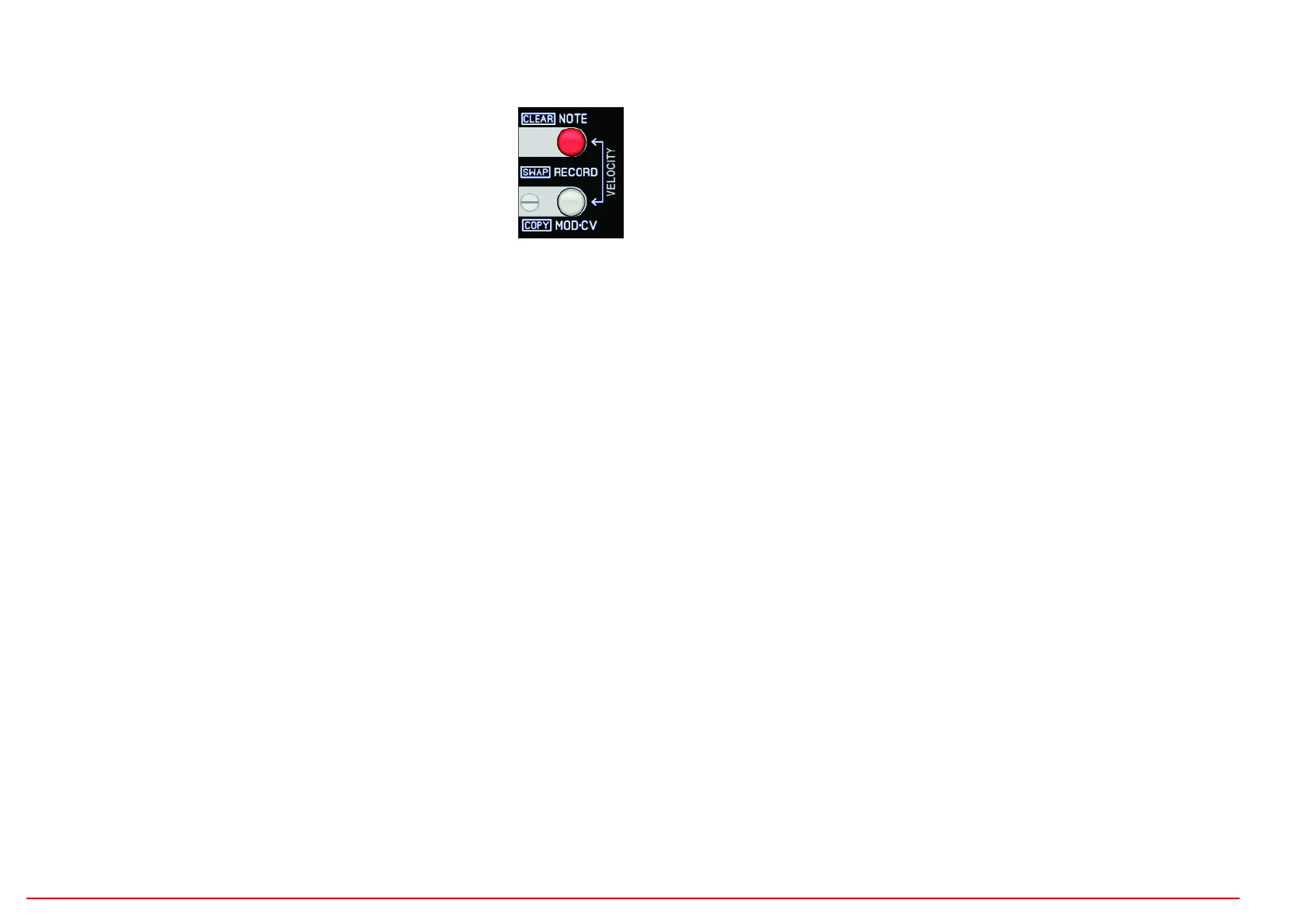
the SHOTS button (not lit). Press the RECORD NOTE button to record
with the track buttons.
Start the sequencer and play with the track buttons, the sensors or a MIDI note via MIDI
input. Beforehand, use the VELOCITY control to set the volume of the step (for MIDI notes,
the received velocity is used). If a key is pressed briefly or long, a step is set on the next
quantization step (note the BEAT control). It works the same way with the sensors or notes
via MIDI input.
The gate time (length of the recorded note) depends on the duration of the key press. A very
short key press creates a trigger (a few milliseconds). The GATETIME control is ineffective
for single-note recording. As long as the button remains pressed, notes that have already
been recorded will be deleted. If you play into a note that is already playing, the length of
this note will only extend to the new note (1 tick before because of retrigger). If no note has
been set yet, the gate extends over the entire loop. Notes played across a bar boundary
are played truncated when the bars change.
SHOTS RECORD (NOTE REPEAT)
SHOTS are running pulse phrases with different rhythms that can be recorded while the
sequencer is running. The rhythm is determined by the BEAT control (grid, resolution)
and the selection of USER phrase, EUCLID phrase or just BEAT.
To record notes in SHOTS mode, make the following settings:
- Switch to SHOTS (SHOTS button must light up)
- Switch to RECORD (RECORD NOTE button must light up)
- MUTE and HOLD of the track to be recorded must be switched off beforehand.
You can record with the track buttons, the sensors or with MIDI notes (via MIDI input).
Example with track button: As long as the track button is pressed, a sequence is recor-
ded that is determined by the BEAT settings, VELOCITY and GATETIME controls.
VELOCITY
Determines the values for MIDI and CV velocity or modulation CV.
Fixed values from 0-127 up to the middle position, decreasing to the right, increasing, ran-
dom values. The controller can also be used to record a modulation sequence indepen-
dent of the trigger (see VELO/MOD function).
GATETIME
OFF: for SHOTS: no steps are set = pause
TRIG: Gate length of only short triggers
1-100: The gate lengths depend on the BEAT (in percent)
up: The gate lengths are automatically generated from short to long
down: The gate lengths are automatically generated from long to short
RND: The gate lengths are randomly generated
BEAT
The BEAT control determines the pulse sequences (divider) in tick resolution.
Left: Triplet notes
Right: straight (duolet) notes
The pulse sequence can be continuous or a mini-sequence (USER phrase, EUCLID
phrase).
OFFBEAT
The pulse sequence runs in offbeat mode (except for 32nds and ticks)
PHRASE USER
The pulse sequence is a 16-step sequence (editable with EDIT-USER + 16 track and
function button), but loops after 12 steps with triplet/dotted!
PHRASE EUCLID
The pulse sequence is a Euclidean algorithm (editable with EDIT-EUCLID + 3 Euclid buttons)


 To Next Page
 Loading...