15
RECORDING
VELOCITY RECORDING
The velocity of an already recorded track with note trigger and velocity values can be
changed or adjusted later. Simply record other values using the velocity control.
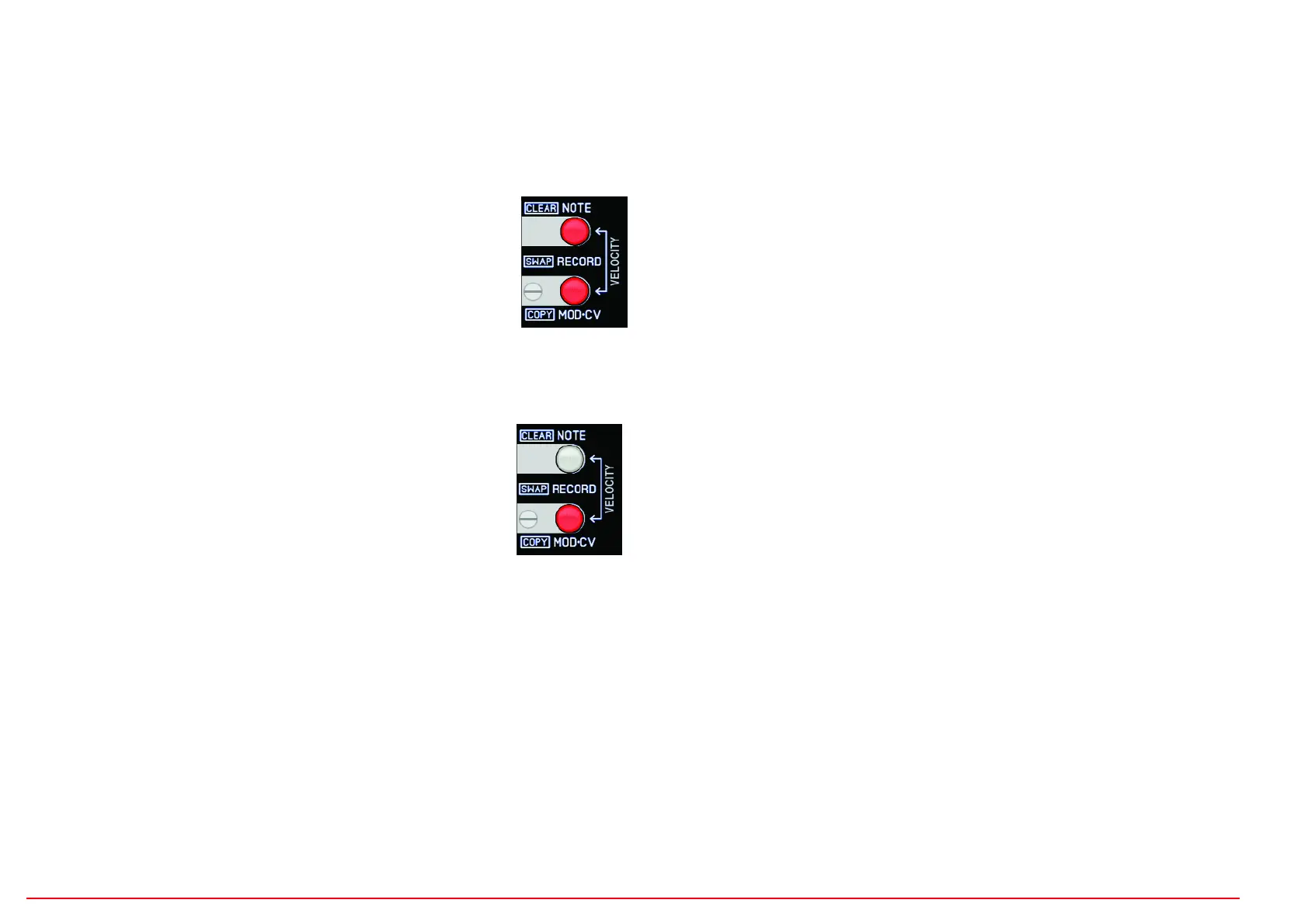
To do this, the two RECORD (NOTE and MOD-CV) buttons must be
pressed together (both LEDs light up). The sequencer is now in velo-
city recording mode. Now enter new velocity values using the track
buttons or sensors without changing the set note triggers. The track
must be set to "VEL" in the VELO/MOD function menu.
MOD-CV RECORDING
Press RECORD MOD-CV/COPY button (button lights up):
A modulation sequence for the analog CV output can now be recor-
ded. To do this, the track must be set to "REC" in the VELO/MOD
function menu. This modulation sequence is only output via the
track's CV output (not via MIDI). Velocity data is still sent via MIDI.
A continuous modulation movement can now be recorded with the VELOCITY control. To
do this, first turn the BEAT control to “TICK” (highest resolution). If you want a gridded
sequence, change the BEAT setting accordingly.
Record, like this:
With the sequencer running and the track button (or active sensor) held down, turn the
velocity control (or record an automatic velocity movement).
EDIT PHRASE USER
A 16-step sequence (editable with the 16 track and function buttons) can be programm-
ed per scene for each track. This sequence can be used as a BEAT phrase for recording
SHOTS. The resolution can be adjusted with the BEAT control. Switch to mode by hol-
ding down the EDIT USER button for longer than 1 second. This then flashes.
The following controls are effective:
- select track 1-8 with DATA control =, the display shows: "Tr1" (track + number)
- Switch steps 1-16 on/off with the 16 function and track buttons.
EDIT PHRASE EUCLID
Euclidean sequences can be programmed per scene for each track. This sequence can
be used as a BEAT phrase for recording SHOTS. The resolution can be adjusted with the
BEAT control. Switch to mode by holding down the EDIT EUCLID button for longer than
1 second. This then flashes.
The following EUCLID parameters can be set:
Length:Button LASTSTEP (Edit with Data pot) Display: "L16" (L + Steps)
Offset: Button Track-Shift (Edit with Data pot) Display: "O 2" (O + Steps)
Steps: Button SHUFFLE (Edit with Data pot) Display: "S16" (S + Steps)
Select track with track buttons 1-8.
A NOTICE:
When you EDIT the PHRASEs you can hear the phrase playing without it being recorded.
Playback of recorded notes on the selected track is suppressed.
The track can also be selected using the sensors and external MIDI notes and then jumps to
the channel. EDIT PHRASE cannot be recorded!!
All four controls VARIATION, GATETIME, BEAT and VELOCITY are effective when listening to
the phrase. The EDIT function can also be selected for SINGLE NOTES (SHOTS switched off).
EDIT PHRASE


 To Next Page
 Loading...