16
LFO
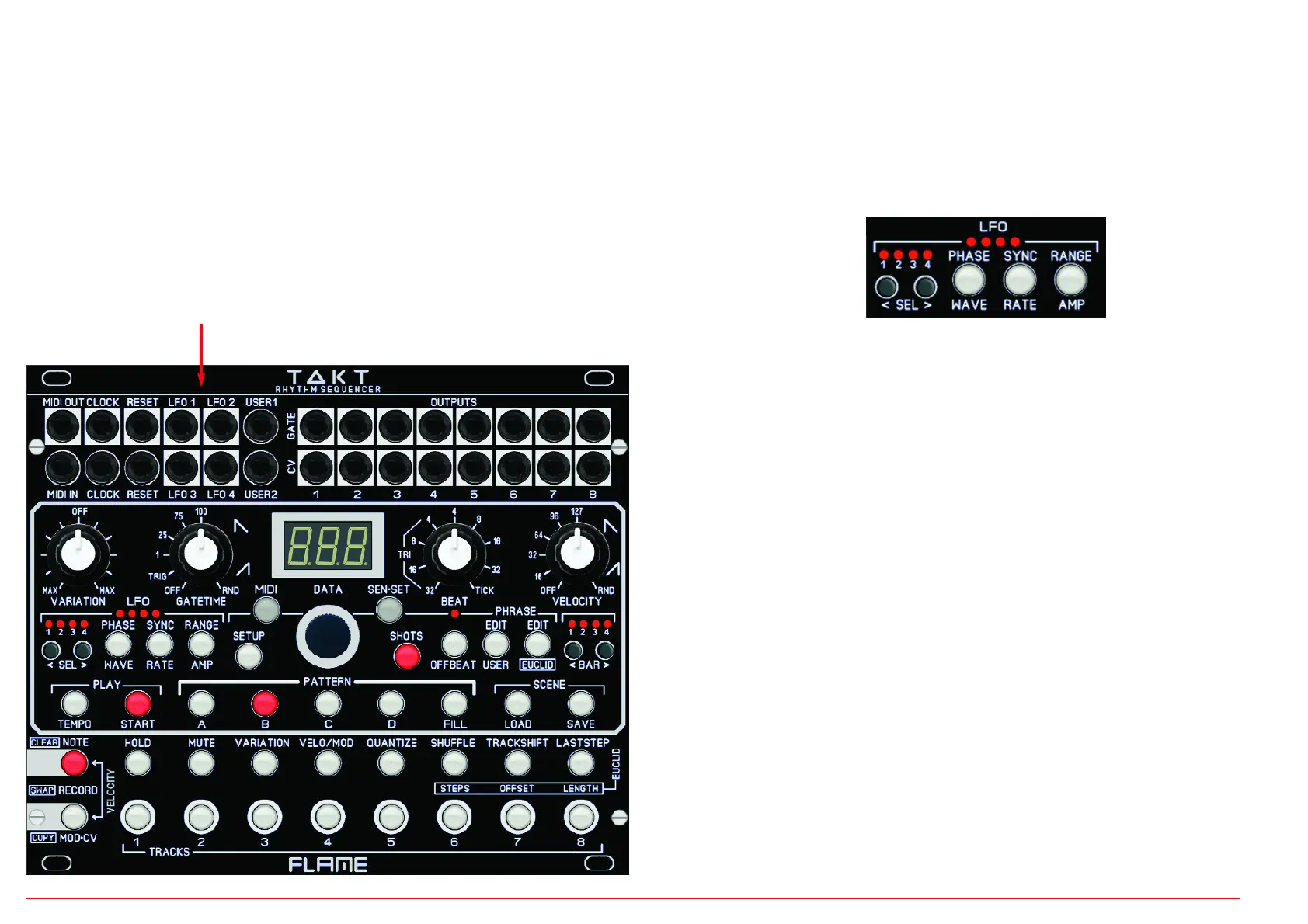
There are four identical programmable LFOs for each Scene. Each LFO has WAVE &
PHASE, RATE & SYNC and AMP & RANGE settings. The waveforms come in two vari-
ants: output bipolar or unipolar (and unipolar inverted). The LFO only has analog outputs
and no MIDI functions. However, it can be triggered via track steps and synchronized to
the MIDI clock. The speed can be adjusted between 40Hz and a duration of over 9 minu-
tes.
SELECT LFO
Use the LFO SELECT button to select the LFO you want to edit. The LED signals the cur-
rently selected LFO. All changes to the values then only apply to this LFO.
SELECT/EDIT LFO FUNCTIONS
Use the three LFO function buttons to select the function you want to edit. The button LED
signals the function currently selected. Use the dial to change the value. To do this, pro-
ceed as follows:
You can access the WAVE, RATE, AMP functions labeled under the buttons directly by
briefly pressing the corresponding button. This then lights up. The current value appears
in the display. Change the value by turning the dial wheel.
To edit the functions PHASE, SYNC, RANGE labeled above the buttons, hold down the
corresponding button for a little longer (approx. 1 second) until the button flashes. The
value of the function now appears in the display. Turn the dial to change the value. To go
back, briefly press the button again.
Overview of the LFO functions
WAVE 26 waveforms
PHASE Phase shift of the wave in steps of +/- 15 degrees
RATE Speed
SYNC synced to the clock / free running, or triggered by track OneShot
AMP Waveform output voltage
RANGE Output bipolar, unipolar or unipolar inverted
4x LFO outputs


 To Next Page
 Loading...