25
Adapter Typ: MIDI-TRS-B
FIRMWARE UPDATE
A computer with a MIDI interface and a SYSEX program is required for a firmware
update. For PC we recommend the freeware software MIDI-OX, for MAC the soft-
ware “SYSEX LIBRARIAN”.
Proceed as follows:
Load the firmware file (e.g. FlameTaktV1_3.syx) onto the computer.
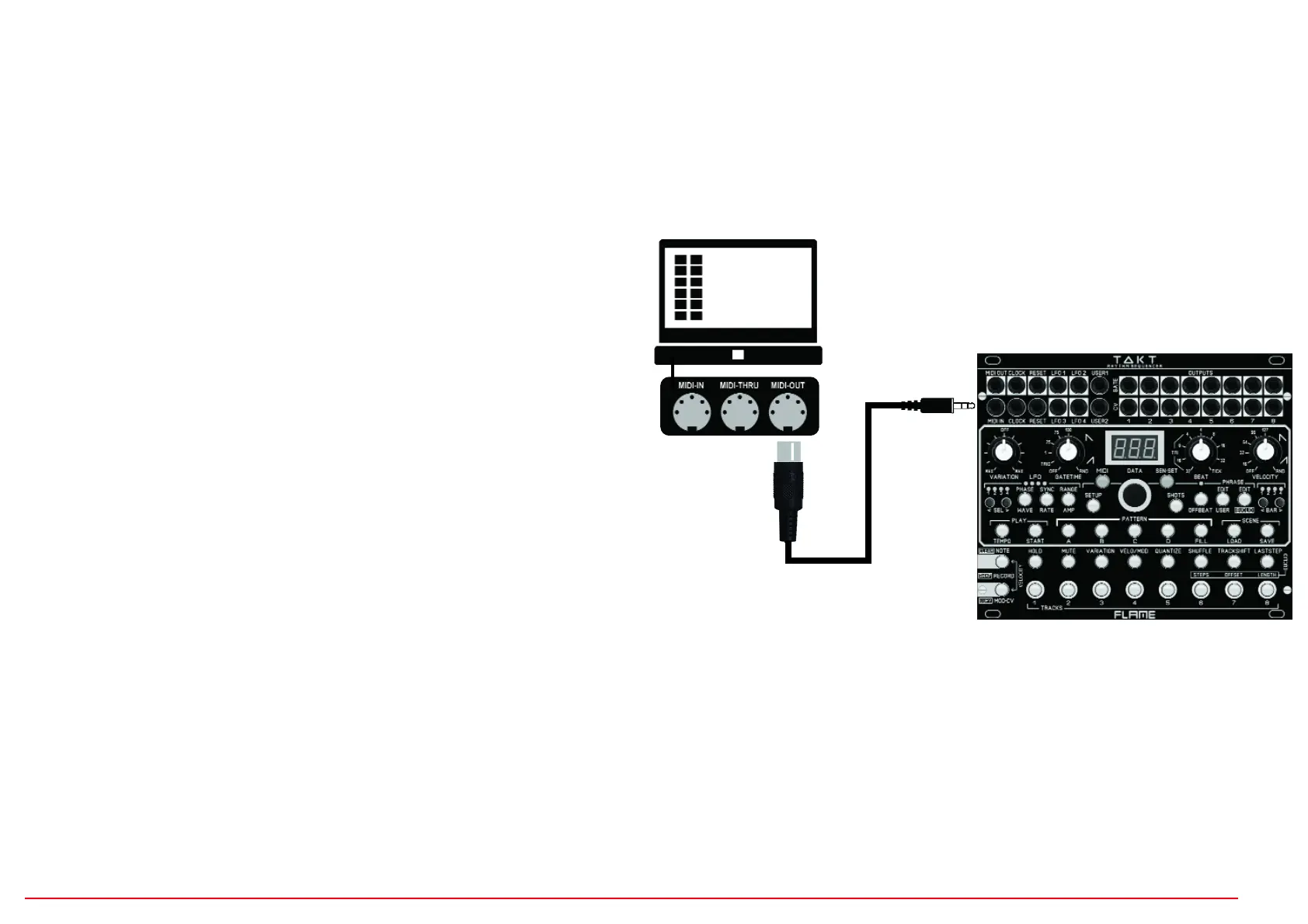
Connect the MIDI input of the module directly to the MIDI out of your computer using
a MIDI-TRS-B adapter (avoid detours, e.g. via USB hubs).
Advice: A MIDI-TRS-B adapter is required for the MIDI connection!
Turn on the module while holding buttons MOD-CV and 8 (TRACK 8). The module
now starts in the bootloader menu and waits for the Syseyx file. The display
shows: ”UPd” (Update)
Send the firmware file from the sysex program to the module. The receipt of the
data should now be shown on the display of the module (counter counts up). If
nothing is shown on the display when sending the file, the MIDI connection is not
correct (please check the cables, settings of the MIDI interface and SYX program
settings).
If the upload was successful, the module saves the data (the display freezes for 2-4
seconds) and then starts automatically with the new firmware.
u
v
w


 To Next Page
 Loading...