7
FUNCTION OF THE SENSORS
With four sensors connected, the tracks can be played alternatively (as with the track but-
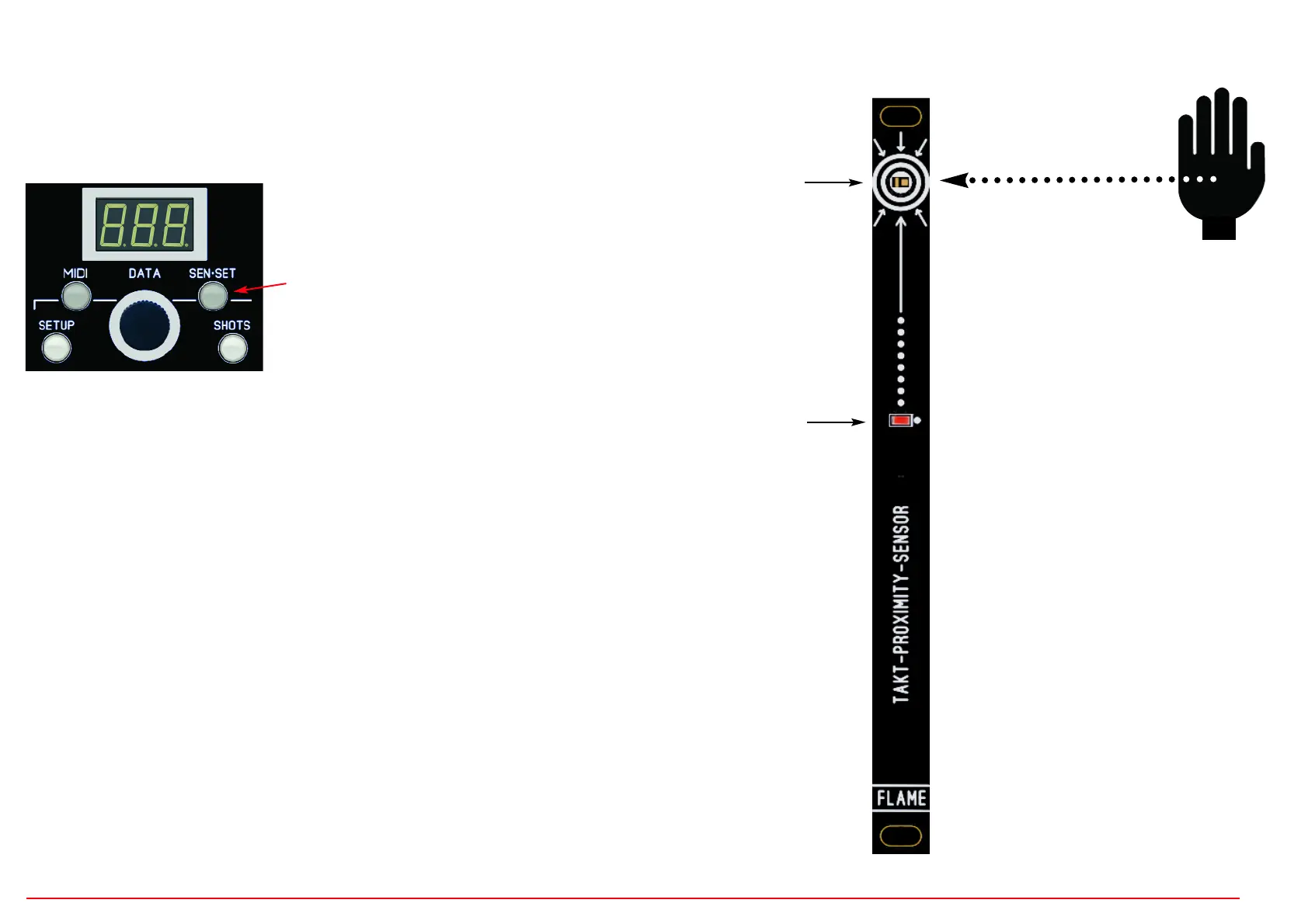
tons). If you move your hand over the sensor, the channel is triggered at a distance of
approximately 7..10 cm. The red LED on the sensor lights up as long as the sensor is trig-
gered.
The four sensors are permanently assigned to four
channels.
However, the SEN-SET button can be used to switch
between the assignment to channels 1-4 or 5-8.
If the LED is off (as shown above), then sensor 1 triggers channel 1, sensor 2 triggers channel 2,
sensor 3 triggers channel 3, etc.
If the LED lights up, then sensor 1 triggers channel 5, sensor 2 triggers channel 6, sensor 3 trig-
gers channel 7, etc.
TURN OFF SENSORS
In certain situations it can be helpful to switch off the sensors so that no triggers are trigge-
red. To do this, press and hold the SEN-SET button until it flashes. To reactivate the sen-
sors, press and hold the SEN-SET button again until it stops flashing.
SUN MODE
If the sensors are exposed to direct sunlight, they may trigger without being actuated. In
this case, the sensitivity can be reduced in the SETUP menu so that the sensors also work
correctly under these lighting conditions.
Go to SETUP - repeatedly press the SETUP button until the SUN menu appears on the
display. Set the value with the data slider to “ON” and exit the menu again. The setting is
permanently saved automatically.
NOTICE: In contrast to the track buttons or MIDI notes, which in SINGLE mode trigger the
channel in real time and are later quantized in the loop, the triggers for the sensors are set
and played for the next quantization step.
SENSOR
switching distance
approx. 7..10 cm
LED


 To Next Page
 Loading...