9
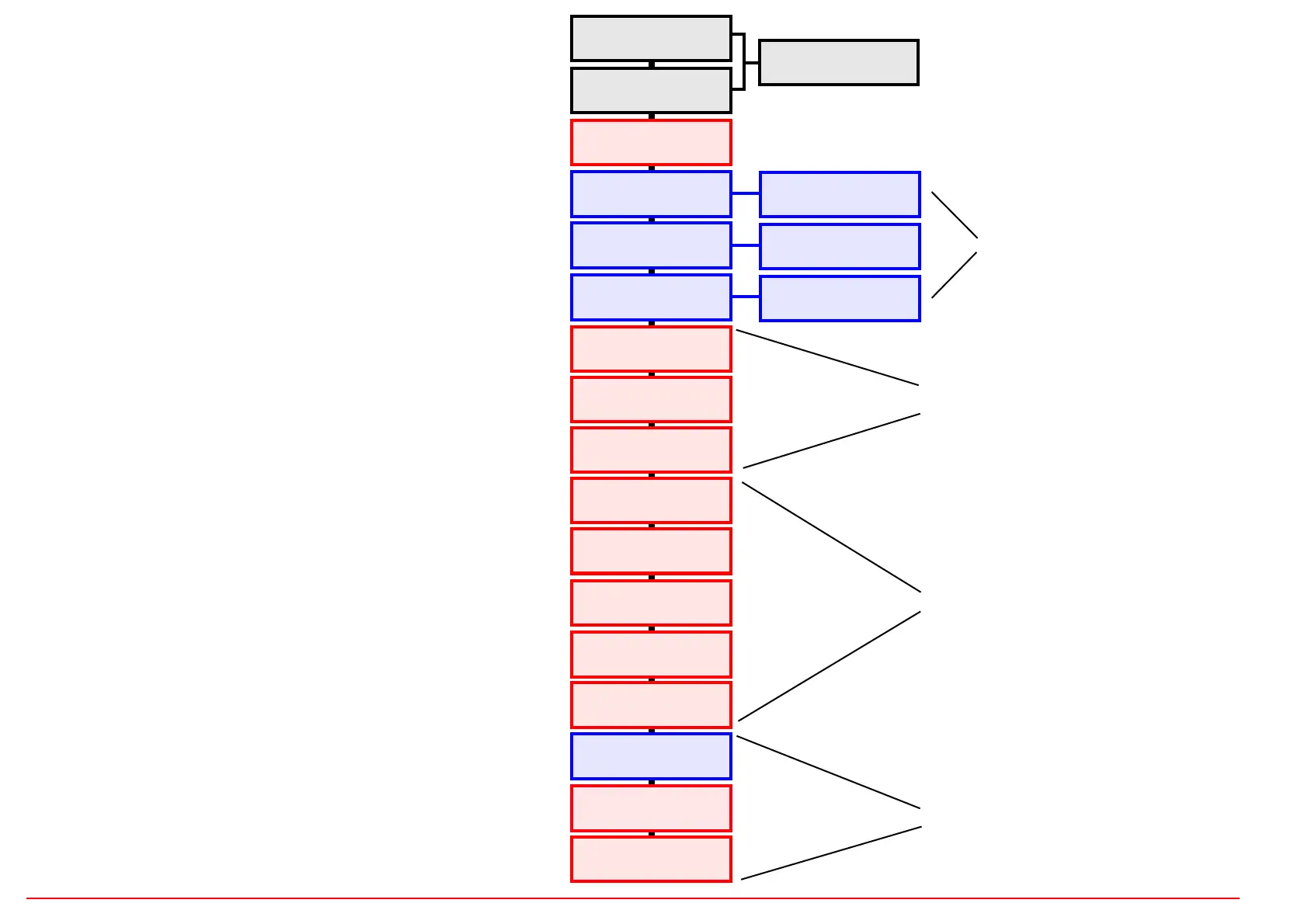
REC (NOTE)
TRACK-SHIFT
LASTSTEP
HOLD
REC (MOD-CV)
REC (nur Velo)
TEMPO
LOAD / SAVE
EDIT PHRASEN
SETUP & MIDI
WAVE
RATE
AMP
PHASE
SYNC
RANGE
MUTE
VARIATION
VELO/MOD
QUANTIZE
SHUFFLE
FUNCTIONS
LFO
SCENE
“REC” (RECORD)
There are two RECORD buttons with three separate functions:
only NOTE on: Record of Note+Velocity
only MOD-CV on: Record the modulation CV
NOTE and MOD-CV on: Record only the velocity afterwards
“020” ... “200” Tempo in Bpm
see chapter LFO
“---” no values in the display
Use the track buttons to switch the function for the track
on or off; the track button LEDs show the status.
Select the track with the track buttons, the button LED
shows the selected track (with the exception of
SHUFFLE). Set values with the DATA wheel. Details in
the function chapters.
See the relevant chapters!
MAIN MENUS
You can switch through the MAIN menus by pressing the correspon-
ding button. This then lights up (or flashes).
The LFO buttons each have two functions. To select the function
above the button, press the button for longer than one second. Then
the button flashes. Values are then set using the data wheel and the
value is shown on the display.
In the HOLD, MUTE and VARIATION function menus, the TRACK
buttons are used to switch the function for the tracks on or off (the sta-
tus is shown by the track button LEDs).
In the other function menus, the track for which the setting is made is
selected using the track buttons.
The menus for editing the USER phrase and the EUCLID phrase
have a special position and sometimes require all track and function
buttons. To access these menus, press the corresponding button for
more than one second. Then the button flashes. Values are changed
in combination with the data wheel and/or the track and function but-
tons.
The EDIT USER Phrase Menu is basically an 8-channel, 16-step
sequencer (see EDIT PHRASE chapter).


 To Next Page
 Loading...