EasyManua.ls Logo

Flamefast VENTGUARD+ - User Manual

Default Icon
2 pages
Print Icon
To Next Page IconTo Next Page
Loading...
VG_OM_0223
FLAMEFAST RESERVE THE RIGHT TO CHANGE PRODUCT SPECIFICATION WITHOUT PRIOR NOTICE www.flamefast-gas-safety.co.uk
INSTALLATION & OPERATION
VENTGUARD+
TECHNICAL SPECIFICATION
Power Supply 100 240V AC 50/60Hz
Power Consumption 3W Max (excluding Valve)
Fan Current Rating 0.1 20.0A @ 230V AC
Power Output Gas Solenoid Switched Mains
VFC Output SPST 5A @ 230V Max
Operating Conditions Temp 0 - 50°C
Humidity 0 - 95% (NC)
Material PC
Colour Grey (RAL7035)
IP Rating IP65
Approval CE, UKCA
DIMENSION
Height - 180mm Width - 130mm Depth 60mm / 65mm inc. Key & Stop
IMPORTANT Please read carefully:
1. This product must be installed by a competent/qualified person in accordance
with all relevant regulations and legislations.
2. This product must be mounted flush to the wall (or similar) using secure
fixings to prevent access to the rear.
3. Be sure to isolate the mains supply before removing the unit fascia.
4. If there is any question over the application, please contact to discuss.
5. This product must be connected to an accessible 5A fused spur.
6. If this equipment is used in a manner not specified by the manufacturer,
protection provided may be impaired.
7. This product is designed for indoor use with standard atmospheric conditions.
8. To comply with the relevant legislation, commercial kitchen interlock must be
fitted with a CO2 Monitor
The information contained within this guide is to cover typical installations,
however allowances must be made for the site-specific requirements. If in doubt
always contact Flamefast for further guidance.
PANEL MOUNTING
The control panel should be mounted at a readily accessible height (typically 1.2
1.6m from the finished floor level) ensuring that the panel mounted Emergency
Stop Button is easily accessible. The panel should ideally be located next to the
exit with any additional exits covered by remote stop buttons.
For securing the panel to the wall there are four mounting holes, one in each
corner; these should be used to ensure that the IP rating of the unit is not
compromised.
ELECTRICAL CONNECTIONS
All electrical connections are to be made as indicated on the wiring diagram
(overleaf) and the maximum cable size should not be exceeded.
Any alarm (volt free) inputs must be wired using a dedicated volt free contact and
where more than one device is used these MUST be wired in SERIES.
VOLT FREE INPUTS
There are dedicated inputs for:
- Remote Emergency Stop buttons (Flamefast RSTOP-C)
- CO2 Monitors (Flamefast CO2M)
- Intake Fan Air Differential Pressure Switch (Flamefast AIRDPS)
- Extract Fan Air Differential Pressure Switch (Flamefast AIRDPS)
When not use, these should be linked out, otherwise the panel will raise an alarm.
FAN CURRENT MONITORING
There are two integral current monitors to provide a BS 6173 and IGEM/UP/19
compliant ventilation interlock. These work by monitoring the fan power
absorption, and assuming that the current consumption is proportionate to the
fan/air speed, alarm thresholds can be set to isolate the gas supply if the fan
current is deemed outside of the acceptable range.
QUICK SETUP GUIDE
The below guide provides details on how to setup the current monitoring.
Prior to power-up of the panel:
1. Use the configuration jumpers to select which functions are to be used by
moving the jumper between ON and OFF:
a. EXTRACT to enable/disable the Extract fan current monitoring interface
b. INTAKE to enable/disable the Intake fan current monitoring interface.
NOTE: If the current monitoring is not being used, move the Intake and Extract
jumpers to the OFF position.
c. OVERCURRENT to enable/disable the Overcurrent function (isolates
the gas supply if a high current threshold is detected such as from a
motor failure).
2. Move the SENSITIVITY jumper to the desired percentage. This will select the
acceptable tolerance before an alarm condition. As an example, if the
Undercurrent is set to 4A, the Overcurrent set to 10A, and the sensitivity set
to 10%, the VentGuard will alarm at 3.6A (10% below 4A) for Undercurrent,
and 11A (10% above 10A) for the Overcurrent. This allows for fluctuations in
current draw and some tolerance for other affecting factors such as filter
deterioration.
3. To allow the over and undercurrent to then be set, move the SETUP jumper
to the ON position to enable the commissioning buttons.
You are now in position to power up the system. Then once powered:
1. Set the fans running to what is deemed the minimum acceptable running
speed, and leave for at least 1 minute to allow the fans to stabilise.
2. Once settled, Press the UNDERCURRENT button, at which point the LEDs on
the PCB will flash Green ten times.
3. Then set the fans running to what is deemed the maximum acceptable
running speed, and leave running for at least 1 minute to allow the fans to
stabilise.
4. Once settled, press the OVERCURRENT button, at which point the LEDs on
the PCB will flash Green ten times.
Once complete, move the SETUP jumper back to the OFF position. Whilst the
setup jumper is in the on position the unit will not enter normal operating mode.
CURRENT MONITOR INDICATION
The PCB mounted LEDs will provide an indication of the current state:

Green
Current between setpoints
Amber
Undercurrent Alarm
Red
Overcurrent Alarm
Flashing Amber
Undercurrent not set
Flashing Red
Overcurrent not set
Off
Channel disabled
TROUBLESHOOTING
The LEDs on the front of the panel provide details of any alarm conditions:
LED
BEHAVIOUR
AUDIBLE
DESCRIPTION
Power
Flashing Slowly
Previous Power Loss
Power
Flashing Quickly
SETUP Jumper fitted
Extract Fan Fail
Solid Red
Constant
Extract DP Fault or Undercurrent
Extract Fan Fail
Flashing Red
Beep
Overcurrent
Intake Fan Fail
Solid Red
Constant
Intake DP Fault or Undercurrent
Intake Fan Fail
Flashing Red
Beep
Overcurrent
Emergency Stop
Solid Red
Constant
Remote Stop Button Pressed
Emergency Stop
Flashing Red
Beep
Panel Stop Button Pressed
CO2 Monitor
Solid Red
Constant
High CO2 Levels
If you are not getting Power out to the Gas Solenoid, but the Gas ON light is Green,
please check the PCB mounted fuse for continuity.
If any of the inputs are showing alarm, link them out to prove the functionality of
the panel. If the panel then shows at healthy, investigate the item connected.
DO NOT LEAVE LINKED OUT.
Question and Answer IconNeed help?

Do you have a question about the Flamefast VENTGUARD+ and is the answer not in the manual?

Overview

The Flamefast Ventguard+ is a gas safety control panel designed to provide a compliant ventilation interlock system, primarily for commercial kitchens, in accordance with standards like BS 6173 and IGEM/UP/19. Its primary function is to monitor the operational status of ventilation fans (both intake and extract) and other safety inputs, and to isolate the gas supply if any monitored condition falls outside acceptable parameters, ensuring a safe environment.

Function Description:

The Ventguard+ system operates by continuously monitoring various inputs related to ventilation and safety. It features integral current monitors for both intake and extract fans, which detect the fan's power absorption. By assuming that current consumption is proportional to fan/air speed, the system can set alarm thresholds. If the fan current falls below a set minimum (undercurrent) or exceeds a set maximum (overcurrent), the gas supply is isolated. This ensures that gas cannot be supplied unless adequate ventilation is confirmed.

In addition to fan current monitoring, the Ventguard+ integrates with other safety devices. It has dedicated volt-free inputs for remote emergency stop buttons (Flamefast RSTOP-C), CO2 monitors (Flamefast CO2M), and air differential pressure switches for both intake and extract fans (Flamefast AIRDPS). If any of these devices trigger an alarm, or if the associated input is not linked out when not in use, the panel will raise an alarm and isolate the gas supply.

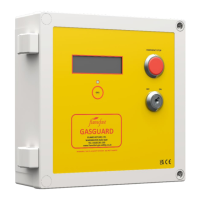
The panel includes a key switch for operation and a prominent emergency stop button for immediate gas isolation. Status LEDs on the PCB and the front panel provide visual feedback on the system's operational state, current monitoring status, and any active alarm conditions. An audible alarm also sounds for certain fault conditions.

Important Technical Specifications:

  • Power Supply: 100-240V AC, 50/60Hz. This wide input range makes it suitable for various electrical systems.
  • Power Consumption: 3W Max (excluding Valve). This indicates a low power draw for the control panel itself.
  • Fan Current Rating: 0.1-20.0A @ 230V AC. This broad range allows the system to monitor a variety of fan sizes and types.
  • Output: Gas Solenoid - Switched Mains. The system directly controls the gas solenoid valve.
  • VFC Output: SPST - 5A @ 230V Max. A Volt-Free Contact output is provided for integration with Building Management Systems (BMS) or other external systems, indicating the system's status.
  • Operating Conditions:
    • Temperature: 0-50°C. Suitable for typical indoor commercial environments.
    • Humidity: 0-95% (NC). Non-condensing humidity range.
  • Material: PC (Polycarbonate).
  • Colour: Grey (RAL7035).
  • IP Rating: IP65. This high IP rating indicates excellent protection against dust ingress and water jets, making it suitable for kitchen environments where cleaning may involve water.
  • Approval: CE, UKCA. Complies with European and UK regulatory standards.
  • Dimensions: Height - 180mm, Width - 130mm, Depth - 60mm / 65mm inc. Key & Stop. A compact design for wall mounting.

Usage Features:

  • Quick Setup Guide: The device includes a straightforward setup process for current monitoring. Jumpers on the PCB allow users to enable/disable extract, intake, and overcurrent functions. A "SENSITIVITY" jumper allows selection of acceptable tolerance percentages (5%, 10%, 15%, 20%, 25%) for undercurrent and overcurrent thresholds, accommodating fluctuations in fan current draw and factors like filter deterioration.
  • Commissioning Buttons: A "SETUP" jumper enables commissioning buttons ("SET OVERCURRENT" and "SET UNDERCURRENT") to calibrate the system. Users set fans to minimum and maximum acceptable running speeds, then press the respective buttons to record these thresholds. LEDs flash green ten times to confirm successful setting.
  • Current Monitor Indication: PCB-mounted LEDs provide clear visual feedback:
    • Green: Current between setpoints.
    • Amber: Undercurrent Alarm.
    • Red: Overcurrent Alarm.
    • Flashing Amber: Undercurrent not set.
    • Flashing Red: Overcurrent not set.
    • Off: Channel disabled.
  • Front Panel LEDs: The front panel features LEDs for Power, Extract Fan Fail, Intake Fan Fail, Emergency Stop, and CO2 Monitor, providing immediate visual status and fault indication. Different flashing patterns and audible beeps differentiate between various alarm types (e.g., previous power loss, setup jumper fitted, DP fault, undercurrent, overcurrent, remote stop, panel stop, high CO2 levels).
  • Volt-Free Inputs: Dedicated inputs for external safety devices (Remote E-Stop, CO2 Monitors, Air DP Switches) ensure comprehensive safety coverage. These inputs must be wired using dedicated volt-free contacts and in series if multiple devices are used. If not in use, they must be linked out to prevent false alarms.
  • Output Voltage Measurement: A "VOLT OUT" terminal allows measuring DC voltage between '0V' and 'VOLT OUT' to determine running and alarm currents. This output provides a linear voltage relative to the current level (1V = 0A / 3V = 20A), aiding in diagnostics.
  • Panel Mounting: The control panel should be mounted at an easily accessible height (1.2 - 1.6m from the finished floor) to ensure the emergency stop button is readily accessible. Four mounting holes are provided for secure wall mounting, maintaining the IP rating.

Maintenance Features:

  • Troubleshooting Guide: The manual provides a basic troubleshooting section. If the gas ON light is green but no power is output to the gas solenoid, checking the PCB-mounted fuse for continuity is recommended. If any inputs show an alarm, linking them out temporarily can help prove the panel's functionality; if the panel then shows healthy, the connected item should be investigated. Crucially, the manual warns: DO NOT LEAVE LINKED OUT.
  • Fuse for Gas Valve Output: A 5A fuse protects the gas valve output, which can be easily checked for continuity during troubleshooting.
  • Accessible Fascia: The unit fascia can be removed for installation and maintenance, but mains supply must be isolated first.

Installation Requirements:

  • Installation must be performed by a competent/qualified person in accordance with all relevant regulations and legislations.
  • The product must be mounted flush to the wall using secure fixings to prevent access to the rear.
  • It must be connected to an accessible 5A fused spur.
  • For commercial kitchens, a CO2 monitor must be fitted to comply with relevant legislation.
  • Any alarm (volt-free) inputs must be wired using a dedicated volt-free contact, and if more than one device is used, they must be wired in series.
  • If fan current monitoring is used, the Intake and Extract Air DP Switch terminals MUST be linked out. Conversely, if fan current monitoring is not used, both Extract and Intake channels MUST be disabled via jumpers.

The Ventguard+ is a robust and essential safety device, designed for reliability and ease of use in environments where gas safety and ventilation interlock are critical.

Flamefast VENTGUARD+ Specifications

General IconGeneral
BrandFlamefast
ModelVENTGUARD+
CategorySafety Equipment
LanguageEnglish

Related product manuals