OPERATING MANUAL FLARM COLLISION WARNING UNIT
Version 4.06E Page 6 of 12 March 28, 2009
Configuring the device
If at power up on the microSD card a file named flarmcfg.txt is detected, it will be processed as
configuration commands. The syntax is the same as on the serial data port (see ‘FLARM Data Port
Specifications’ manual), except for PFLAC,,ID. This feature is especially useful for batch configuration or a
pilot’s individual configuration for shared aircraft.
For easy task declaration, use the free online-tool FlarmCfg (http://www.segelflug-software.de/flarmcfg/ ,
using the microSD card), the corresponding offline-version (http://www.segelflug-
software.de/prod_flarmcfgtool.php), the free PDA software tools SeeYou ConnectMe
(http://www.naviter.si/products/connectme.php) or pocket*StrePla-Connect
(http://www.strepla.de/StrePla4/english/pS_connect/), and many of the other, partially commercial products
on the market. Note that task declaration only works on IGC-enabled units.
Basic data entries and the SD-card configuration file can be made with the free FlarmTool software
(http://www.flarm.com/support/updates/).
7. Start-Up
FLARM is always switched on if the unit is connected to an adequate power supply.
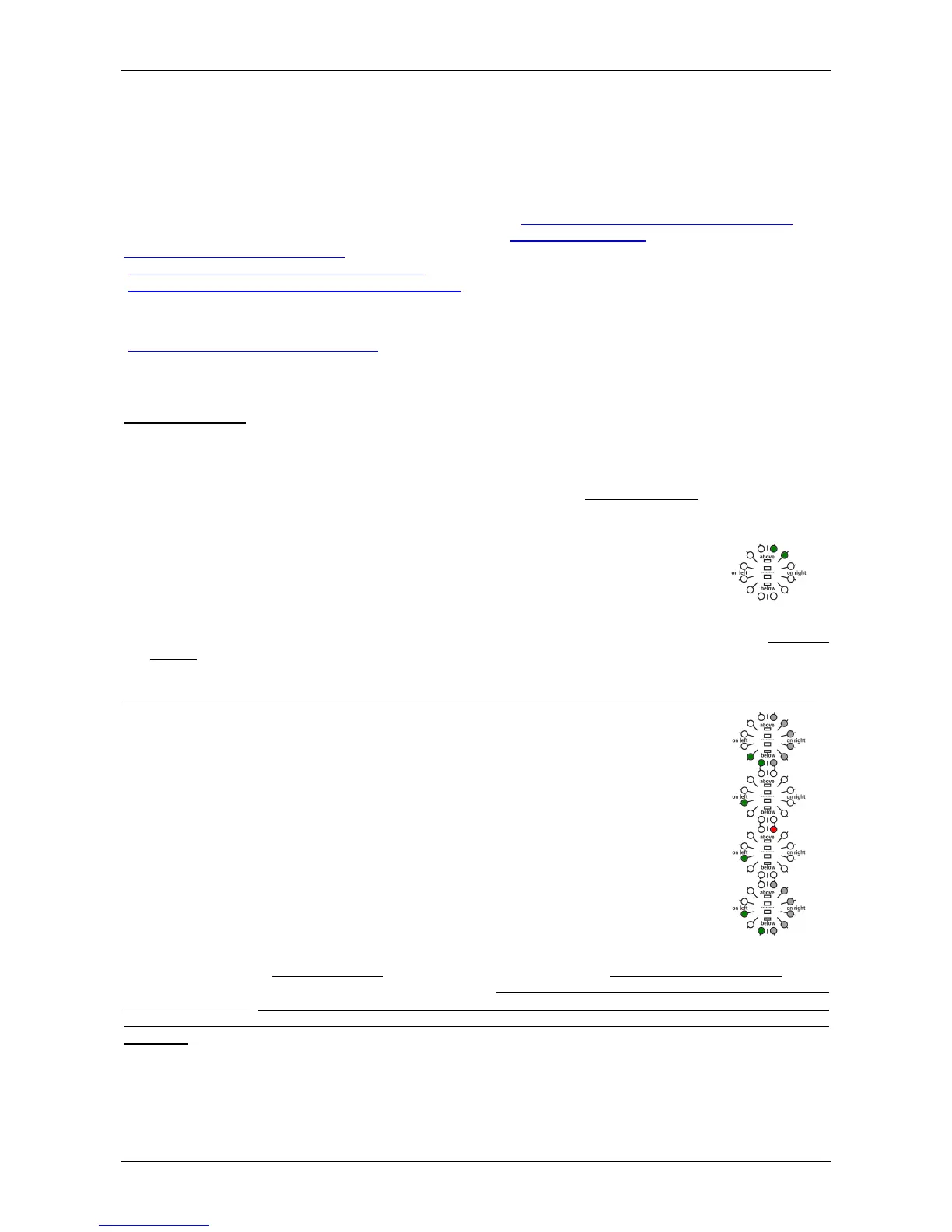
Immediately after it has been switched on there follows a one-second long beep while a start-up pattern
might be shown on the LED, followed by a binary presentation of the hardware-version installed during the
system self-test. The self-test mode lasts from two to 20 seconds, depending upon the size of the obstacle
data bank. The April 2008 data bank takes about twelve seconds.
0x03
Hardware Version 3 (only green)
• This is followed by another one-second beep, followed by a brief binary presentation of the software-
version: The first six LEDs clockwise represent the minor version in red, the other LEDs clockwise the
major version in green.
If the software version is not indicated and the beep sound is not emitted, the unit is not ready for operation.
-
Software version 3.xx (operational only to March 2008)
0x100
Software version 4.00 (operational till March 01, 2011)
0x101
Software version 4.01 (operational till March 01, 2011)
-
Software version 5.xx
(available in October 2010, mandatory on March 02, 2011)
Then FLARM shifts to normal operation and waits until it has acquired an adequate GPS position fix. When
switching on, this procedure can take several minutes. Without a proper GPS position fix, the unit is not
ready for operation. Before departure the pilot must ensure that at least the Power-, GPS- and Send-
LED are all continuously on. This state must be preserved during the whole flight to ensure correct
operation.


 To Next Page
 Loading...