EasyManua.ls Logo

Flash Technology VANGUARD FTS 370d - User Manual

Flash Technology VANGUARD FTS 370d
118 pages
Print Icon
To Next Page IconTo Next Page
Loading...
Flash Technology, 332 Nichol Mill Lane, Franklin, TN 37067
www.spx.com/en/flash-technology
(615) 261-2000
VANGUARD
®
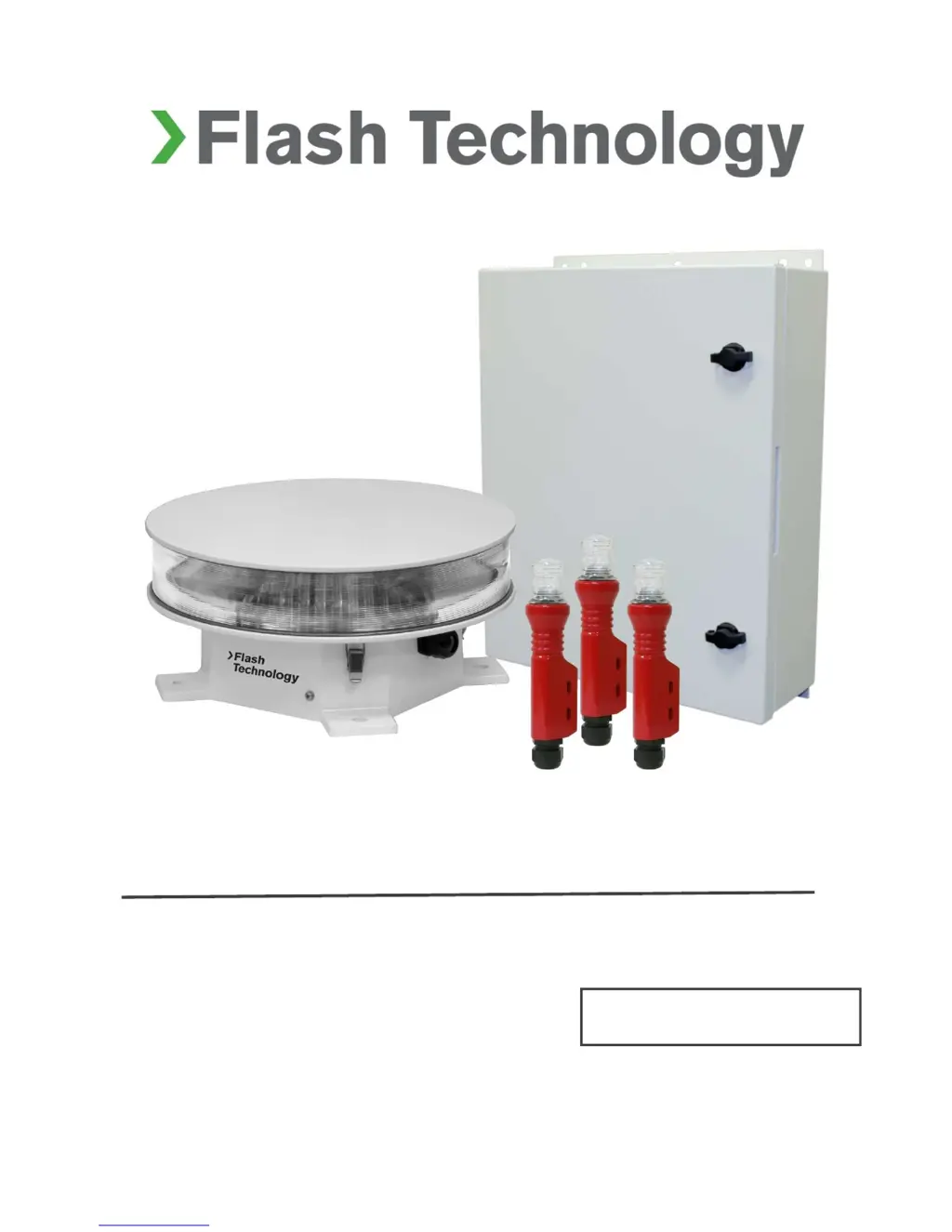
FTS 370d, 370w, 370r
LED Medium Intensity Obstruction Lighting System
Reference Manual
Part Number F7913702
SERIAL NUMBER

Table of Contents

Questions and Answers

  • J
    Jessica DonovanSep 23, 2025
    What to do if less than 3 satellites are visible to the controller of Flash Technology VANGUARD FTS 370d?
    • C
      Catherine EvansSep 23, 2025
      If at least 3 satellites are not visible to the controller of your Flash Technology Lighting Equipment, replace PCB3 and reposition the antenna.
  • T
    taylortinaAug 25, 2025
    How to fix Flash Technology VANGUARD FTS 370d Lighting Equipment if the correct voltage is not present on the output(s) for the failed marker(s)?
    • M
      maciaspamAug 25, 2025
      Check the wiring for an open connection. If no wiring fault is found, replace the LED marker fixture(s).
  • B
    Brian RiveraAug 25, 2025
    What to do if the two LEDs are not lit on the core board of my Flash Technology Lighting Equipment?
    • V
      Vanessa ColemanAug 26, 2025
      To resolve this issue, you can try the following: * Replace the light engine assembly. * Inspect the wiring harness between the Surge PCB and the Core PCB for loose connection or damage; repair or replace if necessary. * If no problem is found with the wiring harness, replace the Core PCB.
  • J
    Jason LopezAug 26, 2025
    What should I do if the correct input voltage is not present on PCB4 of my Flash Technology Lighting Equipment?
    • A
      Anthony EllisAug 27, 2025
      Replace PCB4 or repair connections between TB1 and PCB4 to resolve the issue.
  • J
    Jim LeeAug 27, 2025
    How to resolve GPS Comm fault on Flash Technology VANGUARD FTS 370d Lighting Equipment?
    • T
      Terry WalterAug 27, 2025
      Replace PCB 3 to resolve this issue.
  • N
    Nicholas Shields DVMSep 14, 2025
    What to do if there is no voltage on the Surge PCB output in Flash Technology VANGUARD FTS 370d?
    • C
      Crystal StevensSep 14, 2025
      If voltage isn't present on the output of the Surge PCB in your Flash Technology Lighting Equipment, replace the Surge PCB located in the flashhead.
  • G
    Gregory Mclaughlin DDSSep 12, 2025
    What to do if the correct voltage is not present on PCB4 of Flash Technology VANGUARD FTS 370d?
    • P
      pamelaconwaySep 12, 2025
      If the correct input voltage isn't present on PCB4 of your Flash Technology Lighting Equipment, replace PCB4 and repair connections between TB1 and PCB4.
  • J
    John JordanSep 13, 2025
    What to do if the correct voltage is not present at TB1 in the Marker Interface box of Flash Technology VANGUARD FTS 370d Lighting Equipment?
    • R
      Ricky MartinezSep 13, 2025
      If the correct voltage isn't present at TB1 in the Marker Interface box of your Flash Technology Lighting Equipment, check the flashhead cable between SC 370 and the Marker Interface Box.
  • E
    Eric MartinSep 4, 2025
    What to do if the operational voltage status LEDs are not lit on the marker interface PCB of my Flash Technology Lighting Equipment?
    • Y
      Yvonne ZunigaSep 4, 2025
      Replace the marker interface PCB.
  • S
    sara69Sep 2, 2025
    What to do if the correct voltage is not present in the flashhead of my Flash Technology VANGUARD FTS 370d Lighting Equipment?
    • J
      Joseph HartmanSep 2, 2025
      Inspect the flashhead cable and connections.

Summary

Section 1 - Introduction and Operation

SC 370 System Controller

Information on the System Controller and its components.

FH 370 Flashhead

Description of the FH 370 flashhead.

Section 2 - Mounting and Installation

Controller Installation

Guidance for installing the SC 370 enclosure.

Wiring

General guidelines, input power, and connections.

Flashhead Installation

Guidelines for mounting and leveling the flashhead.

Section 3 - Information Display

Ctrl Type Configuration

Configuration of SC 370 unit role (System 1 or subordinate).

Site Tower Configuration

Programming lighting type, flash rate, and markers.

Monitoring Configuration

Selects primary and alternate data monitoring methods.

Local Diagnostics

Allows review of SC 370, beacon, and marker status.

Lighting Inspection (LI)

Allows testing of beacon and marker alarm functions.

Section 4 - Web Interface

Section 5 - Maintenance and Troubleshooting

Safety Precautions

Important safety warnings before working on equipment.

Troubleshooting Steps

Tables for identifying and resolving system issues.

Component Removal and Replacement

Procedures for safely removing and replacing components.

Section 6 - Recommended Spare & Replaceable Parts

Flash Technology VANGUARD FTS 370d Specifications

General IconGeneral
BrandFlash Technology
ModelVANGUARD FTS 370d
CategoryLighting Equipment
LanguageEnglish