DashLink ELD User Manual
7 DASHLINK ELD USER MANUAL
Using BigRoad
Tracking Your
Duty Status
AUTOMATIC DUTY STATUS SELECTION
• When connected to a DashLink ELD-enabled vehicle, driving status will be automatically
recorded once the vehicle is in motion.
• After being stopped for a period of time or turning off your vehicle, your duty status
will automatically be changed to On Duty (not driving).
MANUAL DUTY STATUS SELECTION
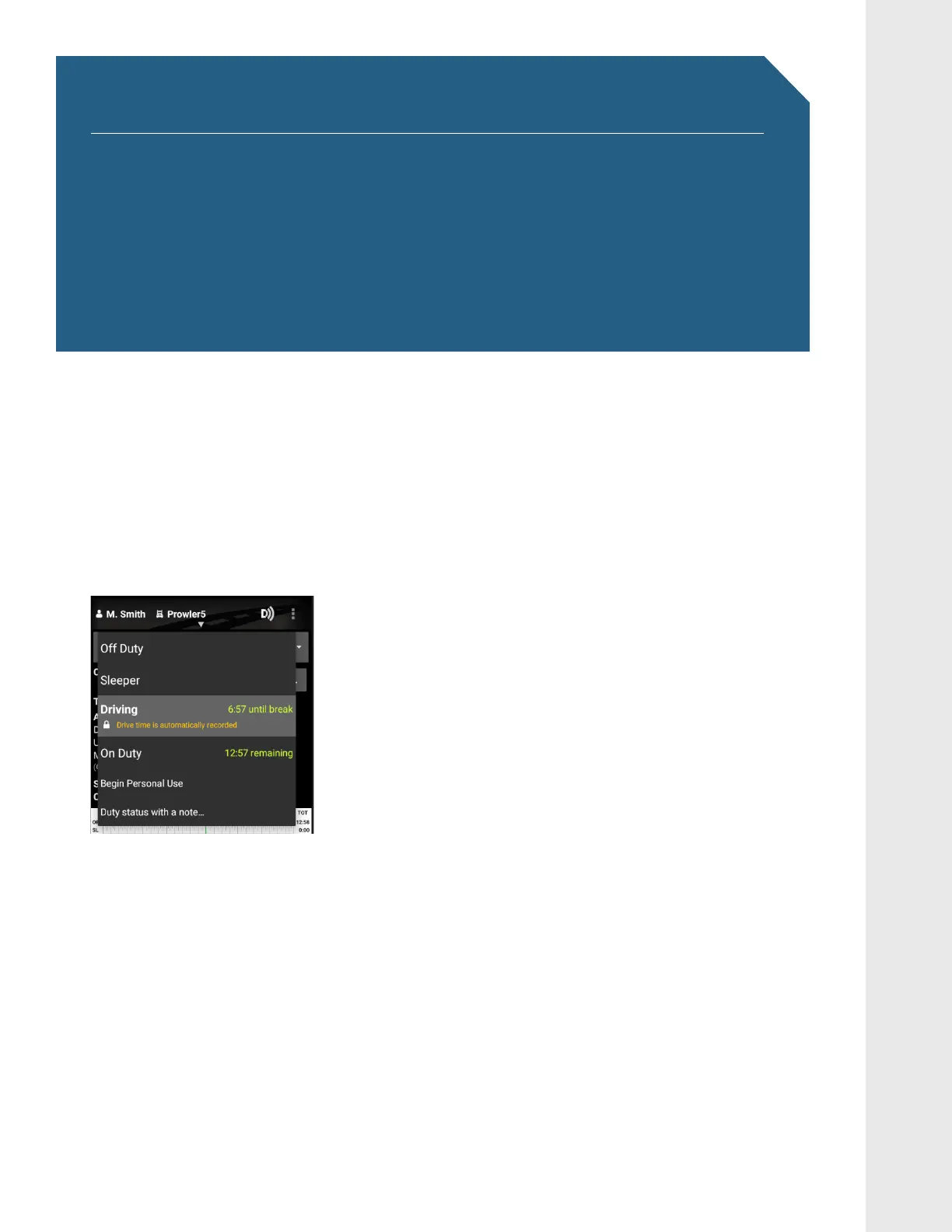
• By tapping the duty status circle from the BigRoad
Mobile App home screen, you can easily change your
duty status. Driving is automatically recorded, so
you cannot manually set a driving status.
• The duty status circle will also show you how
much drive and on duty time you have remaining.


 To Next Page