DashLink ELD User Manual
8 DASHLINK ELD USER MANUAL
Using BigRoad
Using The Daily
Log List
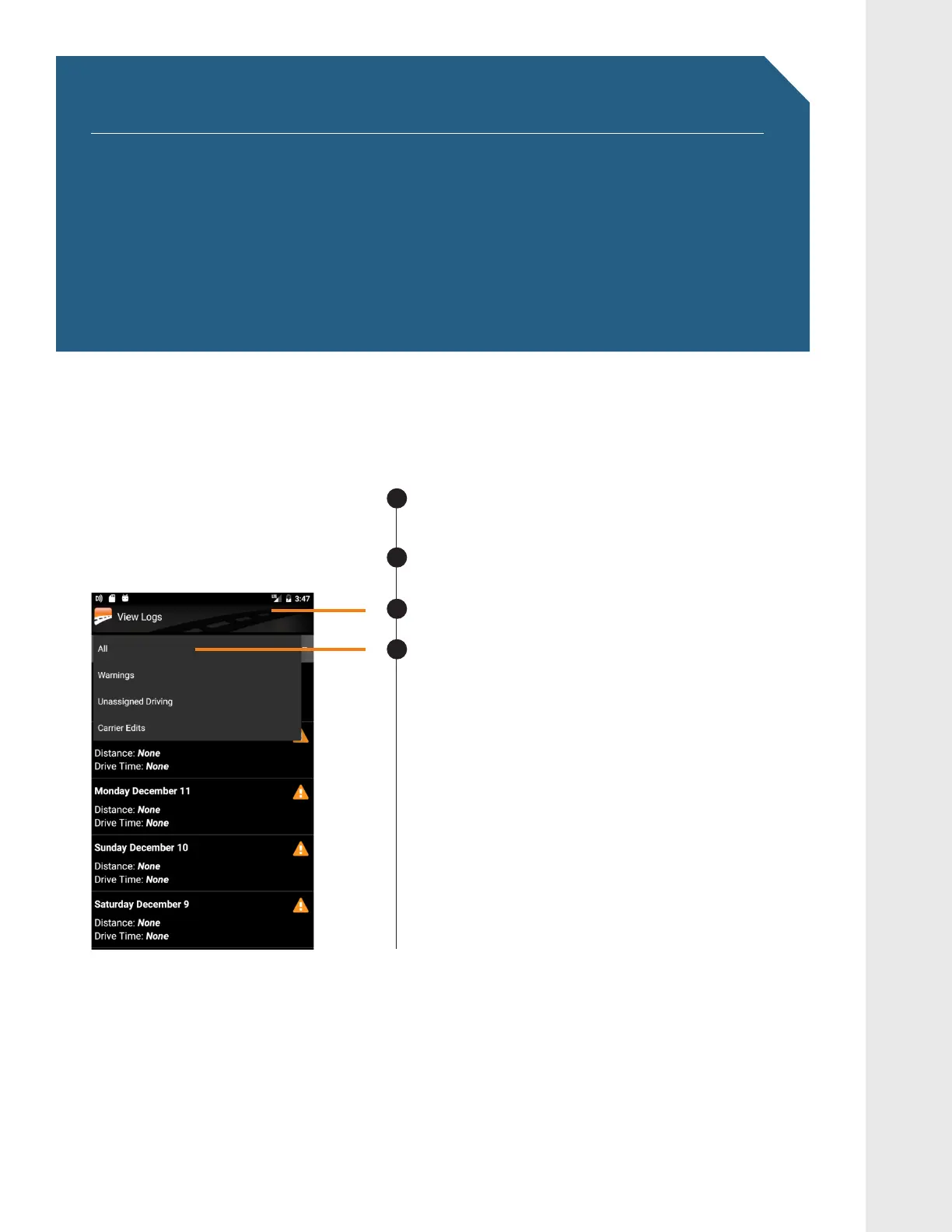
The Daily Log List allows you to quickly find the daily log you want to review.
TO GET TO THE DAILY LOG LIST:
Tap Daily Logs on from the home screen.
Tap on View Logs.
You will see a list of your logs for the past 14 days.
You can filter this list by Unidentified Driving,
Carrier Edits, Warnings, or All.
7KLVZLOOKHOS\RXWRTXLFNO\QGWKHGD\\RXDUH
looking for.
1
4
Daily Logs
View Logs
2
3


 To Next Page