-06--05-
LCD display operation guide
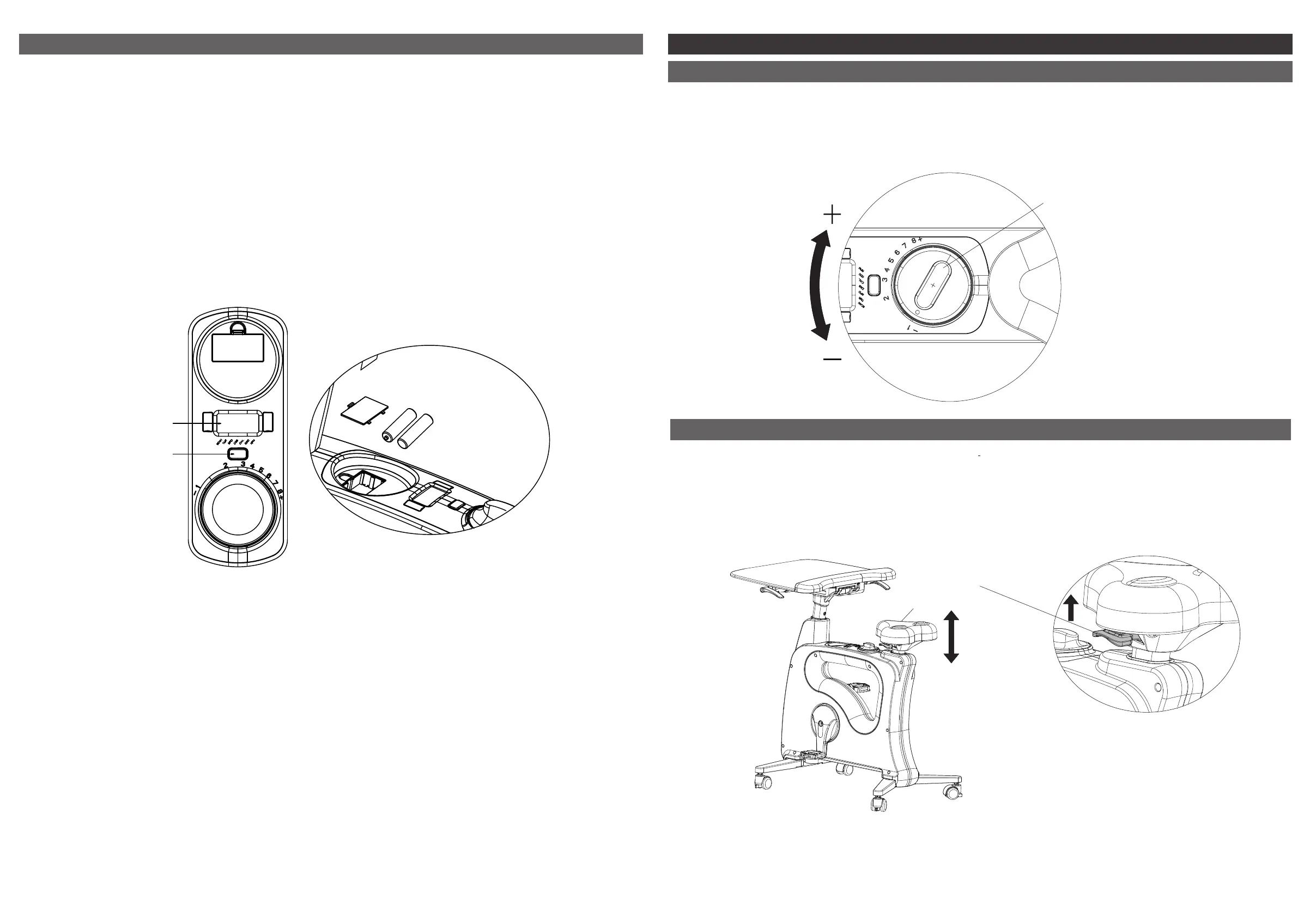
Press the key button to turn on the LCD display. The following activity readings will appear on
the display: TMR (timer), SPD (speed), DIS (distance), CAL (calories), ODO (odometer),
RPM (revolutions per minute). The LCD display will turn off when pedaling stops for more than
4 minutes. To reactivate the LCD display, start pedaling again or press the key button.
Digital Display
Power Requirement:
2 x "AA" 1.5V batteries
LCD display
Key button
SCAN :
TMR :
SPD :
DIS :
CAL :
ODO :
RPM :
Readout will be changed automatically one by one per 5 seconds
Time you exercised
The speed when you exercise
Distance you exercised
Calorie you burned during your exercise
Total distance you exercise
Speed of the wheel
Proper seat adjustment is essential to a comfortable ride when using the desk bike. If your leg is too
straight or your foot cannot touch the pedal, you will need to move the seat down. If your leg is bent
too much, you will need to move the seat up by lifting up your hip and pressing the handle bar. The
seat handle bar locate below the seat (see picture).
Pic ①
2. Adjusting the seat
Seat
Seat handle bar
Using the Bike
The resistance control knob allows you to adjust the resistance level in increments from 1 to 8, with
level 8 offering the most resistance. To increase the resistance level, turn the resistance control
knob in the "+" direction. To reduce the resistance level, turn the knob in the "-" direction.
1. Magnetic resistance adjustment
Resistance control knob


 To Next Page