EasyManua.ls Logo

Flexit Roomie One WiFi - User Manual

Flexit Roomie One WiFi
44 pages
Print Icon
To Next Page IconTo Next Page
Loading...
ART. NO.:
115996
116000
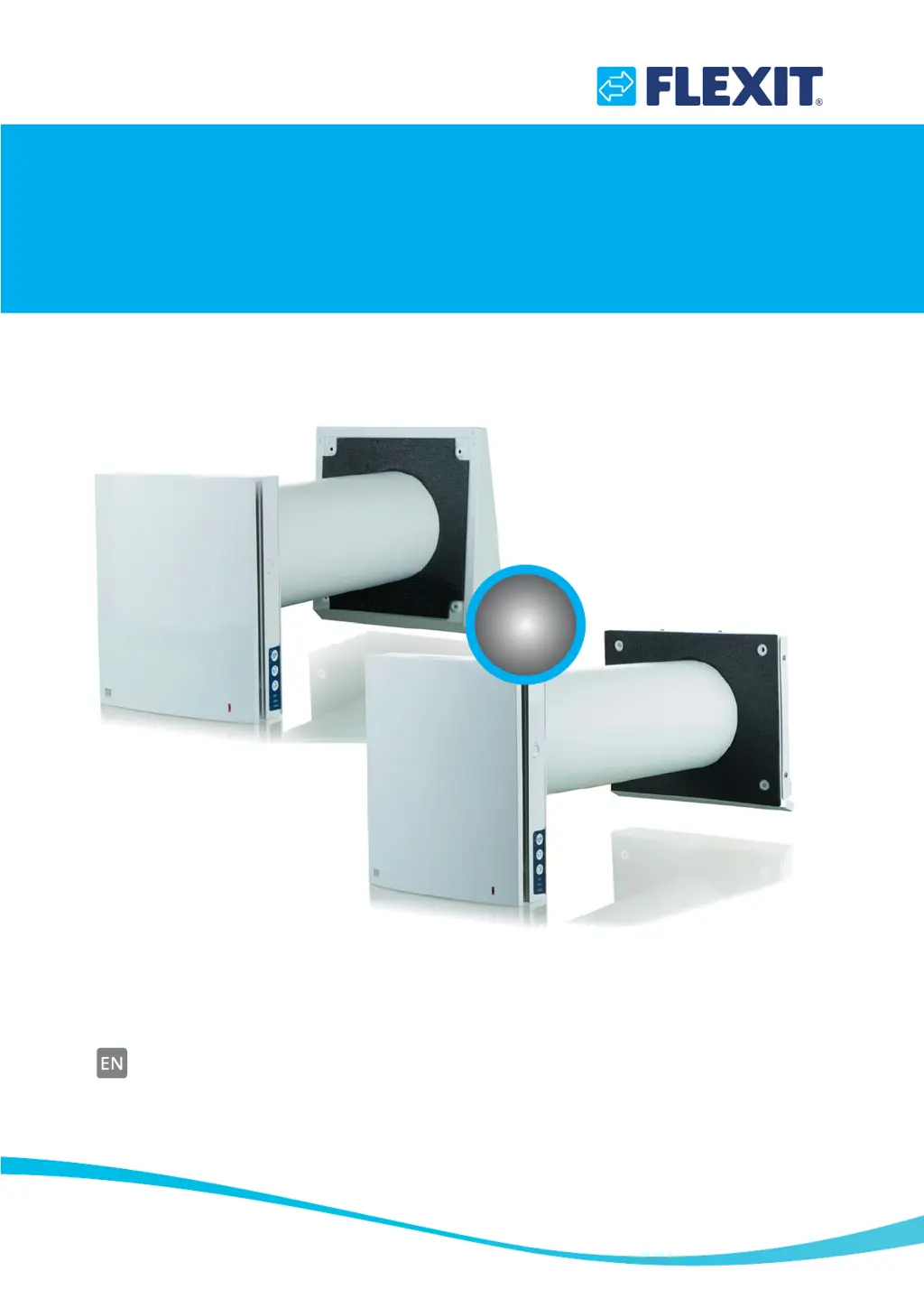
Roomie One WiFi
Roomie Dual WiFi
116028EN–04
2019–10
Assembly and Operation Instructions
Heat recovery single-room reversible ventilation unit
WiFi

Questions and Answers

  • J
    Jeffery DouglasAug 6, 2025
    Why is there low air flow from my Flexit Roomie One WiFi Fan?
    • H
      hoovermargaretAug 6, 2025
      Low air flow can occur if the set fan speed is too low. Try setting a higher speed. Additionally, a clogged filter or contamination of the fan or regenerator can restrict airflow. Clean or replace the filter and clean the fan and the regenerator to resolve this.
  • H
    hensleyhunterAug 14, 2025
    How to reduce high noise and vibration from Flexit Roomie One WiFi Fan?
    • S
      Samantha ZimmermanAug 14, 2025
      Excessive noise and vibration can be caused by a contaminated impeller. Clean the impeller to resolve this. Also, check for loose screw connections on the unit casing or the outer ventilation hood and tighten them as needed.
  • A
    ariasjamesAug 21, 2025
    What to do if Flexit Roomie One WiFi Fan does not move up during start-up?
    • L
      lisa44Aug 21, 2025
      If the fan doesn't move up during start-up, first ensure that the ventilation unit is properly connected to the power mains. If the power supply is fine, the motor may be jammed due to clogged impeller blades. Clean the blades and then restart the unit.
  • S
    Sarah DouglasAug 29, 2025
    Why is the circuit breaker tripping when starting my Flexit Roomie One WiFi?
    • A
      Andrea NixonAug 29, 2025
      The circuit breaker may be tripping due to an overcurrent caused by a short circuit in the electrical circuit. Contact the Seller for further information.

Summary

Safety Requirements and Warnings

General Safety Precautions

Emphasizes careful reading of the manual, fulfilling requirements, and taking warnings seriously for safe operation.

Risks of Injury and Equipment Damage

Highlights potential personal injury or equipment damage if instructions bearing specific symbols are not followed.

Child Safety and Product Disposal

Addresses appliance use by children, prohibiting play, and proper disposal of electrical equipment for environmental safety.

Purpose of the Ventilation Unit

Delivery Set Contents

Technical Specifications and Data

Design and Functioning Overview

Roomie One WiFi Design and Components

Details the construction, components, and basic functioning of the Roomie One WiFi ventilation unit.

Roomie Dual WiFi Design and Components

Details the construction, components, and basic functioning of the Roomie Dual WiFi ventilation unit.

Ventilation Unit Design Elements

Explains key design elements like the cartridge, air duct, and outer ventilation hood for both models.

Cartridge Design Details

Provides a detailed explanation of the cartridge design, including its fan, regenerator, and filter functions.

Mounting and Installation Procedures

Initial Physical Mounting Steps

Details steps for preparing the wall and inserting the air duct for unit installation.

Electrical Wiring Diagram

Illustrates the electrical connections for power supply, external controls, and analogue sensors.

DIP Switch and PC Configuration

Explains unit setup using DIP switches and PC software for modes and settings.

Mobile App and WiFi Network Setup

Instructions for operating via mobile app and configuring WiFi network connectivity.

Routine Maintenance and Filter Care

Roomie Dual WiFi Maintenance Steps

Procedure to detach the front panel and remove filters for cleaning and reassembly on Roomie Dual WiFi.

Roomie One WiFi Maintenance Steps

Procedure to detach the front panel and access components for maintenance on Roomie One WiFi.

Filter Cleaning, Replacement, and Lifespan

Instructions for filter cleaning, drying, installation, and their rated service life of 3 years.

Remote Control Battery Replacement

Guidance on replacing the battery in the remote control when it is no longer responsive.

Troubleshooting Common Issues

Storage and Transportation Regulations

CE Declaration of Conformity

Flexit Roomie One WiFi Specifications

General IconGeneral
BrandFlexit
ModelRoomie One WiFi
CategoryFan
LanguageEnglish

Related product manuals