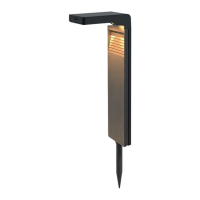
EN Manual FlinQ Smart Outdoor Orion
On and o button
Light on
Push the ON/OFF button to ON to activate the lamp and the RED led
indicator will turn on. The lamp will turn ON automatically at sunset/night
and will go OFF during sunrise/day (or when the battery is empty) and is
done automatically by the internal light and motion sensor inside the solar
panel and front of the lamps motion sensor.
Light o
If you push the ON/OFF button to OFF again, the lamp is turned OFF
completely and green led indicator is o. The solar cells will charge the
battery without activating the lamp (red light ON). Leave the lamp in this
position for at least 2 or 3 sunny days so the battery can be fully charged
before using it or when not in use for longer period of time’s to protect the
battery or charge it by USB adapter with Type-C USB cable and connection.
Mode
When powered ON by the ON button the default factory setting mode is
“auto motion detection sensor mode”. We suggest this mode to use at all
times for the most convenient use of this lamp as it stays o and charge
up during daytime and will be ON at night/evening. When press the MODE
button 1x the lamp will go into “manual” mode, this means the lamp will be
always ON (without motion detection sensor) at all times and it will be only
OFF when switched o by app or when the battery is fully empty. When
press the MODE button for 2nd time it will cancel the “manual” mode and
switch o the lamp completely.
Auto motion detection sensor use
You can change the motion detection sensor settings inside the app, like
sensor distance, time, sensitivity to make it convenient in your own personal
use and location setting where the lamp will be used. Try several settings to
see what is the most favorable setting to use.
Note
When the “manual mode” is selected to turn on the light, the auto motion
detection sensor and solar light sensitivity sensor cannot control the light.
This means you need to turn OFF the light through the “manual mode
ON/OFF button” inside the APP, or switch the mode back to turn OFF
the light through the “mode” button on the product.” When press MODE
button again it will go back into “auto motion sensor mode”.
Tip
During solar charge the red charging indicator will be ON if there is
enough sun received by the solar panel. When the red light is OFF and
GREEN is ON it means the battery is fully charged. Battery level can be
checked by the FlinQ app.



 To Next Page
 Loading...