
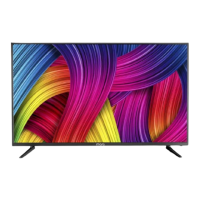
What to do if my Flipkart marq 43DAFHD LED TV has no power?
- AAndrea NelsonAug 4, 2025
If your Flipkart LED TV isn't turning on, check the power connection. Unplug it, wait for 60 seconds, and then plug it back in and try turning it on again.
What to do if my Flipkart marq 43DAFHD LED TV has no power?
If your Flipkart LED TV isn't turning on, check the power connection. Unplug it, wait for 60 seconds, and then plug it back in and try turning it on again.
How to fix Flipkart marq 43DAFHD LED TV remote not responding?
If your Flipkart LED TV remote isn't working, first check the batteries and replace them if needed. Also, try cleaning the remote control sensor window. Ensure that you are within 6 meters of the TV.
Why is there no sound on my Flipkart LED TV?
If there is no sound on your Flipkart LED TV, start by increasing the volume. Then, check to make sure the TV isn't muted. Finally, check the voice setting and voice mode setting conditions.
What to do if there is some interference in the VGA mode of my Flipkart LED TV?
If you're experiencing interference in VGA mode on your Flipkart LED TV, modify the monitor's parameters according to the instruction manual.
Why does the screen flash in VGA mode on my Flipkart marq 43DAFHD LED TV?
If the screen flashes in VGA mode on your Flipkart LED TV, it may be because the parameter is too big. Restart your PC in safety mode and set the monitor's parameters according to the instructions.
Why is there abnormal color on my Flipkart LED TV?
If you're seeing abnormal colors on your Flipkart LED TV, check the antenna connection.
Explains safety symbols, electrical, and physical handling precautions.
Precautions for connecting and protecting the power cord.
Information on the proper disposal of electronic waste and compliance.
Details included accessories and instructions for stand assembly.
Instructions for securely mounting the TV onto a wall.
Guide to connect the antenna cable and power cord to the TV.
How to connect various multimedia devices via different terminals.
Instructions for connecting the TV antenna for signal reception.
Overview of the TV's front panel buttons and their functions.
Detailed guide on remote control operation, battery installation, and functions.
Instructions for playing photo, music, and video files via USB.
Explains how to navigate menus for settings like tuning, picture, sound, and time.
Lists detailed technical specifications of the TV model.
Provides solutions for common TV operational problems and display issues.
Outlines the terms, conditions, and coverage of the product warranty.
| Screen Size | 43 inches |
|---|---|
| Display Type | LED |
| Refresh Rate | 60 Hz |
| HDMI Ports | 2 |
| USB Ports | 2 |
| Audio Output | 20 W |
| Smart TV | Yes |
| Operating System | Android |
| RAM | 1 GB |
| Internal Memory | 8 GB |
| Resolution | 1920 x 1080 pixels |