EasyManua.ls Logo

FLORABEST FBC 7 A1 - User Manual

FLORABEST FBC 7 A1
55 pages
Print Icon
To Next Page IconTo Next Page
Loading...
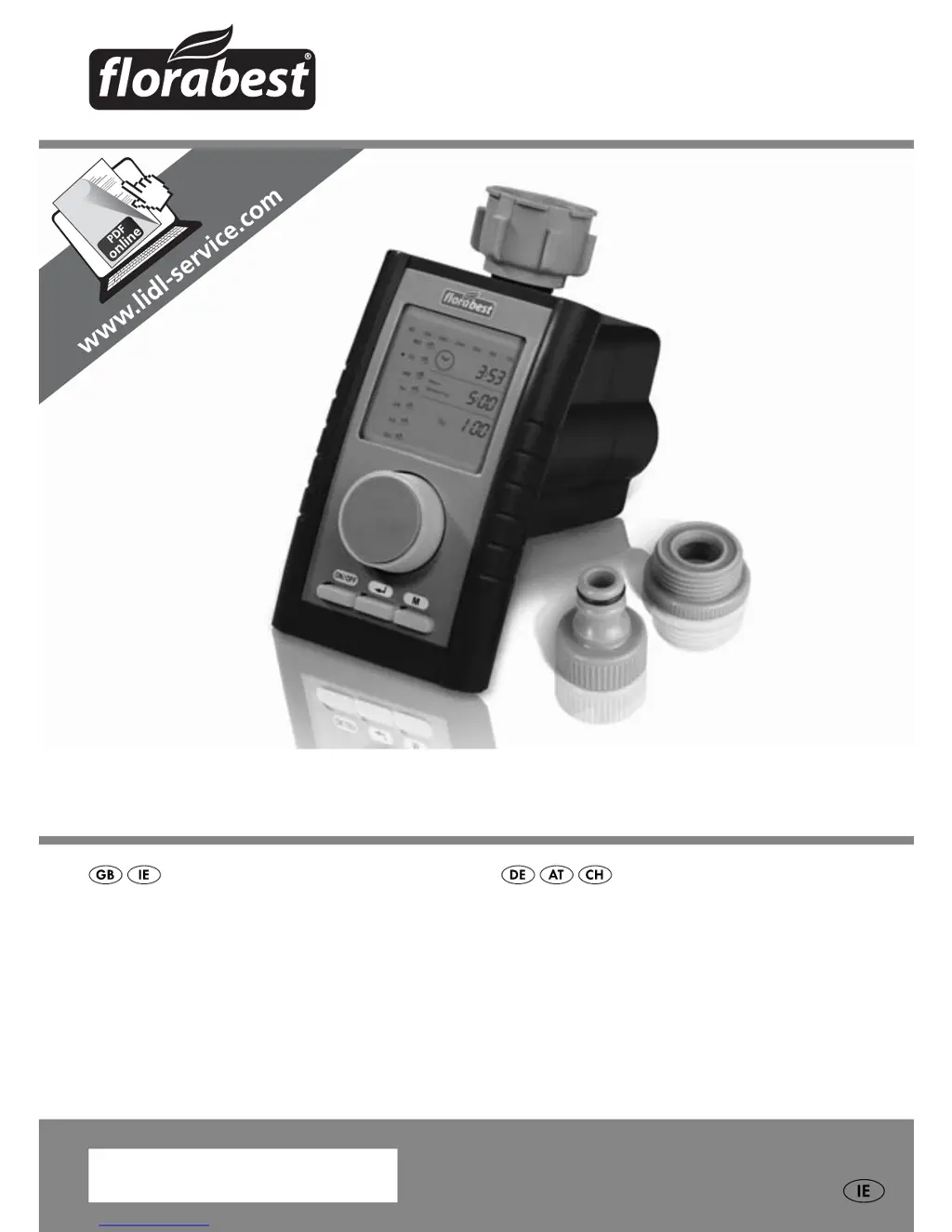
PROGRAMMABLE WATER TIMER FBC 7 A1
BEWÄSSERUNGSCOMPUTER
Bedienungsanleitung
IAN 93784
PROGRAMMABLE WATER TIMER
Operating instructions

Questions and Answers

  • B
    Bradley Estrada DVMAug 2, 2025
    What to do if watering does not commence with my FLORABEST FBC 7 A1?
    • K
      Kristin LeeAug 2, 2025
      If your FLORABEST Timer isn't starting the watering process, make sure the water tap is open. Also, double-check your programming to ensure it's correctly set. Finally, verify that a rain sensor or the jumper 7 is properly connected.
  • P
    Pamela MartinezAug 7, 2025
    Why are there no indicators on the FLORABEST FBC 7 A1 display?
    • B
      brosarioAug 7, 2025
      If the FLORABEST Timer display is blank, the first step is to insert batteries. If batteries are already inserted, they may be discharged, so try replacing them.
  • G
    Gloria WalkerAug 12, 2025
    How to fix the indicator that appears on the FLORABEST FBC 7 A1 Timer display?
    • D
      Danny DouglasAug 12, 2025
      If you see an indicator on the FLORABEST Timer display, it could be due to incorrect programming or a programme crash. Try removing the batteries until the indicator disappears, and then reinsert them.
  • Z
    zandersonAug 16, 2025
    What to do if watering does not commence on my FLORABEST Lawn and Garden Equipment?
    • T
      Tiffany FletcherAug 16, 2025
      If your FLORABEST Lawn and Garden Equipment watering system isn't starting, first, make sure the water tap is open. Then, double-check the programming to ensure it's correct. Finally, ensure a rain sensor or jumper 7 is properly connected.
  • C
    Charlene SheaAug 22, 2025
    Why are there no indicators on the display of my FLORABEST Lawn and Garden Equipment?
    • W
      williamlewisAug 22, 2025
      If there are no indicators on the display of your FLORABEST Lawn and Garden Equipment, the causes could be: * No batteries inserted: Insert batteries. * Batteries are discharged: Replace the batteries.
  • J
    Justin GarciaAug 27, 2025
    How to fix indicator appearing on the display of FLORABEST Lawn and Garden Equipment?
    • S
      Stacy ChandlerAug 27, 2025
      If an indicator appears on the display of your FLORABEST Lawn and Garden Equipment, it might be due to incorrect programming or a programme crash. To solve this, remove the batteries and wait until the indicator is no longer shown on the display. Then, replace the batteries.

Summary

Warnings

Intended Use

Safety

Basic Safety Instructions

Outlines fundamental safety procedures for handling and using the appliance.

Interaction with Batteries

Provides crucial safety guidelines for handling, storing, and disposing of batteries.

Connection

Operation;Programming

Programming the appliance

Details how to set the system time, including hours, minutes, and weekdays.

Water flow

Explains how to adjust water flow percentage, affecting watering duration.

Time for the next watering

Guides users on setting the specific time for the next scheduled watering cycle.

Run Time

Details how to set the duration for each watering cycle.

Watering frequency

Explains how to set how often watering occurs, either by interval or day of week.

Manual watering

Details how to initiate an immediate watering cycle for a specified duration.

Cleaning

Safety instructions

Warns about potential damage from moisture penetration during cleaning.

Troubleshooting

Malfunction causes and remedies

A table listing common defects, their possible causes, and suggested solutions.

Service

FLORABEST FBC 7 A1 Specifications

General IconGeneral
ModelFBC 7 A1
TypeDigital Timer
Power Supply230V AC, 50Hz
Timer Range24 hours
DisplayLCD
Number of Programs20 On/Off Programs
Time SettingMinute
Weight150 g

Related product manuals