Read the display
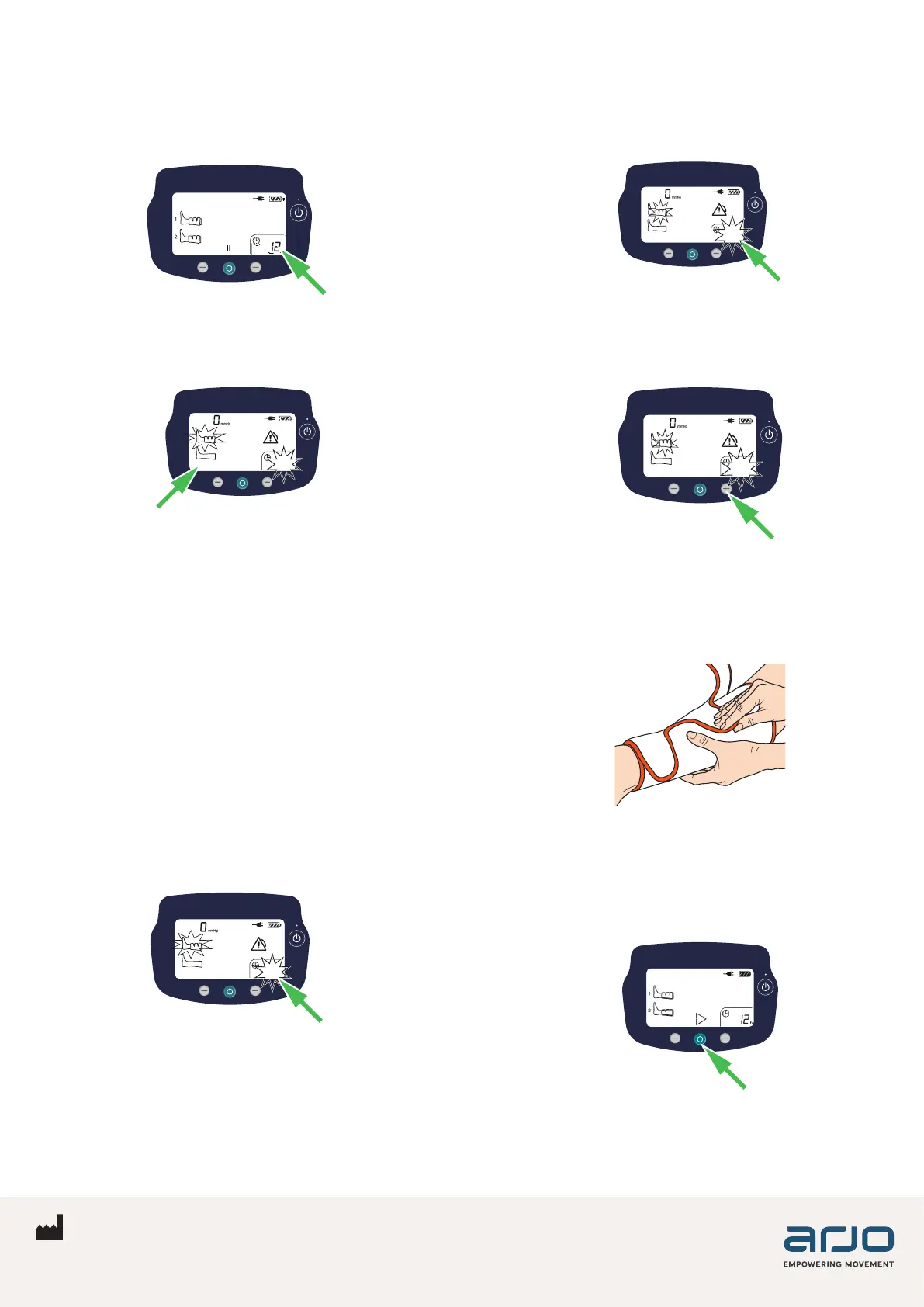
1. During use the ACS900 monitors each ination
to make sure it is delivering prophylaxis to
the patient. The accumulated therapy time is
displayed in the bottom right corner.
2. If the pump senses that a garment has been
removed from the limb, while the pump is in run
mode, the corresponding limb graphic ashes.
-XX
Caregivers are alerted that no prophylaxis is
being delivered.
The sequence of notications:
• The leg icon starts to ash and the non-
compliance time appears on the screen.
• After 3 cycles, the warning triangle appears
on the screen and the green LED starts to
ash.
• After 10 minutes, the ashing green LED turns
to solid yellow with an optional audible alarm.
Additionally, the pump will count and display
how long therapy has not taken place (non-
compliance time). This is initially displayed in
ashing minutes.
-XX
3. After 1 hour of monitored non-compliance the
display switches over to show the time in ashing
hours.
1
4. Press the right control button to see the additional
minutes to the hour, a “–” is shown before
minutes on the display.
-45
Rectify warning/alert
1. In order to clear the Compliance Monitoring
warning/alert, ret any removed garments to the
limb.
2. The non-compliance time is automatically cleared
when the pump senses that the garment has
been reapplied on the limb. The pump goes
back to showing accumulated therapy time and
continues counting from where it left o.
3. Alternatively, pause and then restart the pump.
ArjoHuntleigh AB
Hans Michelsensgatan 10
211 20 Malmö, Sweden
www.arjo.com 08.FL.01_01EN • 09/2022 • Page 2/2



 To Previous Page
 Loading...