Maintenance
General Maintenance
4
4-7
ajs16f.wmf
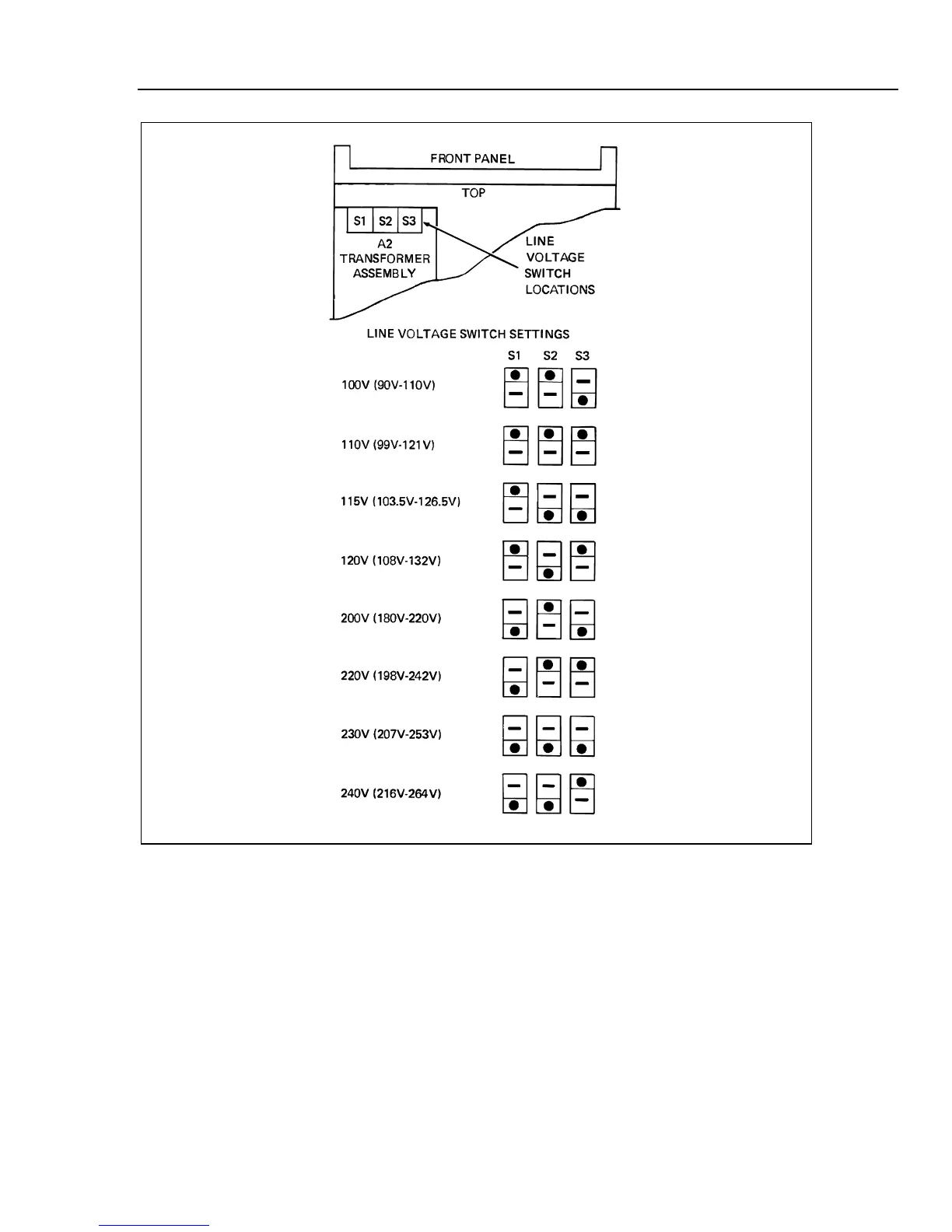
Figure 4-2. Line Voltage Selection
4-18. Output Terminal Selection, Front/Rear
Either the front or rear output terminals (but not both simultaneously) may be selected to
provide the current output connections. The active terminals are determined by the
position of a pair of screws that serve as output jumpers. See Figure 4-1 for the output
jumper (screw) locations. Installing the screws in the two holes marked FRONT enables
the front CURRENT OUTPUT terminals. Similarly, installing the screws in the two holes
marked REAR enables the rear output terminals. Use the following procedure to position
the screws:


 To Next Page