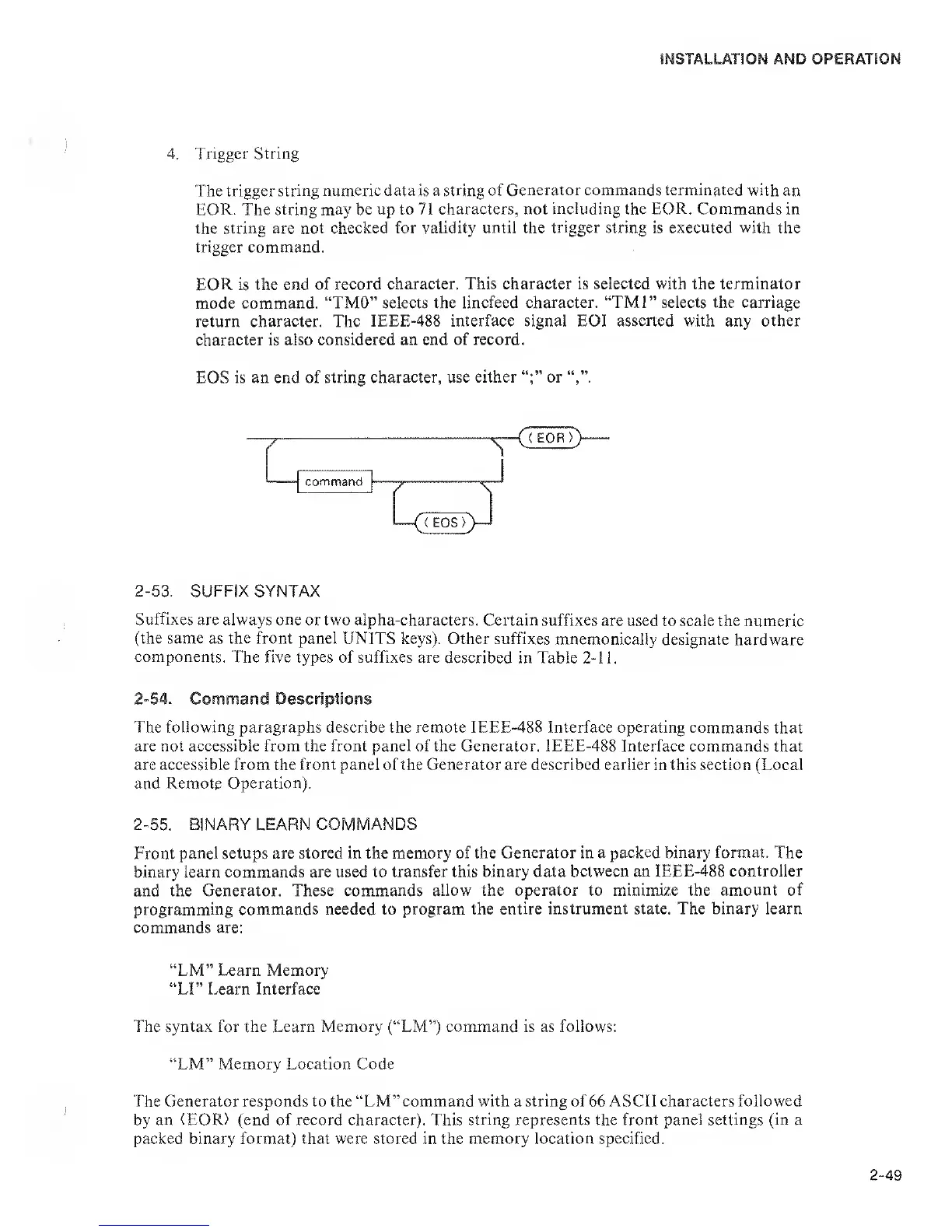
4. Trigger String
The trigger
string numeric data is a string of
Generator commands terminated
with an
EOR. The string may
be up to 71 characters, not
including
the
EOR.
Commands in
the string are not
checked for validity
until the trigger string
is
executed with the
trigger
command.
EOR is the end of
record character. This character is selected with the terminator
mode
command. “TMO” selects the
linefeed character. “TMl” selects the carriage
return character. The
IEEE-488 interface signal EOI
asserted
with any other
character is also considered
an end of record.
EOS
is an end of string
character, use either or
“»”•
x^--
(TioRT)
-
command
—
2-53.
SUFFIX
SYNTAX
Suffixes
are always one or two alpha-characters.
Certain suffixes are
used to scale the numeric
(the same as the front panel UNITS
keys). Other suffixes
mnemonically designate
hardware
components.
The five types of suffixes are
described in Table
2-11.
2-54.
Command Descriptions
The following paragraphs describe the remote IEEE-488 Interface operating commands
that
are not accessible from the front panel of the Generator. IEEE-488
Interface commands that
are accessible from the
front
panel of the Generator are described earlier in this section (Local
and Remote Operation).
2-55.
BINARY LEARN
COMMANDS
Front
panel setups are stored in the memory of
the Generator in a packed binary format. The
binary learn commands
are used to transfer this binary data
between an IEEE-488 controller
and the Generator. These
commands allow the operator to minimize the
amount of
programming commands needed to program the
entire instrument state. The binary learn
commands are:
“LM” Learn Memory
“LI” Learn Interface
The syntax for the Learn Memory (“LM”) command is as follows:
“LM” Memory Location Code
The Generator responds to the “LM”command with
a
string of
66
ASCII characters followed
by an <EOR) (end of record character). This
string represents
the
front panel settings (in
a
packed binary format) that were stored in the memory location specified.


 To Next Page
 Loading...
