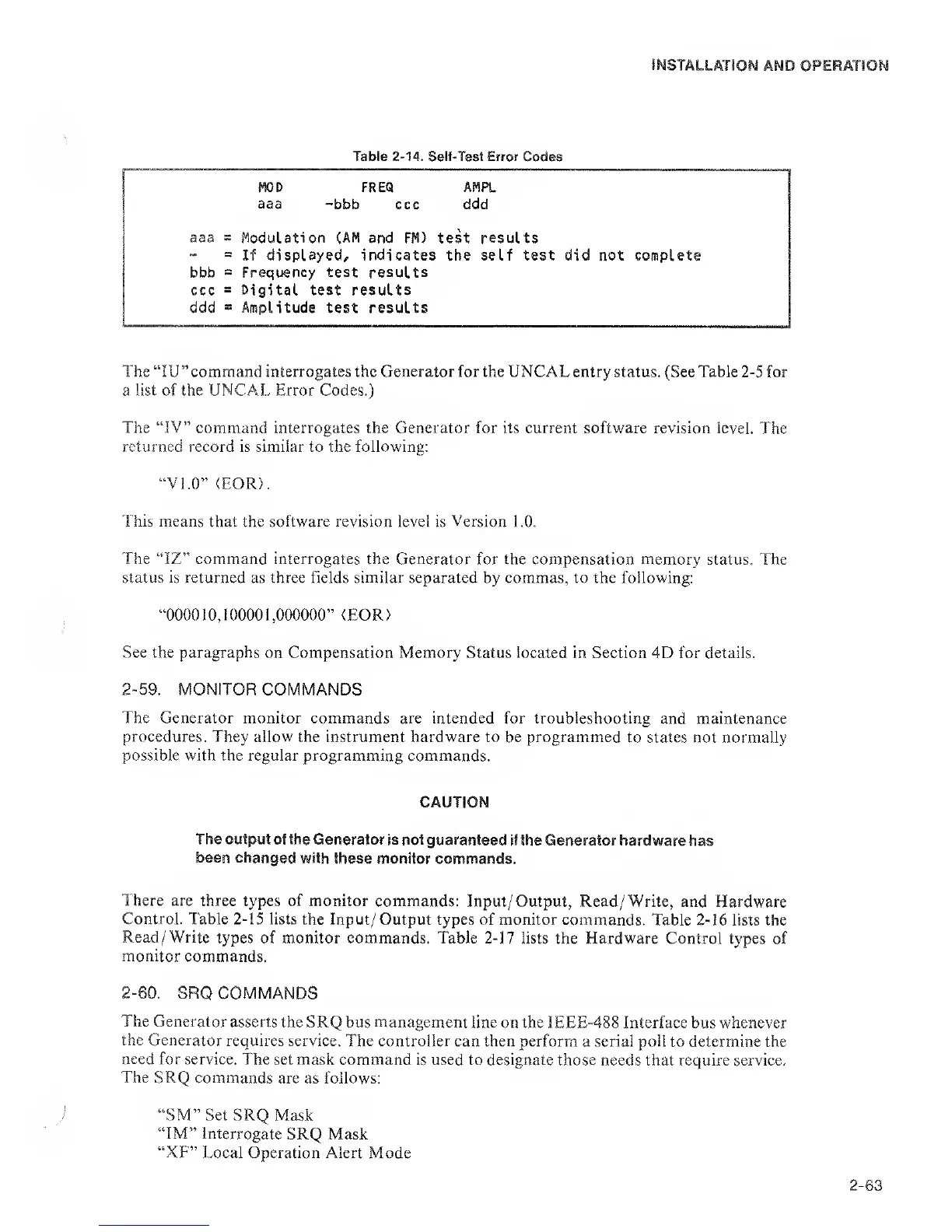
Table
2-14.
Self-Test Error
Codes
MOD FREQ AMPL
aaa
-bbb ccc ddd
aaa
=
Modulation
(AM
and FM) test results
“
=
If
displayed;, indicates the self test
did
not
complete
bbb
=
Frequency test results
ccc
=
Digital test results
ddd
=
Amplitude
test results
The “lU” command interrogates the Generator for
the
UNCAL
entry status. (See Table
2-5
for
a list of the UNCAL Error Codes.)
The
“IV”
command interrogates the Generator for its current software revision level.
The
returned record is similar to the following:
“VI.O”
(EOR>.
This means
that the
software
revision level is
Version
l.O.
The “IZ” command interrogates the Generator
for the compensation memory status. The
status
is
returned as three fields similar separated by commas, to the following:
“000010,100001,000000”
<EOR)
See the paragraphs
on Compensation Memory Status located in Section 4D for details.
2-59.
MONITOR COMMANDS
The Generator monitor commands
are intended for troubleshooting and maintenance
procedures.
They allow the instrument hardware to be programmed
to states not normally
possible with the regular programming
commands.
CAUTION
The output of the
Generator Is not guaranteed
If the Generator hardware
has
been changed
with these
monitor commands.
There are
three types of monitor commands:
Input/Output, Read/Write, and Hardware
Control. Table
2-15
lists
the Input/ Output types of monitor commands.
Table
2-16
lists the
Read/Write
types of monitor commands. Table
2-17
lists the Hardware Control types of
monitor
commands.
2-60.
SRQ COMMANDS
The Generator
asserts the SRQ bus management
line on the IEEE-488 Interface
bus
whenever
the Generator
requires service.
The controller can then perform
a
serial poll
to determine the
need
for service.
The set mask command is used to designate
those needs that require service.
The SRQ
commands are as follows:
“SM” Set SRQ
Mask
“IM” Interrogate
SRQ Mask
“XF” Local Operation Alert
Mode


 To Next Page
 Loading...
