3
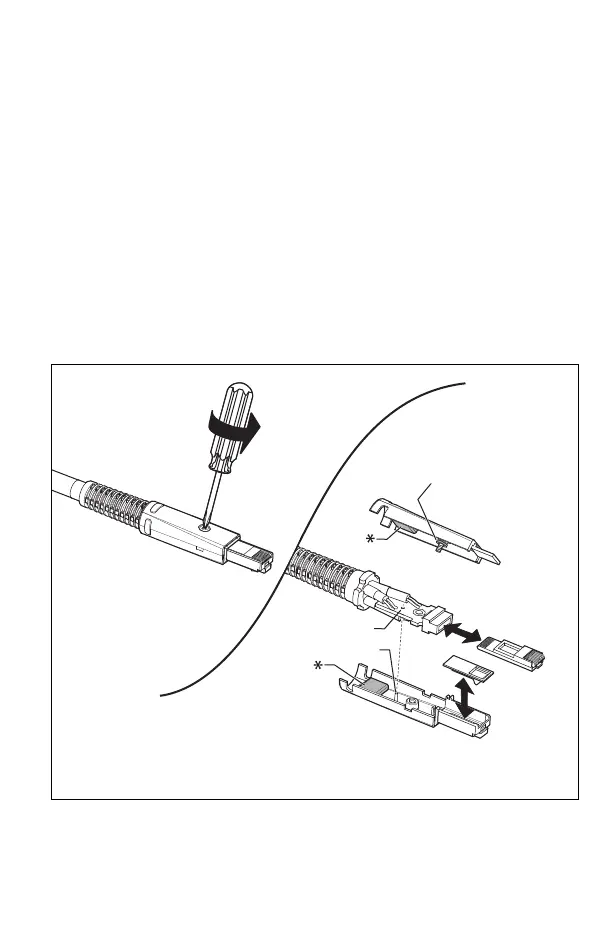
How to Replace the Tip and Latch
1
Remove the adapter from the tester.
2
Use a Phillips screwdriver to loosen the screw on the
connector case; then remove and replace the tip or latch
as shown below.
3
Make sure that the conductive washer is on the case screw
as shown below.
For DSX-PLA804 adapters, make sure to put the
conductive pads in the case top and bottom.
4
Reassemble the connector case, then tighten the screw.
HFN00.EPS
How to Replace the Tip and Latch
* Conductive pads. DSX-PLA-804-RKIT only.
Conductive
washer
Latch
Tip
Pin
Hole
WCaution
Do not break
the pin.


 To Next Page