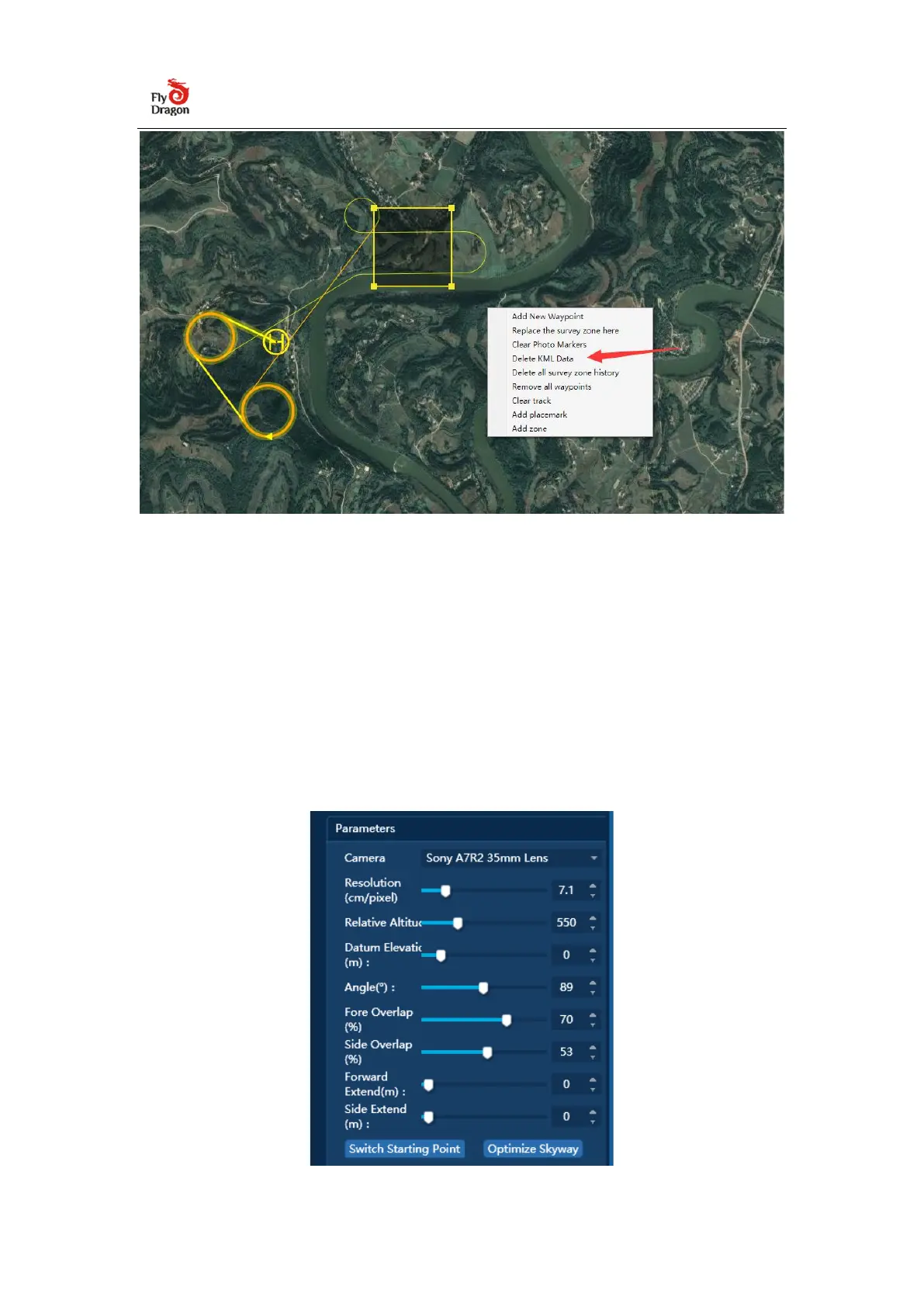
3.1.2 Set the aerial survey parameters
In the aerial survey tab, set the resolution, flight height, route angle and overlap
rate according to the aerial survey requirements. The flight altitude and the
resolution affect each other. The larger the ground distance represented, the
larger the single operation area.


 To Next Page