Chapter 5: Manual of tool
software
5.2 Flash Tool
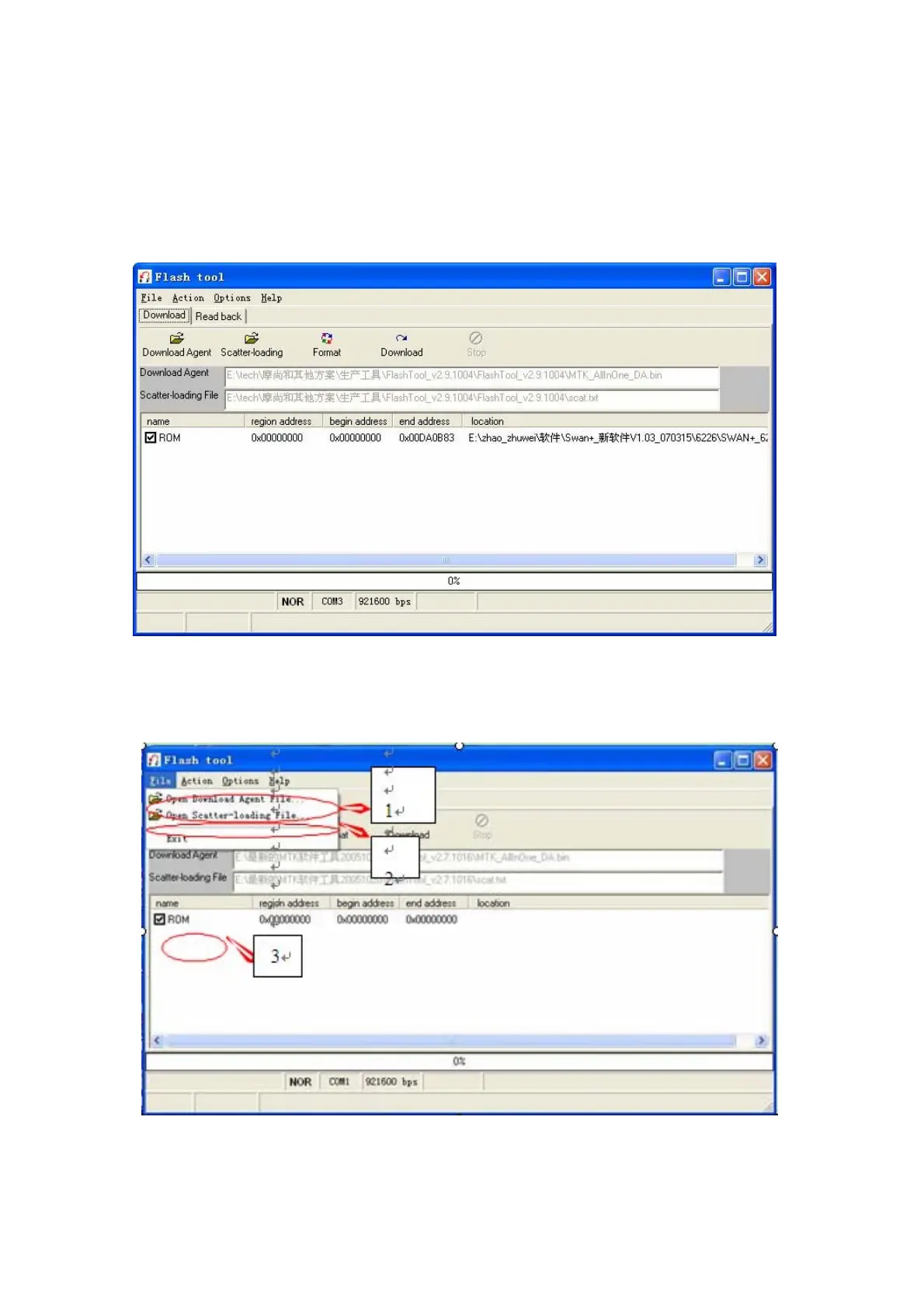
1) Run “flash tool”, then you can see the window as below.
2) Click File, first click” Open Download Agent …”, choose“CUSTOM_AllInOne_DA’’ in a Pop-up window; then click
“Open Scatter—loading file…”,choose “scat”; At last, click “ROM”, Then you can select the software (usually saved as
a .bin file) which you want to download



 To Next Page