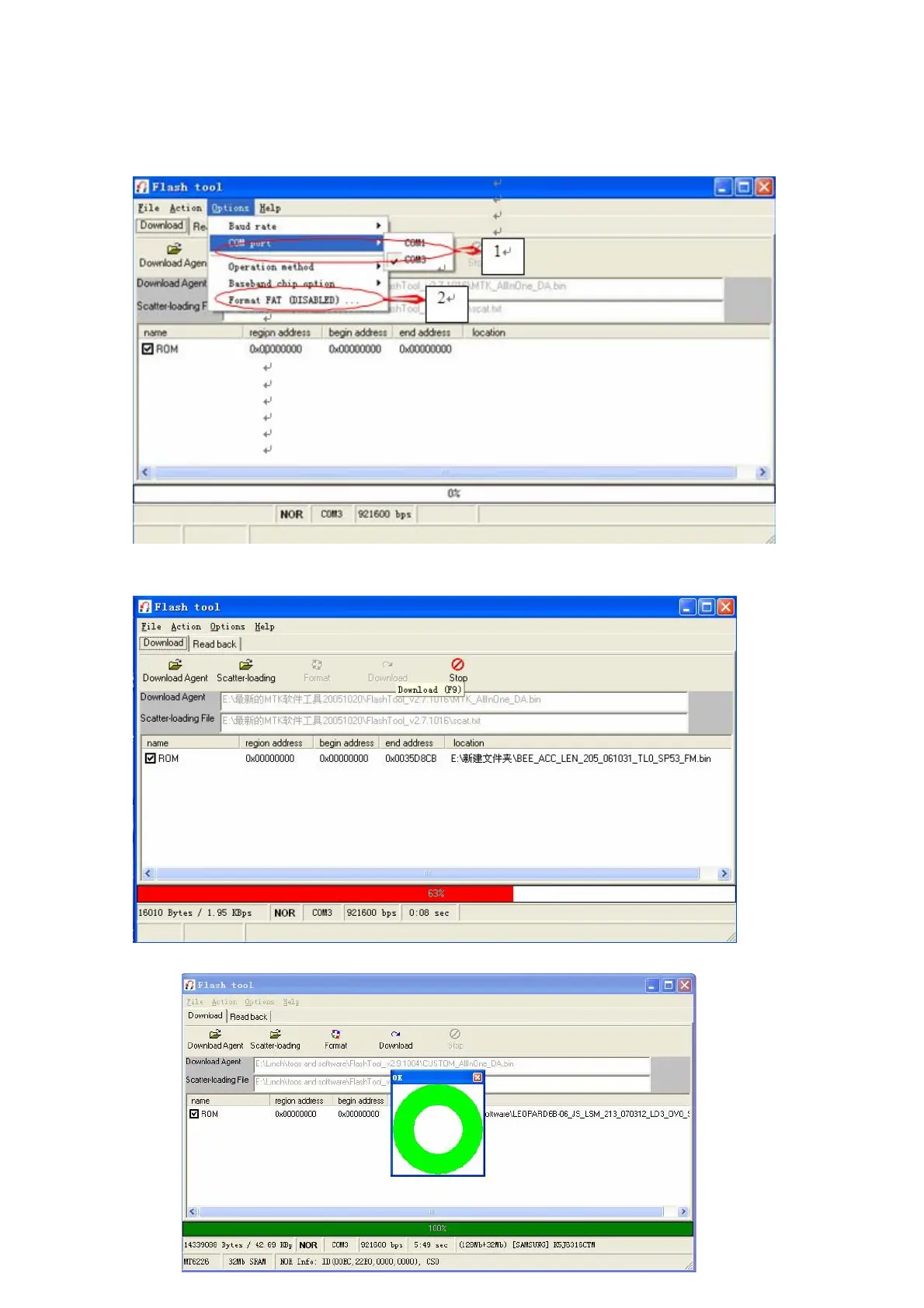
3) Connect the software download cable to the USB port of computer.
4) Click” Options”, choose right“COM port” in use, then click” Format FAT…”choose” Auto Format FAT” in a pop-up
window. Other settings you can leave them as “software default
5) Download”. Then connect cable with handset and power on the phone. The progress bar will move and begin downloading.
You need to wait for a few minutes (picture as below)
6) Downloading succeeds when the below picture occurs.



 To Next Page