5
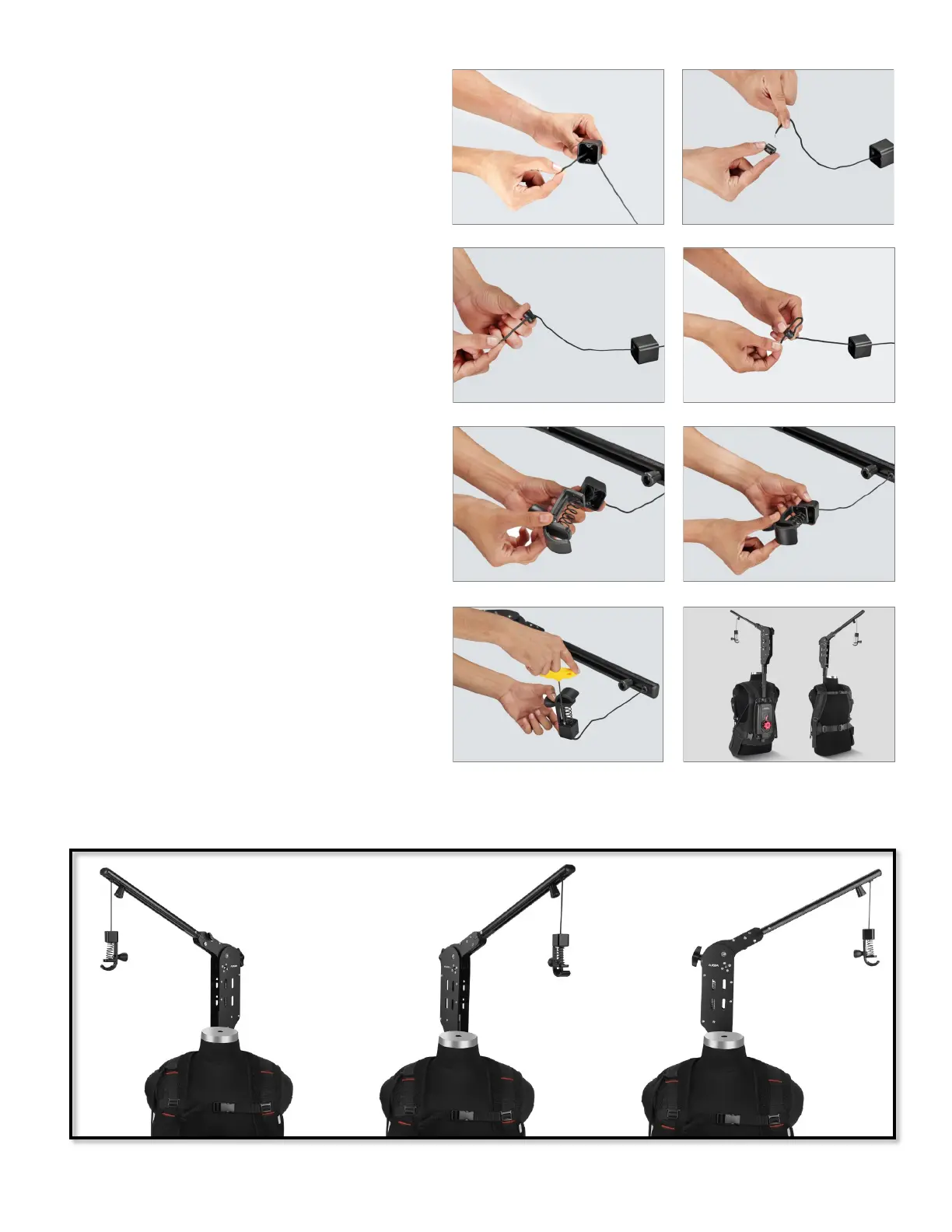
• Aer inserng it into the Cup, e it properly
with the Cord Lock.
• Aach the Camera Hook to the Cup.
• Insert the screw into the Camera Hook and
secure it properly using an Allen key.
• The Flowline Edge is fully assembled with
the Stabilizaon Arm. The versale belt
system molds to t all body types.
• Aer inserng the cord in the Cup, pull it
outwards and insert it in the Cord Lock.
180° Rotaon



 To Next Page