1 0 1 1
E N
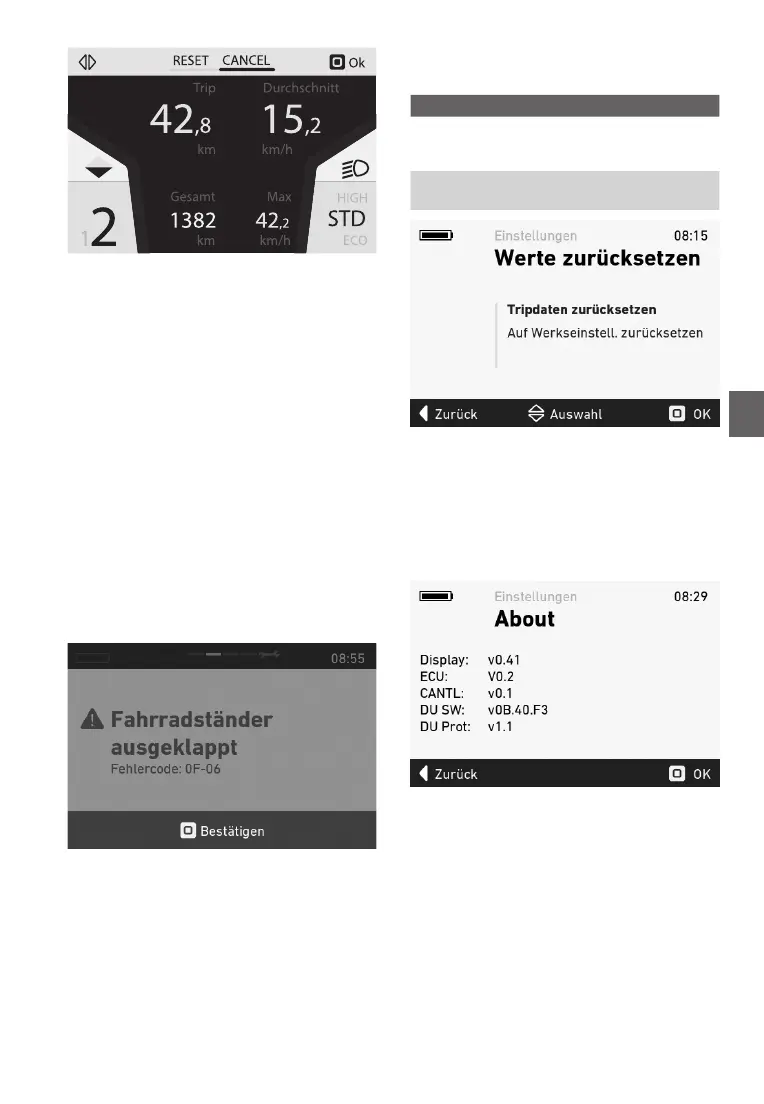
Fi g u re 1 : Rese t t i ng t ri p dat a
5 . 5 . 1 3 p
Te arts te e-ike sste are nitre at all
ties uring use an carging. I an errr is etect-
e, an errr ce ill e islae n te cnsle.
T o s w i t ch t he co ns o le b ack t o t he s t andard di s p lay ,
ress te stick uttn t acknlege te errr.
I te errr cannt e acknlege, trulest
i t acco rdi ng t o t he t ab le o n p ag e 1 2 o r co nt act y o u r
FLYER secialist retailer. eening n te errr
co de, t he as s i s t ance i s au t o m at i cally s t o p p ed as
necessar. Yu can cntinue t use te iccle
no rm ally w i t ho u t t he dri v e ev en i f t he as s i s t ance
unctin is n lnger eing rie te tr.
I an errr is islae, trulest it accring t
t he m eas u res des cri b ed i n t he t ab le b elo w and/ o r
cntact ur FLYER secialist retailer.
Yu can n inratin n te iniiual errr
ces n age 12.
T he erro r co de g i v es a p reci s e des cri p t i o n o f t he
errr.
Fi g u re 2 : Erro r di sp lay
5 . 5 . 1 4 eeteen
In tis enu, te tri ata an te sste can e
reset t te actr settings.
eetn eptn
R e s e t t r i p d a t a
Res et s t he t ri p dat a
see 5.5.12 Resetting
t ri p dat a)
etet
s e t t i n g s
Ret u rns t he s y s t em t o
i t s def au lt s t at e
Figure 18 Reset alues enu
Press te stick t reset te ata ater cnra-
tin see .3.
5 . 5 . 1 5 ten
Te Aut enu ss te current stare er
-
sins te iniiual cnents.
Figure 19 Aut enu



 To Next Page