EasyManua.ls Logo

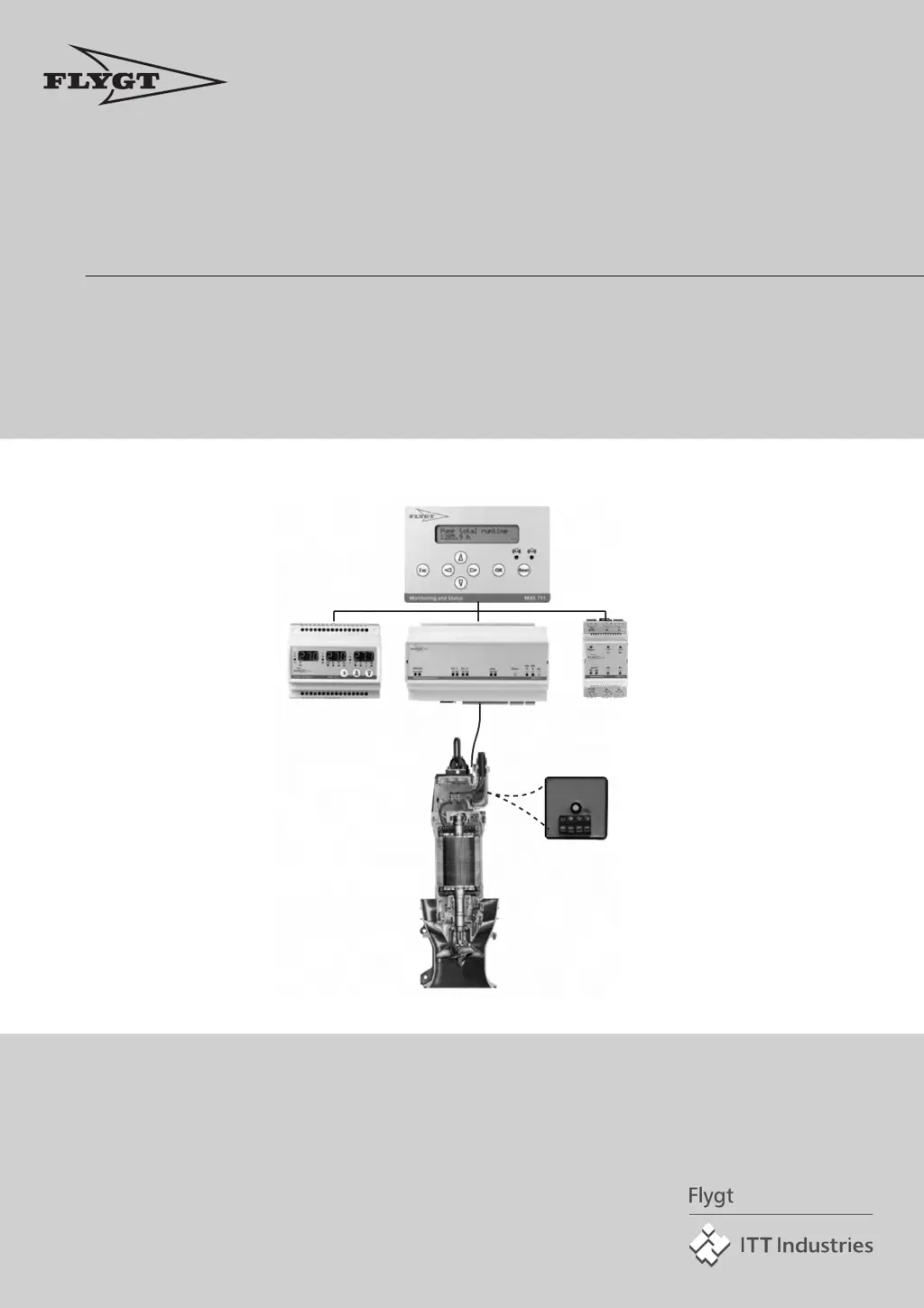
FLYGT MAS 711 - User Manual

FLYGT MAS 711
150 pages
Print Icon
To Next Page IconTo Next Page
Loading...
Installation and Operation
MAS 711
895115/10

Table of Contents

Questions and Answers

  • P
    Paul TaylorAug 15, 2025
    What to do if I can't connect to the web tool for FLYGT MAS 711?
    • G
      grantkimberlyAug 15, 2025
      To connect to the web tool for your FLYGT Measuring Instruments, follow the instructions in the 'Connect to the Web Tool' section of the Installation chapter. Verify the IP address using the operator panel and change it if needed. If you change the IP address, remember to restart the base unit by briefly disconnecting the power supply.
  • N
    Nicole ShepherdAug 18, 2025
    What should I do about a communication alarm on FLYGT Measuring Instruments?
    • J
      Justin WilliamsAug 18, 2025
      If you are experiencing a communication alarm with your FLYGT Measuring Instruments, first ensure that the wires are correctly connected according to the instructions in the 'Connect the unit' section of the Installation chapter. If the communication with the PLC is not working on Ext 1, try switching the A/B-wires on terminal number 41/42.
  • C
    Colin GallagherAug 21, 2025
    What to do if there is a broken circuit or short circuit in FLYGT MAS 711 Measuring Instruments?
    • L
      langrobertAug 21, 2025
      If you encounter a broken or short circuit error with your FLYGT Measuring Instruments, take the following steps: * If the wires for the Pt100-sensor are very long, compensate for this according to the instruction in section Compensate for Measurement Error due to Long Leads in chapter Settings with the Web Tool. * Check that the wires are connected correctly: Correct wire from the sensor cable to the correct terminal number in the cabinet connection block and to the correct terminal number in the base unit terminal block. * Check that the sensor is working by disconnecting the wires and measuring or by contacting your local ITT Flygt organization. * If the sensor will get its power supply from the MAS, measure the power supply. Change the sensor.
  • H
    Heidi HayesAug 25, 2025
    How to change the language on FLYGT Measuring Instruments?
    • N
      nparrishAug 26, 2025
      To change the display language on your FLYGT Measuring Instruments, use the operator panel. Refer to the 'Change the Display Language' section in the 'Settings with the Operator Panel' chapter or the 'Settings with the Web Tool' chapter for detailed instructions.
  • B
    bondwendyAug 28, 2025
    Why is the running time/number of starts not registering on my FLYGT Measuring Instruments?
    • B
      Brian BrownAug 28, 2025
      If the running time or number of starts is not being recorded on your FLYGT Measuring Instruments, ensure that the function is activated. Refer to the 'Record Running Time and Number of Starts' section in the 'Settings with the Web Tool' chapter for instructions.
  • A
    ann88Aug 31, 2025
    What to do if there is no pump memory sync on FLYGT Measuring Instruments?
    • G
      Grant AndersonAug 31, 2025
      If there is no pump memory sync on your FLYGT Measuring Instruments, synchronize the Pump memory and MAS manually, because the pump serial number in the Base unit and Pump memory differ.
  • K
    Kenneth BoydSep 4, 2025
    What to do if I get a file upload error on FLYGT MAS 711?
    • S
      Sherri JohnsonSep 4, 2025
      If you experience a file upload error with your FLYGT Measuring Instruments, attempt the upload again.
  • S
    Sharon CooperSep 7, 2025
    What to do if I get an e-mail error on FLYGT Measuring Instruments?
    • R
      robbinsmatthewSep 7, 2025
      If you encounter an e-mail error with your FLYGT Measuring Instruments, check your e-mail settings to ensure they are correct.
  • A
    angela64Sep 12, 2025
    What to do for clock error on FLYGT MAS 711 Measuring Instruments?
    • J
      Janet WilkinsSep 12, 2025
      If you are experiencing a clock error with your FLYGT Measuring Instruments because of clock circuit failure or lost backup voltage, set the clock.

Summary

General Safety Information

User Safety and Health

Covers essential safety precautions related to electricity, grounding, and safe operation procedures.

Installation

Connect the Unit

Provides instructions on connecting the MAS unit and its various components.

Connect to the Web Tool

Guides on establishing communication with the MAS unit via its web interface.

Web Tool Connection Overview

Outlines connection methods (direct, LAN, modem) for accessing the web tool.

Direct Connection Setup

Provides step-by-step instructions for establishing a direct Ethernet connection.

LAN Connection Setup

Details how to connect the unit to a Local Area Network (LAN).

Modem Connection Setup

Explains how to establish a modem connection for remote access.

Initial Setup via Web Tool

Guides users through the first-time setup process using the web tool interface.

Initial Setup via Operator Panel

Guides users through the first-time setup process using the operator panel.

Settings with the Web Tool

Change Password

Instructions on how to change access passwords for different user levels.

Configure Communication (RS-485, Modbus)

Steps to activate and configure RS-485/Modbus communication with external units.

Compensate for Measurement Error due to Long Leads

Explains how to compensate for temperature measurement errors caused by long sensor wires.

Update Internal Program

Procedures for updating the system's firmware and web pages using an upgrade file.

Settings with the Operator Panel

Manual Setting of Monitoring Channels

Guides on manually activating and adjusting monitoring channel settings via the panel.

Record Running Time and Starts

Instructions for enabling running time and start count recording via the operator panel.

Operation

Handling Alarms

Covers alarm management, including levels, indications, and acknowledgment procedures.

Handling Database Information and Parameters

Procedures for managing system data, including backup, restore, and deletion.

Backup and Restore Parameters

Instructions for backing up and restoring system parameters.

Trouble Shooting

Common Problems and Solutions

Addresses common issues like login failures, web tool connection problems, and graph display errors.

Event Messages and Actions

Lists system events, their causes, and suggested actions for resolution.

FLYGT MAS 711 Specifications

General IconGeneral
BrandFLYGT
ModelMAS 711
CategoryMeasuring Instruments
LanguageEnglish