
 Need help?
Do you have a question about the Flying Voice G504 and is the answer not in the manual?
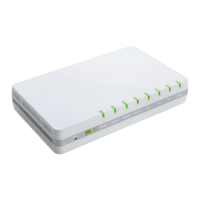
Details the features and specifications of the G504 and G508 ATA models.
Explains the function of front and rear panel LED indicators and I/O ports.
Provides step-by-step instructions for physically connecting the ATA device.
Guide to using the IVR system for device configuration via phone keypad.
Details the menu options and functions available through the IVR system.
Instructions for accessing and using the device's web-based management interface.
Steps for configuring SIP accounts to enable VoIP calling functionality.
Covers fundamental calling features like making calls, direct IP calls, and call hold.
Procedure for authenticating into the web interface using admin or user credentials.
Overview of system status, product information, and network status displays.
Settings for WAN, LAN, IPv6, VPN, DMZ, MAC Clone, and Port settings.
Detailed configuration for each FXS port's SIP account, display name, and number.
Configuration of phone preferences, dial plan, and call log management.
Covers device management, saving configuration, administrator accounts, and system logs.
Explains the DHCPv6 protocol and its role in IPv6 endpoint provisioning.
Steps to enable and configure advanced IPv6 network functionality.
How to set up the LAN DHCPv6 service for assigning IPv6 addresses to clients.
Detailed steps for configuring stateful IPv6 addressing and DHCPv6 client behavior.
How to monitor WAN and LAN port status, including IPv6 client IP addresses.
Procedure to configure a PC for automatic IP address assignment via DHCP.
Solutions for common problems preventing access to the device's web interface.
Steps to reset the device to factory defaults if the management password is lost.
 General
| Brand | Flying Voice |
|---|---|
| Model | G504 |
| Category | Gateway |
| FXS Ports | 4 |
| FXO Ports | 0 |
| WAN Port | 1 |
| Protocols | SIP, H.323 |
| Fax over IP | T.38 |
| Power Supply | DC 12V/1A |
| Humidity | 10% to 90% non-condensing |
| Network Interface | 10/100Mbps |
| Voice Codecs | G.711, G.729, G.723 |
| Router Features | NAT, Firewall |
| Management | Web |
| Operating Temperature | 0°C to 40°C |
| Storage Temperature | -20°C to 70°C |

 To Next Page