2
3
1
4
5
6
7
8
9
10
11
12
14
15
16
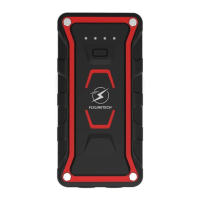
ON/OFF Button
(Multifunctional)
AC Output
Flashlight
USB Output 1
USB Output 2
Type-C Output
Type-C Input
Electricity display lamp
Red Smart Clamp
Force Start Button
3
Operation
EN
NO
Function
220V/50Hz(UK/EU), 110V/60Hz(
US/JP). Charge small electrical appliance.
White and
Red light. Torch, SO
S, Strobe, and G
lare modes. 180° rotation.
Charge
phone, tablet, cam
era, etc. 4 times charging speed than normal
Charge phone, tablet, cam
era, etc.
4 times charging speed than normal
Charge
phone, tablet, cam
era, etc.
4 times charging speed than normal
Recharg
e the
car jump starter with
Type-C
cable.
Jump Starting Port
Insert
the plug of the clips i
nto the jum
p starting port to start your car.
Magnetic Suction Base
Can b
e attached to
the hood
and chass
is for easy lighting
du
ring repai
ring.
Turn on/off AC o
utput mod
e.
Connect to positive
pole of the
car batter
y.
13
Black Smart Clam
p
Connect to negative
pole of the c
ar battery.
LED Indicator
AC Switch
Smart Clamp plug
Show us the work status of the smart clamp.
You need to press and hold this button for 3 seconds if the car battery
voltage is too low.
Plug into the jump starting port completely.
Show
the c
harg
ing pr
ogre
ss:
25%, 50%, 75%, 100%.
Press the b
utton to ch
arge you
r device and check th
e remaining
capacity.
Press the
b
utton for 3s to turn o
n/off the lig
ht modes.
then short press
the button to c
hange ligh
t modes.


 To Next Page