Flyron Technology Co., Ltd. FN-H86C MP3 Speaker/Sound Effects Box
www.flyrontech.com E-mail: info@flyrontech.com
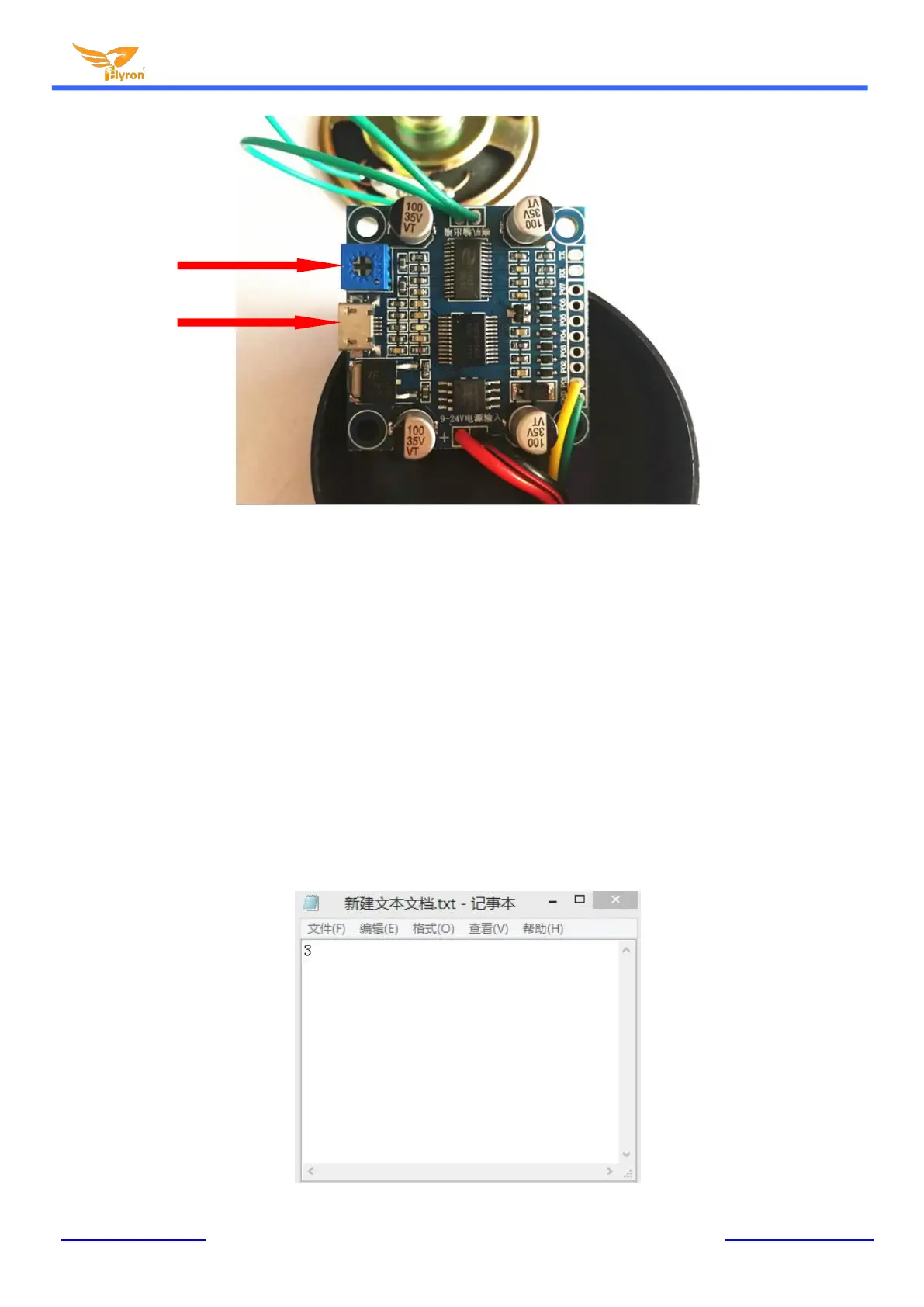
Note: As the amplifier on the module is powerful, we suggest users adjust the sound volume to the
moderate or even lower than moderate to protect the speaker for long time use.
3). Then what you need to do is using a USB cable(Android phone purposed suggested) to connect the MP3
player board to computer. Once the connection is successful, the LED indicator on the board will flash and you will
see a removable disk on computer like using a USB flash drive.
4). Delete the sound files pre-loaded at factory for testing purpose, and copy your sound file(s) into the flash
memory of the player. According to the actual needs, you can copy one sound file or multiple sound files, but the
total size of the files can’t be larger than 4MB, which is the size of the flash memory. If you have multiple sound
files, you need to build a configuration file in the flash memory as the details below. No need to do this for one
sound file only.
Firstly build a new text file, and simply enter the number “3” as below, and save the file.


 To Next Page
 Loading...