Flyron Technology Co., Ltd. FN-H86C MP3 Speaker/Sound Effects Box
www.flyrontech.com E-mail: info@flyrontech.com
And change the file name “xxx.txt” to “read.cfg” as below, then the configuration file is created successfully.
Please note the extension name”.txt” of the text file must be changed to “.cfg”, otherwise the configuration will not
work.
Notes
1). When the device has one sound file, it always play this one sound file after each triggering. When the
device has multiple sound files, it plays the next sound file after each triggering; once it goes to the last
sound file, it will go back to the first one in a loop.
2). It doesn’t matter if you change the file name. The sound files are arranged on the basis of the physical
indexing sequence, which means which sound file is copied into first which one is played first after
triggering.
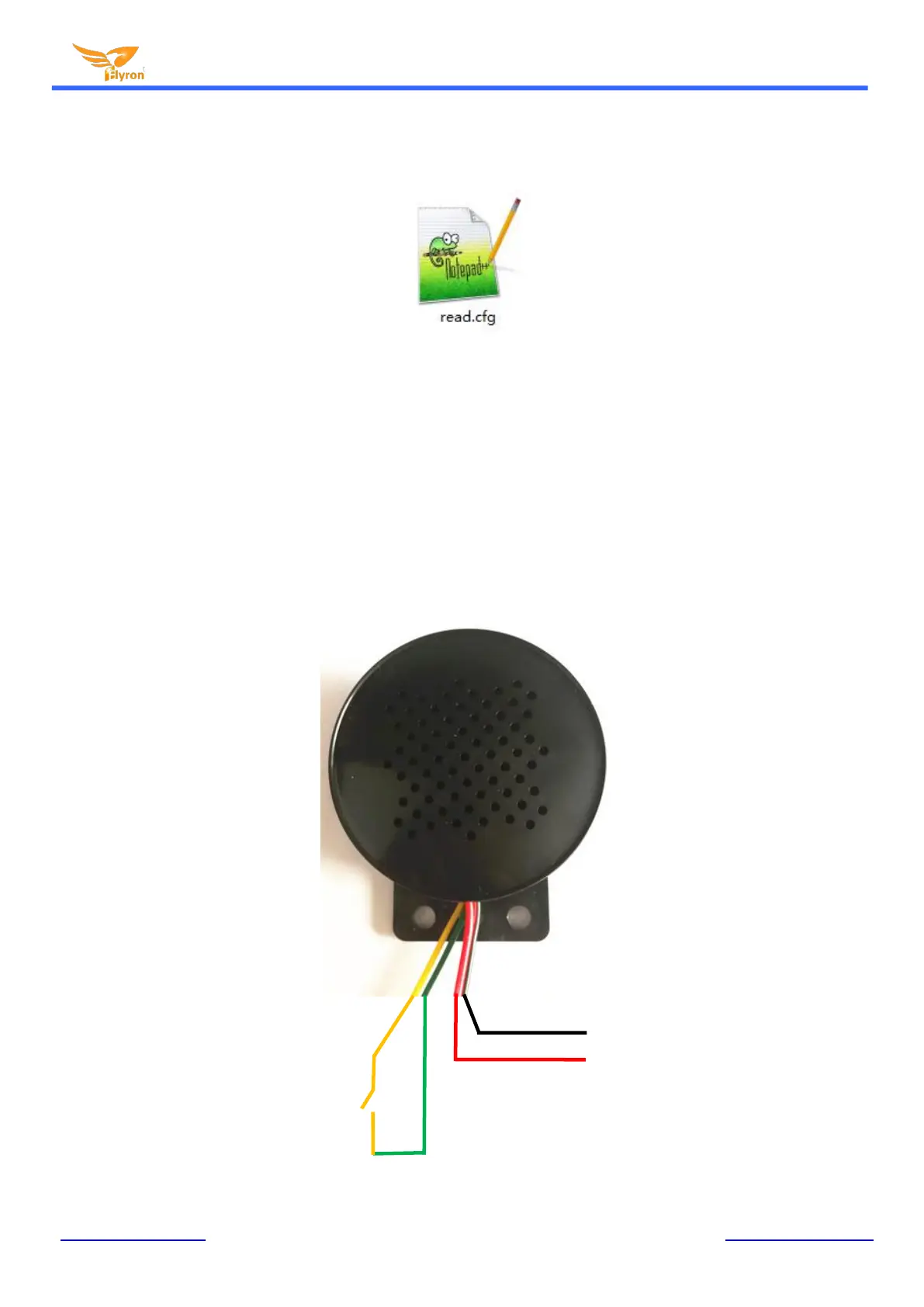
4. Wiring Connection


 To Next Page
 Loading...