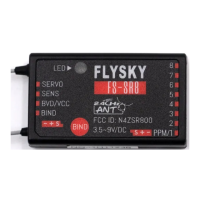
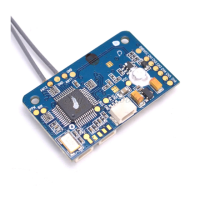
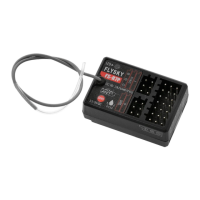
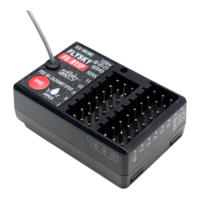
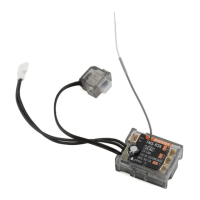
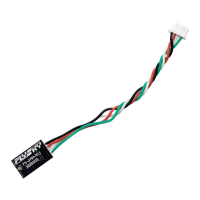
FS-SR8
接收机 Receiver
http://www.flysky-cn.com
Copyright ©2024 Flysky Technology Co., Ltd.
对码
Binding
ThereceiverrmwareupdateshouldbedonethroughFlySkyAssistant
(onlysupportedbyversion3.0andabove,FlySkyAssistantrmware
canbegotfromtheocialwebsitewww.ysky-cn.com).
Thisreceivercanbeupdatedviathefollowingtwoways:
ModeⅠ :Afterthebindingbetweenthetransmitterandthereceiver
(theLEDofthereceiverissolidon),connectthetransmittertothe
computer,thenopentheFlyskyAssistantonthecomputertoupdate
thermware.
ModeⅡ :Connectthetransmittertothecomputer.Thenputthe
receivertoentertheforcedupdatemodebyreferringtothefollowing
threeways(TheLEDofthereceiveroperatesinthree-ash-one-o
mannerrepeatedly).Afterwards,opentheFlyskyAssistantonthe
computertoupdatethermware.
Therearethreewaystoentertheforcedupdatestate:
• Power on the receiver while pressing and holding the BIND button
for more than ten seconds, until the LED of the receiver operates in
three-ash-one-o manner repeatedly, then release the BIND button.
• Power on the receiver rst, then press and hold the BIND button for
more than ten seconds, when the LED of the receiver operates in
three-ash-one-o manner repeatedly, then release the BIND button.
• Connect the signal pin of the BIND connector to the signal pin of the
SENS connector, then power on the receiver.
固件更新
Firmware Update
失控保护
Failsafe
注意事项:
• 使用前必须确保本产品与模型安装正确,否则可能导致模型发生严重损坏。
• 关闭时,请务必先关闭接收机电源,然后关闭发射机。如果关闭发射机电源时接收机仍然在工作,将会导致遥控设备失控。失控保
护设置不合理可能引起事故。
• 确保接收机安装在远离电机,电子调速器或电子噪声过多的区域。
失控保护功能用于在接收机失去信号不受控制后,
接收机按设置好的失控保护值进行通道输出以保护
模型及人员安全。
本款接收机共支持两种失控保护模式:[ 无输出] 和
[ 有输出]
[ 无输出]i-BUS/PPM/PWM 通道接口为无输出状态 ;
[ 有输出]i-BUS/PPM/PWM 通道接口输出设置的固
定值。
注:
1. 因为 S.BUS 信号包含失控标志位,所以接收机
可通过失控标志位将“失控状态”信息传递到后
续设备,而无需通过 [ 无输出 ] 状态传递(后续
设备通过解析失控标志位信息做出相应地应对即
可);
2. 对于无失控标志位的信号 PWM/PPM/i-BUS,支
持设置失控时信号 [ 无输出 ],通过 [ 无输出 ] 状
态将“失控状态”信息传递给后续设备。
Thefailsafefunctionisusedtooutputthechannelvalueaccording
totheout-of-controlprotectionvaluesetbytheuserafterthe
receiverlosesitssignalandisoutofcontroltoprotectthemodeland
personnel.
Thisreceiversupportstwofailsafemodes:ONandOFF
OFFItisnooutputfori-BUS/PPM/PWMchannel.
ONOutputsthefailsafevaluessetforthei-BUS/PPM/PWMchannel.
Notes:
1. Because the S.BUS signal information contains failsafe ag bits, the
failsafe information can be transmitted to the subsequent devices
by the failsafe ag bits rather than by OFF state. The subsequent
devices give response according to the analysed information for the
failsafe ag bits.
2. For the signal PWM/PPM/i-BUS without failsafe ag bits, it supports
the setting of the output signal to OFF in case of failsafe, transmitting
the failsafe information to the subsequent devices by OFF state.
本接收机固件更新需通过富斯遥控管家
(FlySkyAssistant)完成(仅 3.0 及以上版本支持,
富斯遥控管家固件可从官网 www.yskytech.com
获取)。
本接收机可以通过以下两种方式进入更新:
方式一:先将发射机与接收机对码后(接收机 LED
灯常亮),再将发射机与电脑连接,然后在电脑端
打开富斯遥控管家,通过富斯遥控管家进行固件更
新;
方式二:将发射机与电脑连接,参考如下方式使接
收机进入强制更新状态(接收机 LED 灯状态 3 闪 1
灭),然后在电脑端打开富斯遥控管家,通过富斯
遥控管家进行固件更新。
进入强制更新状态的操作方式有如下三种方式:
• 按下对码按键,上电十秒钟后接收机 LED 灯状
态 3 闪 1 灭,松开对码按键 。
• 先给接收机上电,长按对码键十秒后接收机 LED
灯状态 3 闪 1 灭,松开对码按键。
• 先将接收机 BIND 接口信号端和 SENS 接口信号
端相连接,然后接通接收机电源。
若 SR8 接收机固件版本为 V1.0.4,则更新须按
照遥控管家提示先更新 FS-SR8 1.0.5-step1 版
本,再更新 FS-SR8 1.0.5-step2 版本方可正常使
用。
If the rmware version of SR8 receiver is V1.0.4, you must
rst update the FS-SR8 1.0.5-step1 version according to the
FlySkyAssistant prompt, and then update the FS-SR8 1.0.5-step2
version for normal use.
the binding state. At this time, the receiver LED is solid on, indicating
the binding is successful.
4. Check to make sure the transmitter and receiver functions are
working correctly, repeat steps 1 to 3 (binding process) if any
problems arise.
Note: Put the transmitter into binding mode rst, then put the receiver
into binding mode. If the binding is not completed within ten seconds,
the LED of the receiver will enter its slow ashing state.
3. 接收机 LED 灯变为慢闪后将发射机退出对码状
态,此时接收机 LED 灯常亮,表示对码成功;
4. 检查发射机、接收机是否正常工作。如需重新
对码,请重复以上步骤。
注:对码时先将发射机进入对码状态,再将接收
机进入对码状态,若 10 秒内对码没有完成,接收
机 LED 进入慢闪状态。


 To Next Page
 Loading...