9
IMPULSE 4.320 aMPLIfIEr
User manual
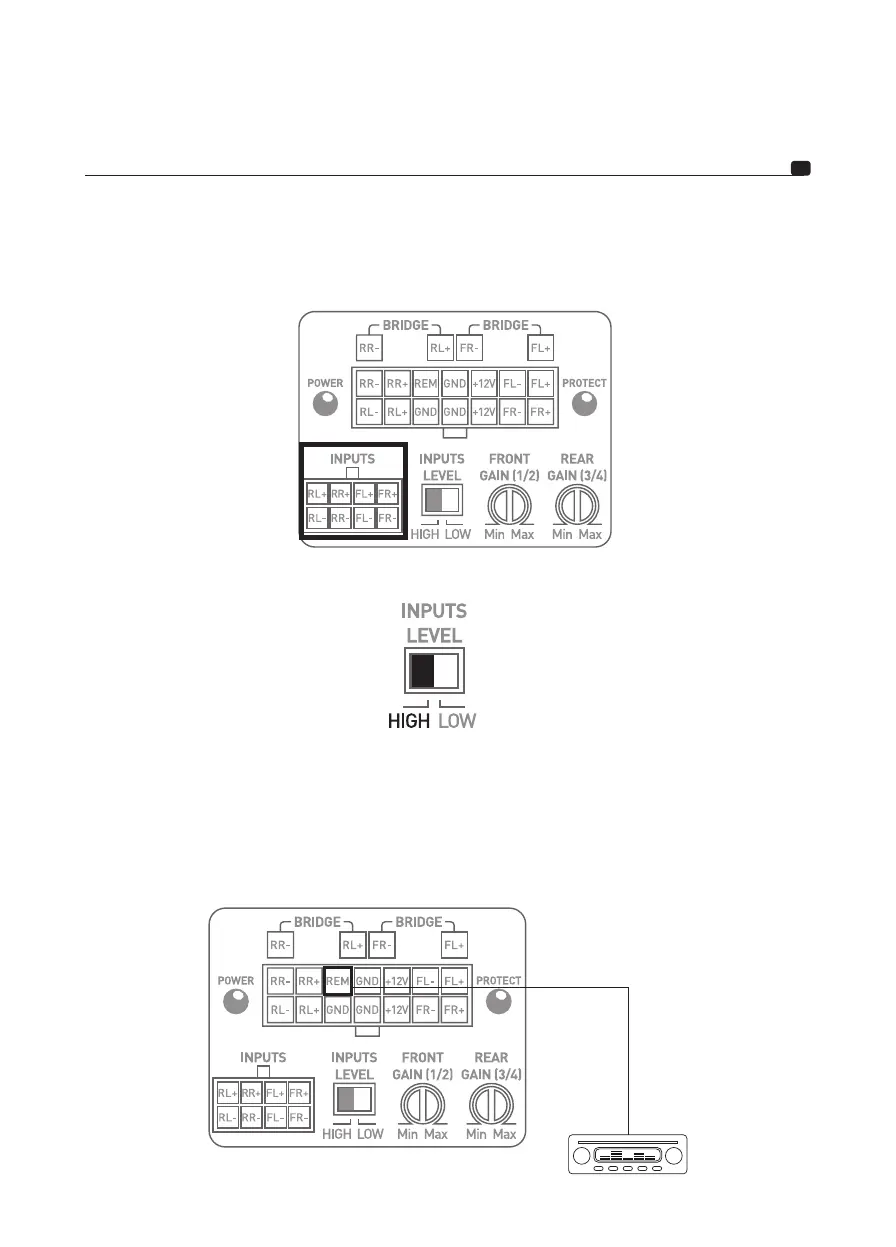
3.4.2 – Your head unit is only equipped with amplified outputs (speaker driver outputs).
Connect the speaker driver outputs of the head unit directly to the adapter cable supplied (fig. 5) ensuring the pola-
rities are respected. Connect the other end to the amplifier’s INPUTS panel.
fig. 5
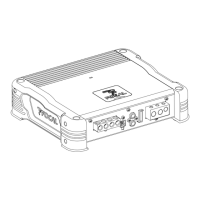
Switch the INPUTS LEVEL to HIGH (fig. 6).
fig. 6
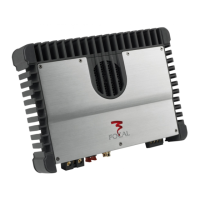
3.5 – Connecting the speaker drivers and remote to your IMPULSE 4.320 amplifier
Solder the REMOTE cable to the wiring harness supplied and isolate using heat-shrink tubing (fig. 7).
Connect the other end of the REMOTE cable to the car radio REMOTE terminal.
fig. 7


 To Next Page