20
ST6
Professional Analogue Monitoring System - User Manual
EN
A
ENEL1261 - ELECTRONIQUE COMPLETE ST6 SOLO6 - SRDOS-201103/2
1 COLOR PRINTING:
PANTONE P877C
Line thickness (frame only):
0.40mm(+/-0.05)
B
ENEL1262 - ELECTRONIQUE COMPLETE ST6 TWIN6 - SRDOS-201103/2
1 COLOR PRINTING:
PANTONE P877C
Line thickness (frame only):
0.40mm(+/-0.05)
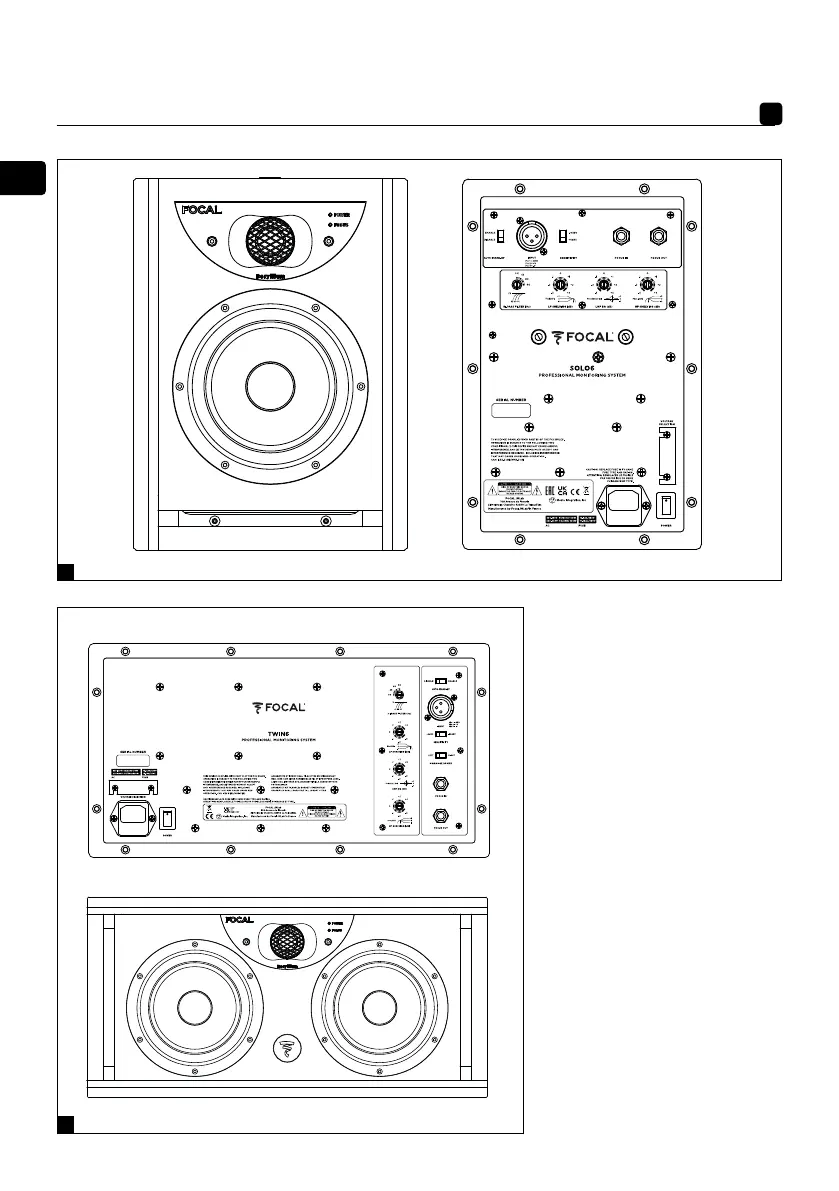
1. Audio signal input connector
2. Automatic stand-by switch
3. Input sensitivity switch
4. Crossover control
5. Focus mode input
6. Focus mode output
7. Power switch - On/Off
8. Voltage selector
9. Fuse box/mains socket
10. On/off mode indicator
POWER LED:
- on (continuous green)
- stand-by (continuous red)
- protection (flashing red)
11. Focus mode indicator
LED FOCUS:
- on (continuous green)
12. Inserts for wall fastening
13. Midrange speaker driver
selection switch
1
1
2
3
2
3
5 6
7
8
4
12
4
5
6
10
11
7
8
9
9
13
10
11



 To Next Page