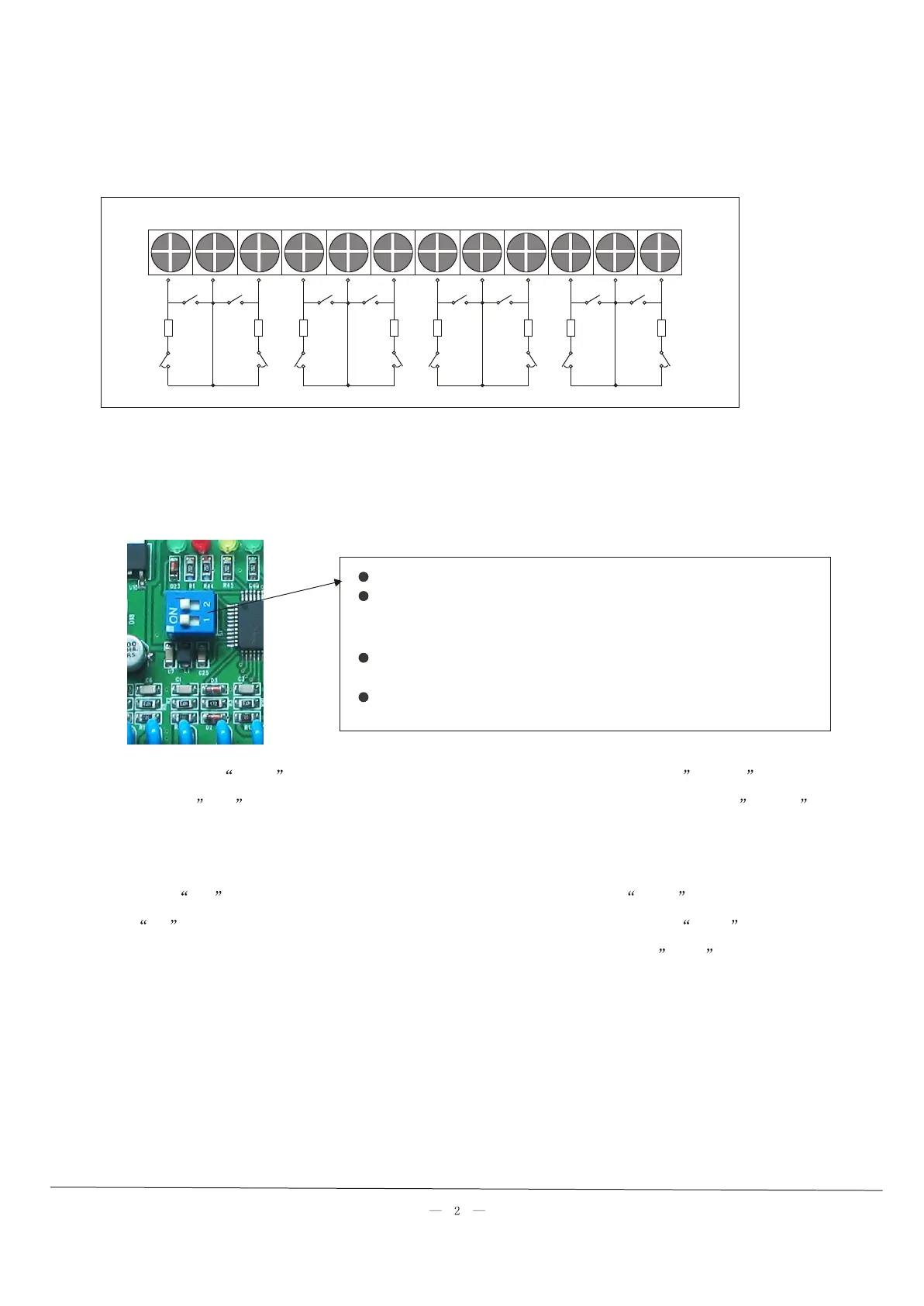
DIP switchDIP switch
when the panel connect with the first zone expansion board, DIP 1,2 is ON
when the panel connect with the second zone expansion board, the DIP of the first
zone expansion board remain unchanged. The second zone expansion board DIP 1
is OFF, DIP2 is ON
when the panel connect with the third zone expansion board, the DIP of the first
and second
board remain unchanged, the third zone expansion board DIP1 is ON,DIP2 is OFF
when DIP1,2 is OFF, make it disabled.
Coding: press Up key last for 3 seconds, LED1 flashing, then you can press Down key to select next one,
or press Up key to select previous one, after selecting the corresponding zone, press Entry key, LED stop
flashing, that indicate wireless coding successfully, after finishing setup, please press Exit key to exit the
system.
Delete coding: press Down key last for 3 seconds, LED 1 flashing, then you can press Down key to select
next one, or press Up key to select previous one, after selecting the corresponding zone, press Entry key ,
then all LED will flashing, that indicate delete coding successfully, the zone number will be subtracted 1
automatically.
Z1 COM Z2 Z3 COM Z4 Z5 COM Z6 Z7 COM Z8
10K
10K
10K
10K
10K
10K
10K
10K
Note: when you set it as wired mode, please choose open circuit of mode selection, then enter zone
expansion board setting status.
Note: when you set it as wired mode, please choose open circuit of mode selection, then enter zone
expansion board setting status.
Wired connection mode:Wired connection mode:
NO
NC
NO
NC
NO
NC
NO
NC
NO
NC
NO
NC
NO
NC
NO
NC



 To Previous Page
 Loading...