09
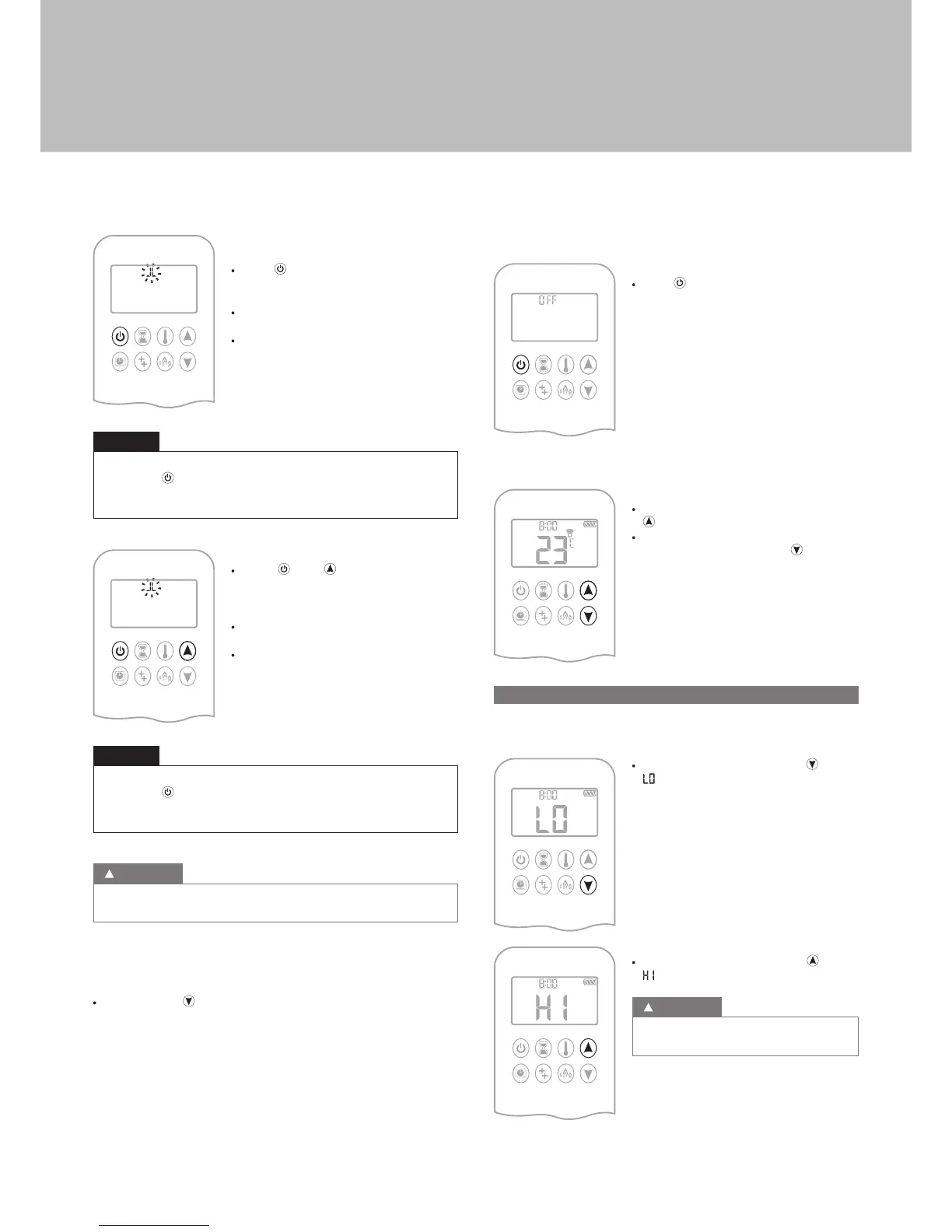
Handset One-Button Operation
(Default Setting)
· Press button until two short beeps and
a blinking series of lines confirms the start
sequence has begun; release button.
· Main gas flows once pilot ignition is
confirmed.
· Handset automatically goes into Manual
Mode after main burner ignition.
Change from one-button to two-button ignition operation by pressing
and holding
button for 10 sec. immediately after installing batteries.
ON is displayed and 1 is flashing. When change is complete 1 will
change to 2.
NOTICE
Handset Two-Button Operation
· Press and button simultaneously
until two short beeps and a blinking series
of lines confirms the start sequence has
begun; release buttons.
· Main gas flows once pilot ignition is
confirmed.
· Handset automatically goes into Manual
Mode after main burner ignition.
Change from two-button to one-button ignition operation by pressing
and holding
button for 10 sec. immediately after installing batteries.
ON is displayed and 2 is flashing. When change is complete 2 will
change to 1.
NOTICE
If the pilot does not stay lit after several tries, turn the main valve knob
to OFF (p. XX).
WARNING
STANDBY MODE (PILOT FLAME)
Handset
· Press and hold button to set appliance to pilot flame.
TO TURN OFF FIRE
Handset
· Press button to turn OFF.
NOTE: A new ignition is possible after the OFF
icon stops flashing.
FLAME HEIGHT ADJUSTMENT
Handset
· To increase flame height press and hold
button.
· To decrease flame height or to set appliance
to pilot flame, press and hold button.
G. DESIGNATED LOW FIRE AND HIGH FIRE
NOTE: Backlight must be on for high fire and low fire double-click
operation.
· To go to low fire, double-click button.
is displayed.
NOTE: Flame goes to high fire first before
going to low fire.
· To go to high fire, double-click button.
is displayed.
If the appliance will not operate, turn the main
valve knob to OFF (p. XX).
WARNING
User instructions


 To Next Page