FUNCTIONS AND FEATURES
TOUCH OPERATION
QUICK START GUIDE
BUTTON FUNCTIONS
LIGHT MODE
1 st Press - Turn On and Low
Mist
2 rd Press - High Mist
3 th Press - Humidistat Mode
4 th Press - Sleep Mode
5 th Press - Turn O
Hold 2 sec - Turn O
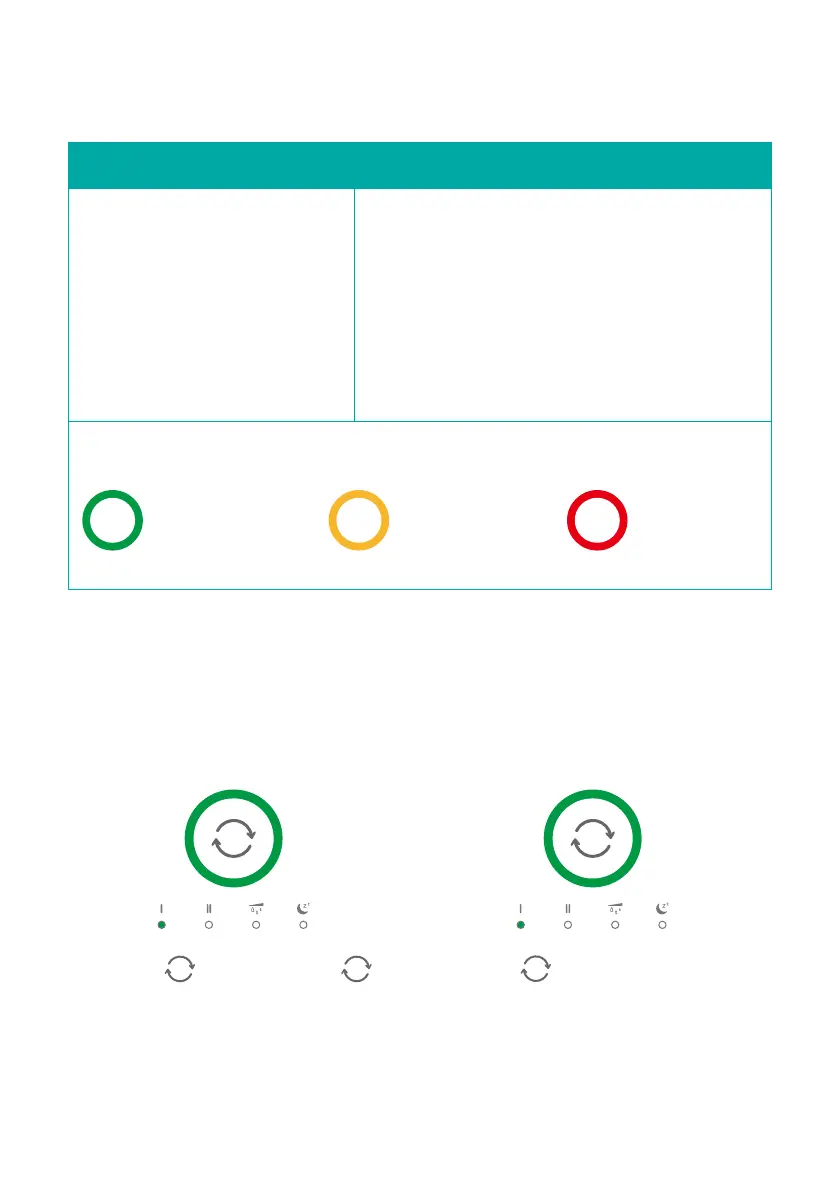
HUMIDISTAT MODE
The green light ring means that the humidity
environment ≥ 45%. At this time, it is the Ⅰ
level spray mode.
The orange light ring means that the
humidity environment ≤ 45%. At this time, it
is in the Ⅱ level spray mode.
GREEN LIGHT
It means that the
humidity
environment ≥ 45%
Press to turn on .Press
and hold on 2s to turn o.
ON/OFF
ORANGE LIGHT
It means that the
humidity
environment ≤ 45%
RED LIGHT
Indicate tank
water shortage
Press to choose the MIST
OUTPUT LEVEL you want.
(Tap the power button continuously
to select mist output level from
level Ⅰ to level Ⅱ.)
MIST LEVEL
06



 To Next Page