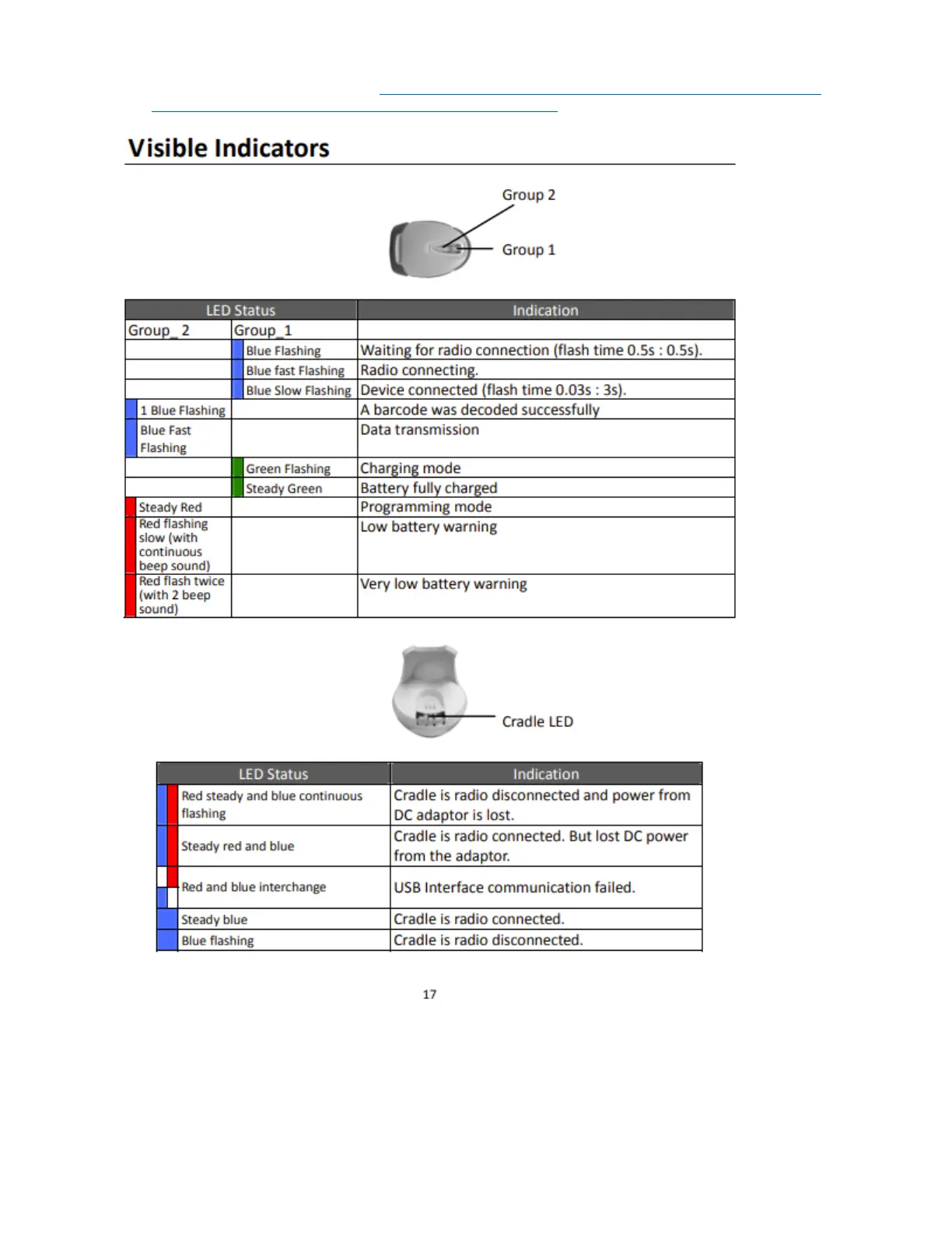
cradle, which can help you figure out what the issue might be. (A printed copy came with the scanner, or
you can download a digital copy here: Follett 6300 Cordless Barcode Scanner – Quick Reference Guide
From <https://www.granitemedia.org/library-resources/#library-management>
One of the most common problems is that the scanner and the cradle need to be re-paired. Here are
three fixes for that - try the first one, and if it doesn't solve the issue, move on to the second one, then
Easiest fix, if it works:
Pick up the cradle and on the underside of it you should see a barcode label that says “ST
Address” or something like that – scan that barcode with the wireless scanner.
There should be some flashing and beeping, and then hopefully they will pair up. You may



 To Next Page