Video Input Connections
The video input section on the PresentationPRO rear panel provides seven universal inputs. Each input accepts
RGB, YUV, S-Video (Y/C), or composite (NTSC or PAL) video signals. The connections for each input channel are
made via HD-15 connectors. No adapter cables are required to connect standard computer sources. Adapter cables
are available from the factory to facilitate connection to sources that utilize BNC or S-Video connectors. Connection
pins for each type of video signal are specified below.
RGB
Computer
Color Difference
DVD player, Camera,
Betacam Deck
S-Video (Y/C)
VCR
Composite Video
(NTSC or PAL)
VCR, Camera
Pin 1
RED U or Pr or Cr
Pin 2
GREEN Y (luminance) Luminance (Y) NTSC/PAL video
Pin 3
BLUE V or Pb or Cb Chrominance (C)
Pin 4
Pin 5
Pin 6
RED return U or Pr or Cr return Luminance (Y) return
Pin 7
GREEN return Y return Chrominance (C) return NTSC/PAL return
Pin 8
BLUE return V or Pb or Cb return
Pin 9
Pin 10
GND GND GND GND
Pin 11
Pin 12
Pin 13
Hsync or Csync
Pin 14
Vsync
Pin 15
15
1115
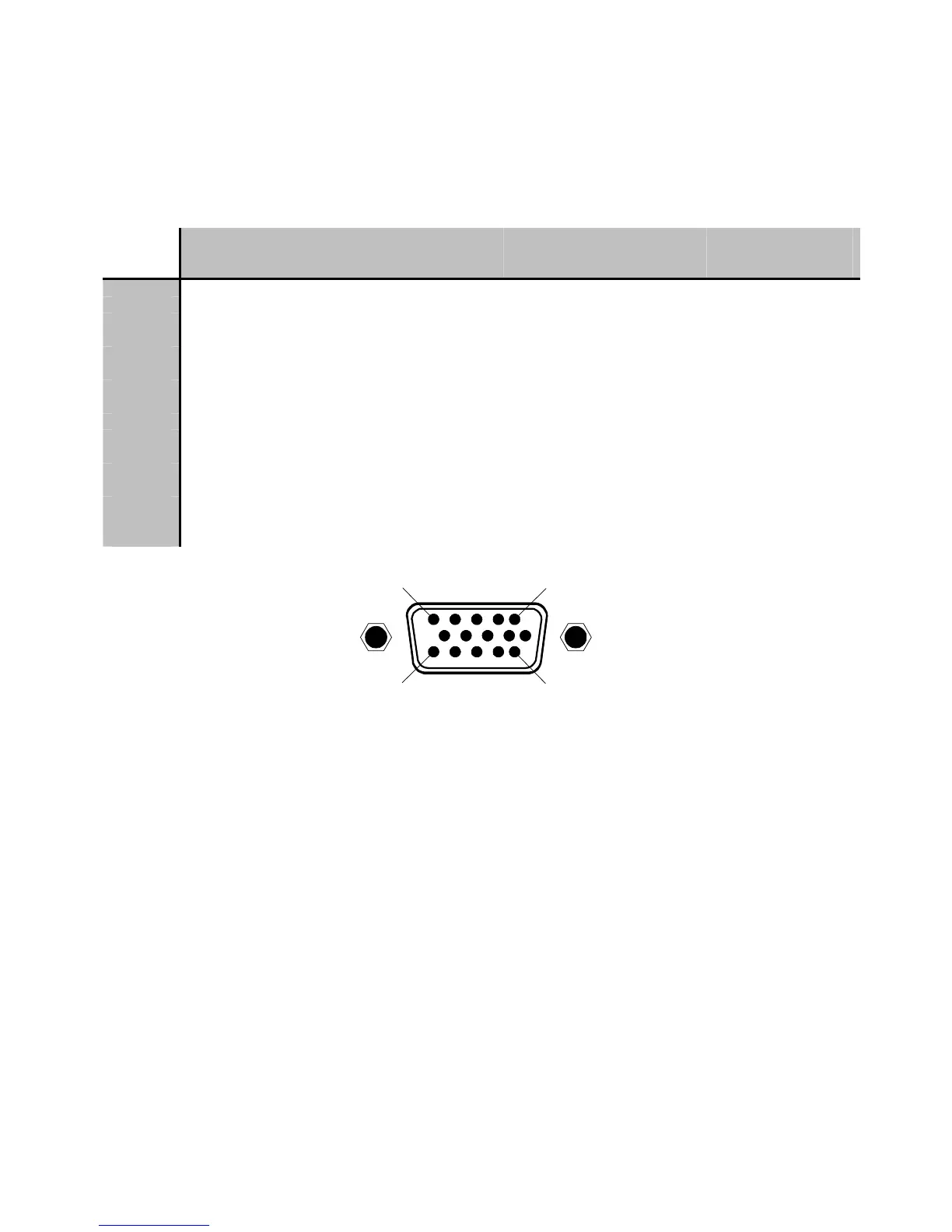
HD-15 Input Connector Pinout
(as viewed from rear of unit)
Manual # 26-0006901-00 / Revision E PresentationPRO – A/V Seamless Switcher
8


 To Next Page