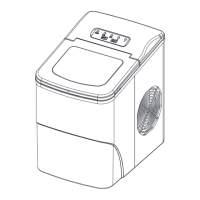
CONTROL PANEL OPERATION
ICE FULL: Ice full alarm
ADD WATER: Water shortage alarm
ICE MAKING: Ice making
1). When plugged in, the "ICE MAKING" indicator flashes. Once the
power button is pressed, the "ICE MAKING" indicator is always on,
and then the ice maker makes ice blocks automatically. After the ice-
making process completes, the deicing process starts, and then the
ice-shoveling function kicks in. The process repeats continuously.
2). ADD WATER: water shortage alarm
When the "ADD WATER" light turns red, there is a water shortage
in the water tank. You need to add water and press the power
button to restart the machine.
7


 To Next Page