DRUID ASSEMBLY MANUAL \ ASSEMBLY
05
05. INSTALL FRONT BRAKE CALIPER
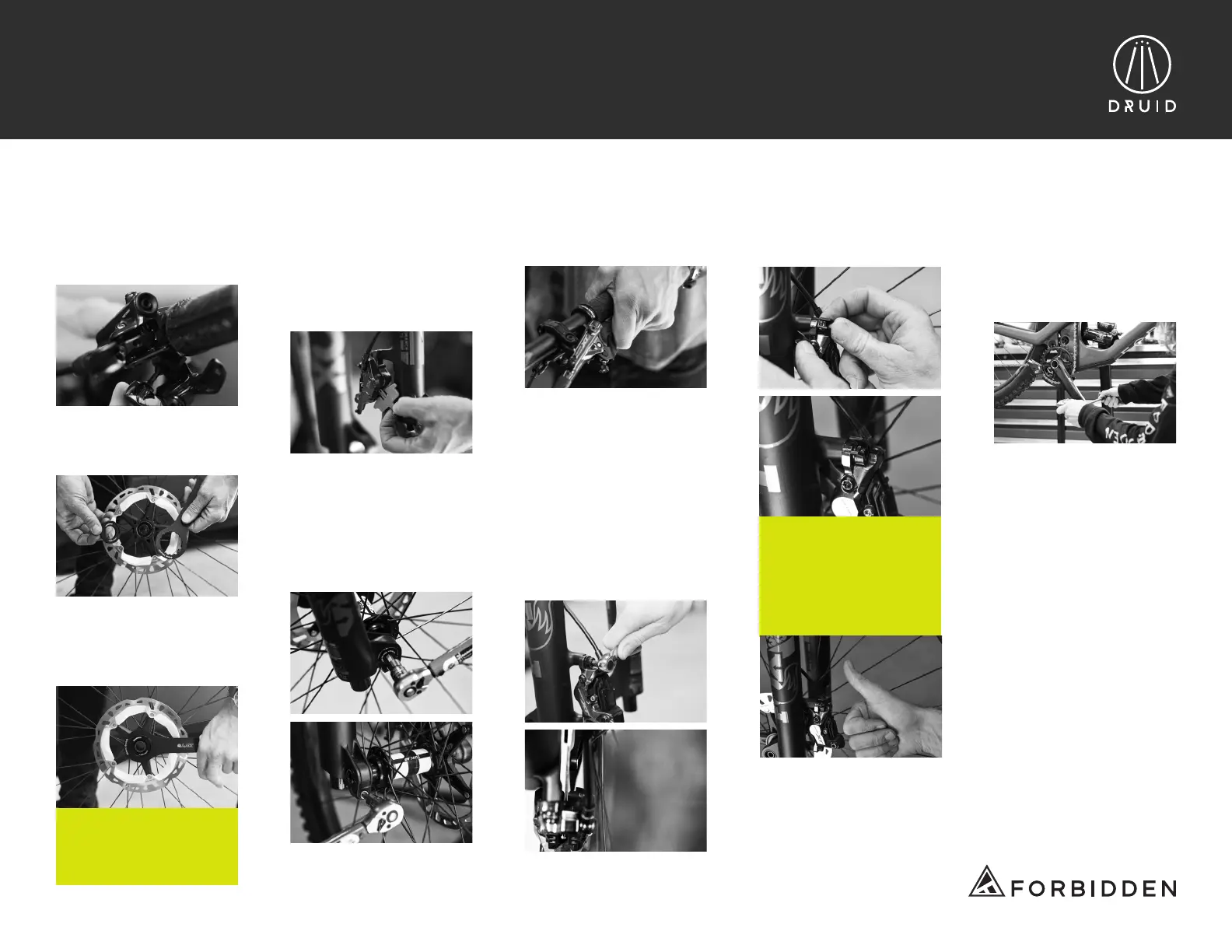
a.Using a 3mm, install the
dropper post remote via the
iSpec mount to the left brake
lever clamp.
c. Insert rotor onto the hub
and using a 44mm 16 notch
installation tool, torque lock
ring to 40Nm.
e. Insert front wheel into the
dropouts. Using a 6mm Allen
key for the Fox 36 fork,
tighten the axle to 9Nm.
Then tighten the pinch bolt
under the axle head to 5Nm
to lock the axle in place.
b. Grab the front rotor and
lock-ring out of the small
parts box.
06. PEDALS
a. Grab your own pedals
and install the pedals to
the crank arms following
the manufacturer’s
specications.
d. Remove the bike out
of box, remove brake pad
spacer from the caliper and
keep the spacer for any
future transportation where
the wheel needs to
be removed.
IMPORTANT:
FINAL TIGHTENING
AND TORQUE WILL
HAPPEN ON STEP 5.g
f. Pull the front brake lever a
few times and then hold the
brake lever in.
g. With the brake lever still
applied, tighten the two
caliper bolts. Once tight,
release the brake lever and
spin the front wheel to test
any drag between the rotor
and caliper. If the wheel
is spinning freely without
sound, using a 5mm Allen
key, tighten the two caliper
bolts to 8Nm.
CAUTION:
BRAKE CALIPER BOLTS
MUST BE PROPERLY
TORQUED AND ANTI-
ROTATION DEVICES
INSTALLED PRIOR
TO RIDING.
h. Install the nylon anti-ro-
tation devices (in small parts
box) on the brake bolt heads.


 To Next Page
 Loading...