
 Need help?
Do you have a question about the Force America ONE SSC5100ex and is the answer not in the manual?
Describes the initial steps to activate the SSC5100ex system, including the screen power switch.
Explains the safety feature preventing spreader outputs until 'Continue' is pressed.
Details how to access the Calibration Menu using an access code or supervisor key.
Configure which hydraulic functions (Hoist & Plow, Hoist, or Plow) can be activated by the unit.
Sets the operation of the Plow Down Float function, including disabled, delayed, or enabled states.
Sets the duty cycle for switch-related hydraulic functions during standard operation.
Adjusts the duty cycle for the plow up output during standard operation.
Adjusts the duty cycle for the plow left output during standard operation.
Adjusts the duty cycle for the plow right output during standard operation.
Adjusts the duty cycle for the hoist up output during standard operation.
Selects the limit scheme profile for output duty cycle when multiple hydraulic functions are requested.
Sets the percentage of maximum range for hydraulic functions operating in limit mode.
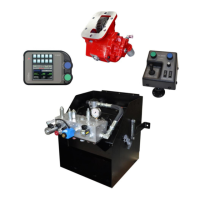
The FORCE America ONE™ system is a self-contained spreader control designed to manage granular and prewet material application, as well as hoist and plow operations. It comprises a main spreader control unit (SSC5100ex) and optional remote controls, offering a comprehensive solution for vehicle-mounted spreading and hydraulic functions.
The primary function of the FORCE America ONE™ system is to precisely control the application of spreading materials, including granular substances and prewet liquids. It operates in various modes, including manual spreading, and features a "Blast" function for rapid, high-volume material discharge. Beyond spreading, the system integrates control over vehicle hoist and plow operations, making it a versatile tool for municipal and commercial applications.
The SSC5100ex unit serves as the central interface, featuring two rotary adjustment knobs, five pairs of pushbuttons (referred to as "switches"), and an interlock switch on the back. These controls allow operators to adjust material spread rates, activate specific functions, and navigate menus. The system's operation is displayed on a screen divided into three parts: Switch Labels, Header Bar, and Main Window. The Switch Labels indicate active functions, the Header Bar displays system status messages, and the Main Window provides real-time information about material application and set rates.
The remote controls offer an alternative method for activating plow, hoist, and spreader functions. They include green and blue knobs that mirror the functions of the main unit's knobs, plus a gray knob specifically for adjusting the prewet set rate. A rocker switch below the gray knob controls prewet activation. The remote's joystick is used for hoist and plow movements, with a pushbutton to toggle between hoist and plow modes.
Powering Up and Safety: Upon applying 12V DC dashkey power, the SSC5100ex displays a "Screen Power Switch" as a safety feature. The operator must press "Continue" to activate the controller and enable spreader-related outputs, preventing accidental activation.
Granular Material Spreading: In manual mode, the system is initially in "Standby," deactivating all outputs. To spread granular material, the operator twists the green "On / Standby" knob to adjust the granular output percentage and the blue "Blast" knob to adjust the spinner set rate. Pressing the "On / Standby" knob removes the system from standby, initiating material spread regardless of vehicle movement. Pressing it again returns the system to standby.
Granular and Prewet Material Spreading: To apply prewet liquid alongside granular material, the operator first presses the top half of the "Prewet" switch on the main unit, which turns green when activated. Granular and spinner rates are adjusted using the green and blue knobs, respectively. The "Menu" button allows access to the "Material" menu, where the "Prewet Rate" can be adjusted using arrow buttons or the gray knob on the optional remote controls. Once settings are saved, pressing the "On / Standby" knob initiates both granular and prewet material spread.
Blast Function: The "Blast" feature runs the granular output at 100% for 10 seconds, useful for clearing material or rapid application. When active, the granular row on the screen displays "BLAST." This function is activated by pressing the blue "Blast" knob on either the main unit or the remote control and works regardless of whether the system is in Standby or the vehicle is moving. It can be deactivated prematurely by pressing the blue "Blast" knob again.
Hoist and Plow Operations: The system provides switch functions and outputs for hoist up/down and plow up/down/left/right. These functions can be activated momentarily by pressing the corresponding switches on the main unit. For hoist operations, the interlock switch on the back of the controller must be pressed simultaneously with the hoist switches. The remote control's joystick offers intuitive control over hoist and plow movements, with a pushbutton to switch between hoist and plow modes.
Calibration and Configuration: The system allows for extensive calibration of its features. Accessing the "Calibration Menu" requires an access code or a USB supervisor key. Within this menu, operators can configure "Hoist/Plow Options" (Hoist & Plow, Hoist only, or Plow only), "Plow Float" settings (Disabled, Delayed, Enabled), and "Max DC" for hydraulic functions (Plow Up, Plow Left, Plow Right, Hoist Up, Hoist Down). "Limit Scheme" settings (High, Low, Custom) allow for managing output duty cycles when multiple hydraulic functions are active, with "Limit Percentages" available for fine-tuning in custom mode.
Firmware Upgrades and Calibration File Management: The SSC5100ex unit includes a USB port on its left side. This port is crucial for maintenance, allowing users to import and export calibration files, which can simplify setup across multiple units or restore previous configurations. It also facilitates firmware upgrades, ensuring the system remains up-to-date with the latest features and performance enhancements.
Troubleshooting and Support: The manual emphasizes that for problems not documented within the quick start guide, operators should consult the more comprehensive SSC5100ex Operation Manual (M0118) or Calibration Manual (M0119). If issues persist, contacting a local FORCE America Sales Representative is recommended, with contact information provided for phone, website, and email support. This structured approach to troubleshooting helps users resolve issues efficiently and ensures continued operation of the device.
Safety Warnings: Throughout the manual, safety warnings are highlighted, particularly concerning moving machinery. Operators are reminded to ensure all personnel are clear from moving parts before activating any outputs, emphasizing a proactive approach to safety during operation and maintenance.
 General
| Model | ONE SSC5100ex |
|---|---|
| Type | Control Unit |
| Output Channels | 8 |
| Enclosure rating | IP67 |
| Housing Material | Aluminum |
| Weight | 1.2 kg |

 To Next Page