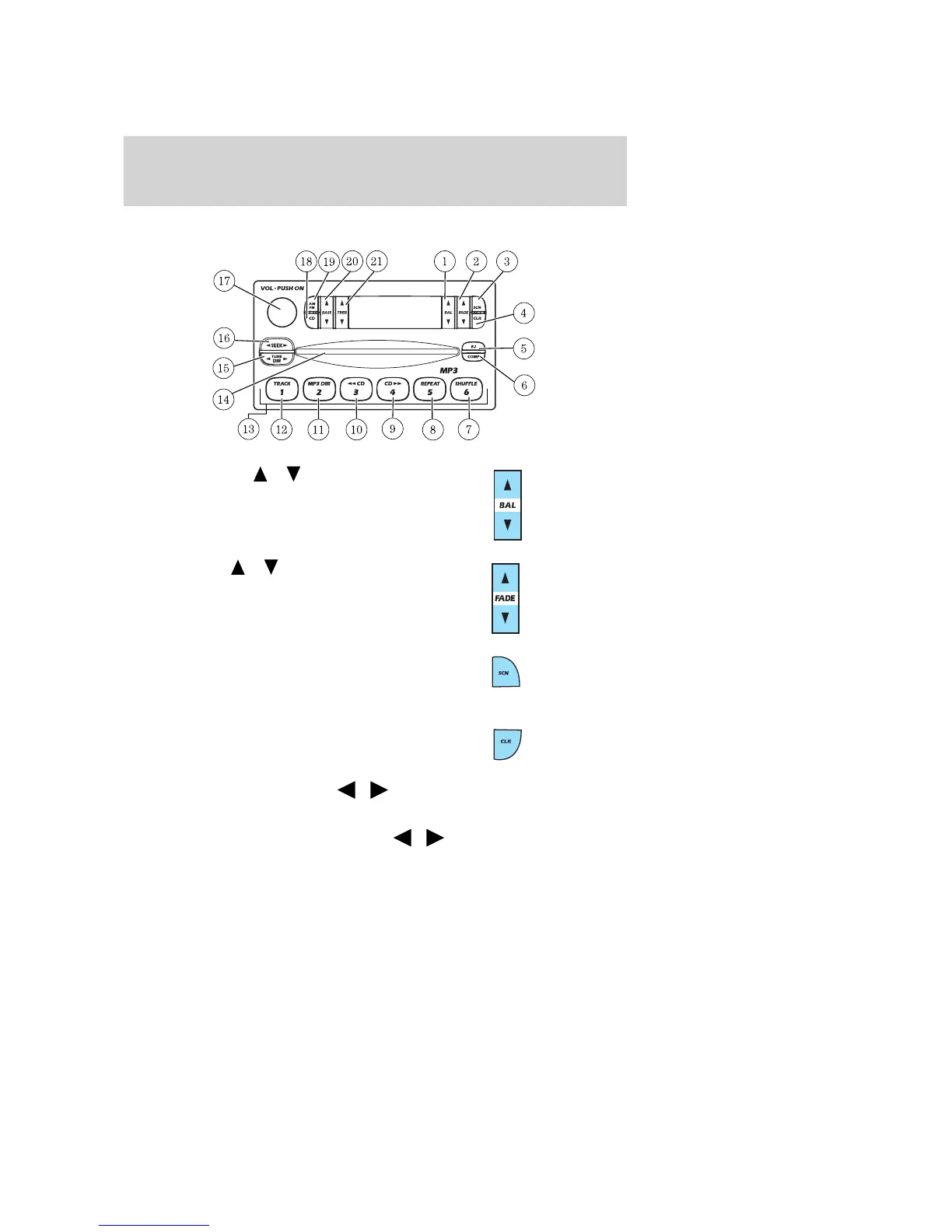
MP3 AUDIO SYSTEM
1. Balance: Press
/ to shift
sound to the left/right speakers.
2. Fade: Press
/ to shift
sound to the rear/front speakers.
3. Scan: Press to hear a brief
sampling of all listenable radio
stations, CD or MP3 tracks. Press
again to stop.
4. CLK: To set the clock press and
hold the CLK control for the
following functions:
• To set the hour, press SEEK
/ control to decrease or increase
to the hours.
• To set the minutes, press TUNE DIR
/ to decrease or increase
the minutes.
Release CLK to save the clock settings. Press CLK again to return the
display to radio mode.
2003 Explorer (exp)
Owners Guide (post-2002-fmt)
USA English (fus)
Entertainment Systems
25













 To Next Page