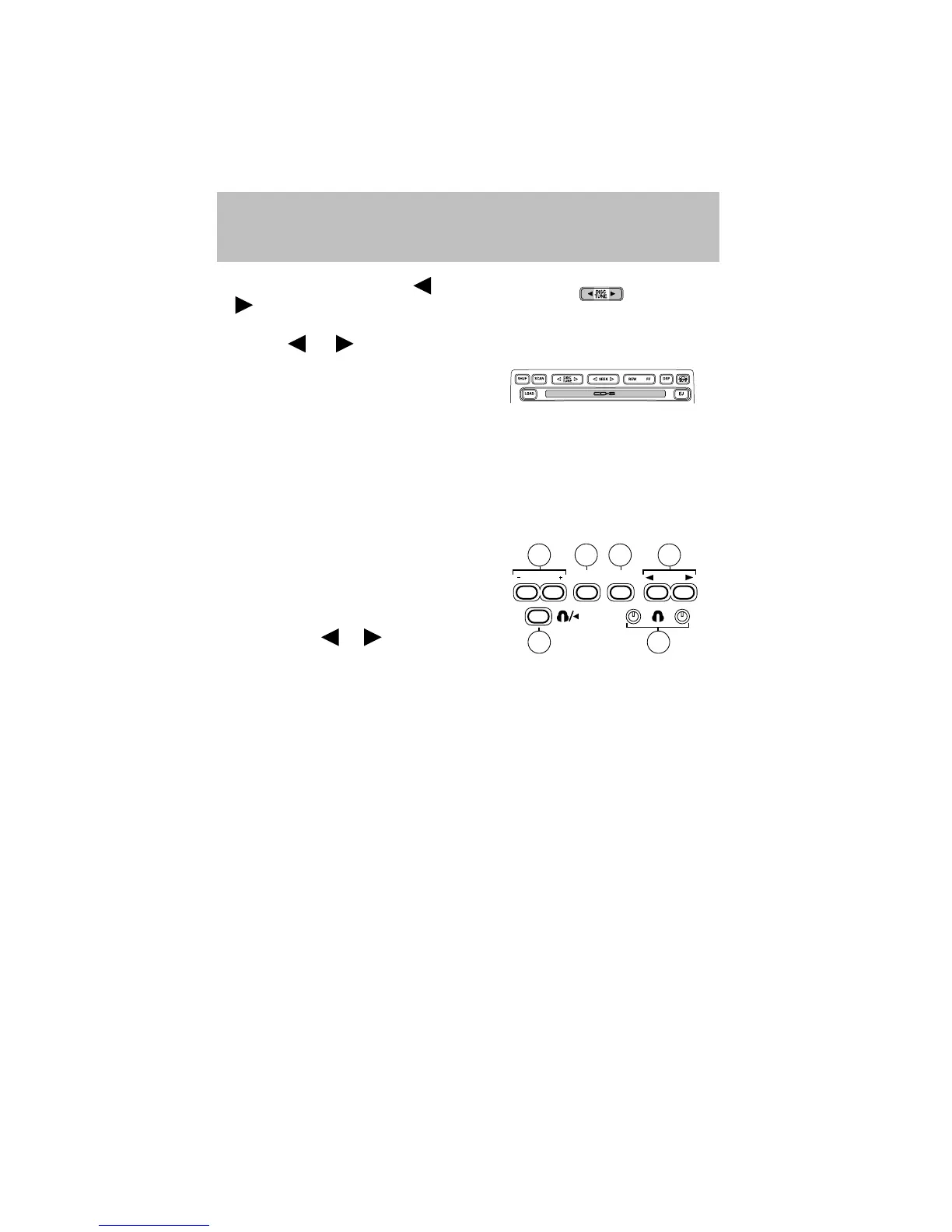
17. Disc/Tune: Radio: Press
or to manually tune down or up
the frequency band.
CD: Press
or to select the previous or next track on the CD.
18. CD door: Insert a CD label side
up.
REAR AUDIO CONTROLS (IF EQUIPPED)
The rear seat controls allow the middle seat passengers to operate the
radio, tape, CD or CD changer (if equipped).
To engage, simultaneously press the memory preset controls 3 and 5.
Press again to disengage.
1. Memory: Push successively to
allow rear seat passengers to scroll
through memory presets. Push in
CD changer mode (if equipped) to
advance to the next disc.
2. Seek: Press
or to access
the previous or next station,
selection or track.
3. Headphone jack: Plug a 3.5 mm headphone into the jack.
4. Headphone/speaker: Press to turn all speakers off (headphone
mode). Press again to deactivate the headphone and activate system
speakers.
5. Volume: Press + to increase and — to decrease volume levels. From
the rear seat controls, volume can not be set higher than the front seat
setting.
6. Media: Push to toggle between AM, FM1, FM2, tape, CD or CD
changer mode (if equipped).
REAR SEAT ENTERTAINMENT DVD SYSTEM (IF EQUIPPED)
Your vehicle may be equipped with a Rear Seat Entertainment DVD
System which allows you to watch DVDs, play music CDs and to plug in
and play video game systems. Please review this material to become
familiar with the system features and safety information.
VOLUME MEDIA
MEM
SEEK
5
4
26
3
1
Entertainment Systems
24









 To Next Page