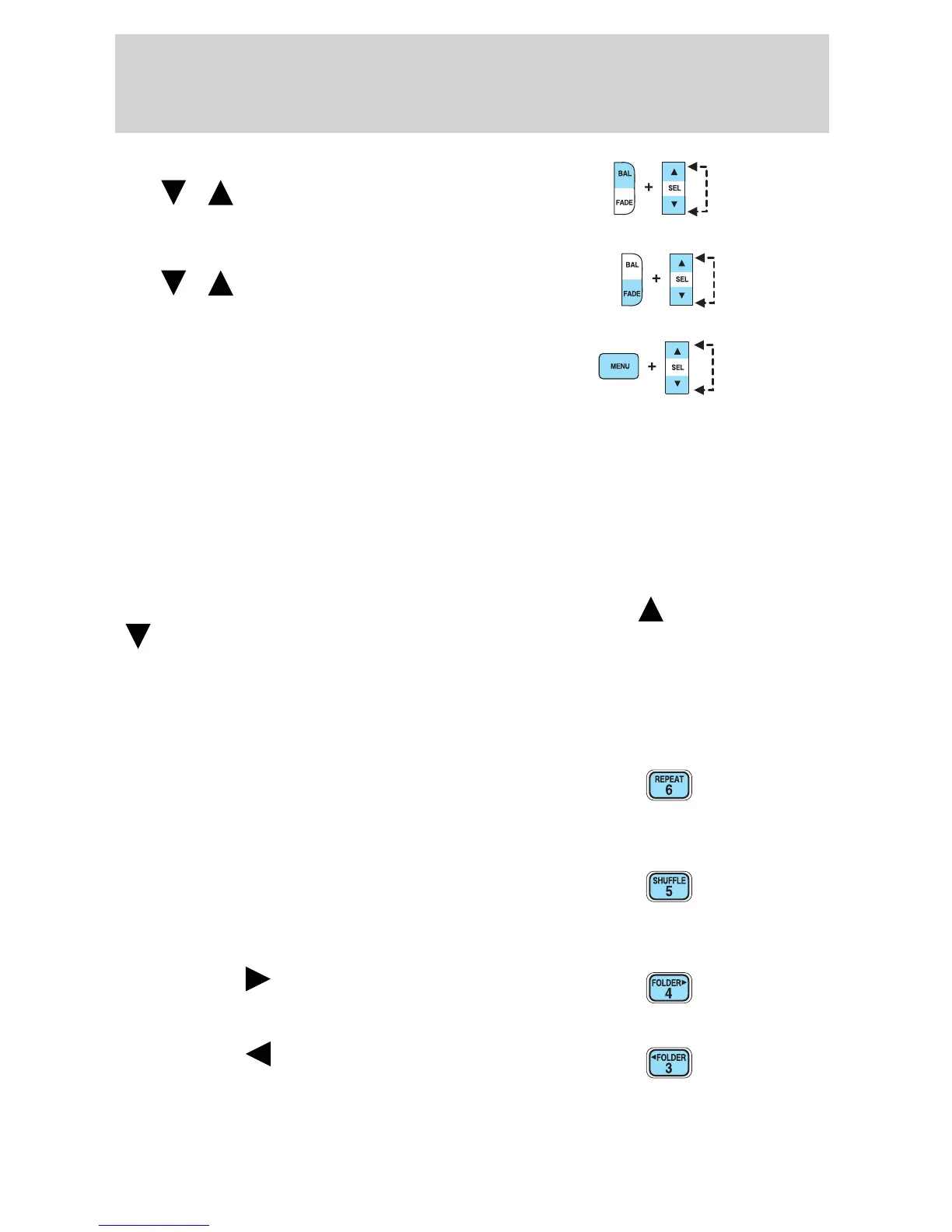
8. Balance: Press BAL; then press
SEL
/ to shift sound to the
left/right speakers.
Fade: Press FADE; then press
SEL
/ to shift sound to the
rear/front speakers.
9. Menu: Press MENU and SEL to
access AUTOSET, Speed sensitive
volume and Setting the clock.
Autoset: Press MENU until AUTOSET appears in the display. Press SEL
to toggle ON/OFF. Allows you to set the strongest local radio stations
without losing your original manually set preset stations for
AM/FM1/FM2. When the six strongest stations are filled, the station
stored in preset 1 will begin playing. If there are less than six strong
stations, the system will store the last one in the remaining presets.
Setting the clock: Press MENU until SELECT HOUR or SELECT
MINUTE is displayed. Use SEL to manually increase (
) or decrease
(
) the hours/minutes. Press MENU again to disengage clock mode.
Folder/Track mode: In MP3 mode, press MENU until MODE appears in
the display. Use SEL to toggle between FOLDER (only tracks within
selected folder are accessible) or TRACK (all tracks on disc are
accessible) MODE.
10. REPEAT: Repeats the current
CD/MP3 track when active (ON).
Press to show repeat status. Press
again to toggle status.
11. SHUFFLE: Plays CD/MP3
tracks in random order when active
(ON). Press to show shuffle status.
Press again to toggle status.
12. FOLDER
: Press to access
the next MP3 directory.
13. FOLDER
: Press to access
the previous MP3 directory.
2005 Explorer Sport Trac (p27)
Owners Guide (post-2002-fmt)
USA (fus)
Entertainment Systems
33













 To Next Page